Configure Payroll Policies

Payroll policies define how the organization manages employee compensation, attendance, and statutory compliance.

Navigate to Company Settings → Payroll Policies.

A. Work Schedule Settings

Define the structural rules for employee working hours:

  • Weekly Workdays – 5-day/6-day week or custom.
  • Shift Configuration – Multiple shifts, flexible hours, rotational shifts.
  • Grace Periods – Late entry/early exit tolerance.

B. Holidays & Leave Framework

Standardize organizational leave structures:

  • Public Holidays – Add region-specific or organization-wide holidays.
  • Leave Types – CL, SL, EL, compensatory off, maternity/paternity leaves.
  • Carry-Forward Rules – Maximum carry-forward limits, lapse rules, and encashment policies.
  1. Overtime Eligibility

Set rules for calculating overtime compensation:

  • Hourly/Monthly Basis – Overtime rate derived from basic wage or gross wage.
  • OT Multipliers – 1.5x, 2x, or custom values.
  • Approval Workflow – Manager or HR approval required.

D. Bonus & Incentive Configuration

Establish standardized bonus parameters:

  • Eligibility Criteria – Tenure, designation, grade, performance ratings.
  • Calculation Methods – Flat rate, percentage of basic, or CTC-based bonus.
  • Payout Cycle – Annual, quarterly, or ad-hoc.

E. Salary Rounding Rules

Control how payroll figures are rounded:

  • Nearest Rupee
  • One/Five/Ten-rupee rounding
  • Decimal Precision – Up to two decimals if required for reimbursements.

Tip

Conduct an annual review of payroll policies to align with:

  • Government guideline changes
  • Internal restructuring
  • Expansion into new states or locations

Add Company Details

This section captures the foundational elements of your organization.

Navigate to Company Settings → Add Company to begin the setup.

A. Basic Information

Provide the core identity details of your company:

  • Company Name – As registered under government records.
  • Company Logo – High-resolution PNG/JPEG for use in reports and payslips.
  • Registered Address – Legal address as per GST/TAN documents.
  • Corporate Office Address – If different from the registered address.
  • Contact Information – Primary phone number, support email, corporate website.

B. Fiscal & Operational Details

Define the financial and operational calendar followed across the organization:

  • Fiscal Year Start & End – Commonly April–March for Indian entities.
  • Default Currency – INR by default; multi-currency enabled for global subsidiaries.
  • Financial Calendar – Monthly, semi-monthly, or custom cycles.

C. Departmental Contact Points

Add verified communication details used for workflows, alerts, and notifications:

  • HR Department Email ID – For employee-related communication.
  • Finance/Payroll Email ID – For salary, compliance, and payout queries.
  • Admin Helpdesk – Optional contact for infrastructure-related issues.

Best Practices

  • Verify company details with GST, PAN, TAN, CIN, and Shop & Establishment certificates.
  • Maintain consistent naming conventions for smooth integration with HRMS/ERP systems.

Update communication details promptly to avoid missing statutory alerts or payroll notifications.

User Roles & Permissions

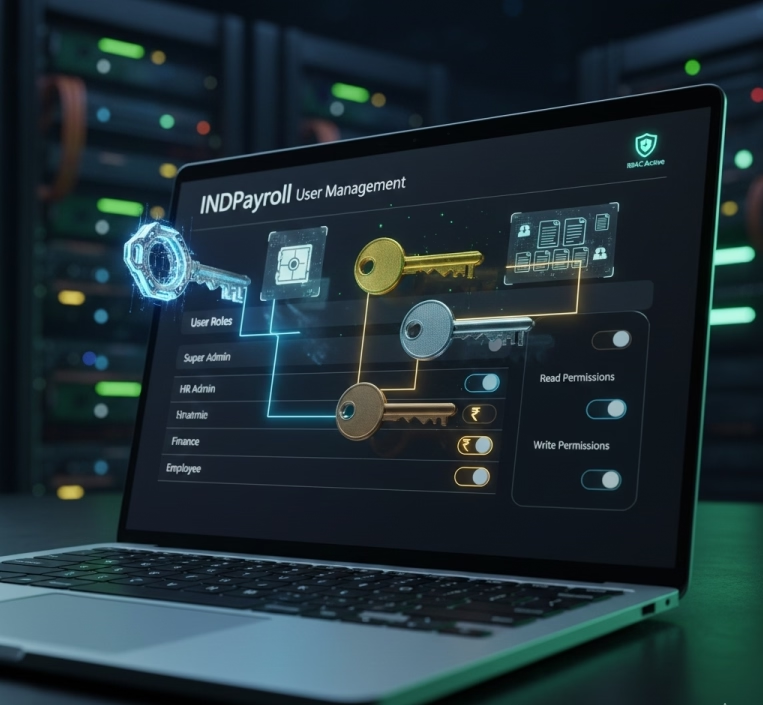
INDPayroll provides granular role-based access to maintain data security and operational efficiency:

Role Access Level Description
Super Admin Full Access Complete system access, including configuration, payroll setup, user management, and audit logs.
HR Admin High Employee onboarding, payroll data input, report review, and leave/attendance management.
Finance Medium Payroll verification, salary approvals, statutory reporting, and fund disbursement.
Employee Limited Self-service features: payslip access, personal info updates, and leave requests.

Pro Tip: Always assign minimum required access to maintain data security.

Login & Authentication

  • Access the INDPayroll Login Portal via URL provided by your organization.
  • Enter your Username and Password.
  • Click Login.
  • If Two-Factor Authentication (2FA) is enabled, enter the OTP received via SMS/email.

Security Best Practices:

  • Always logout after sessions on shared devices.
  • Use strong passwords combining uppercase, lowercase, numbers, and special characters.
  • Update passwords every 90 days or as per company policy.

System Requirements

For optimal performance, INDPayroll requires:

  • Browser Compatibility: Latest Chrome, Microsoft Edge, or Firefox.
  • Internet Speed: Minimum 5 Mbps recommended for seamless cloud operations.
  • Operating System: Windows 10+, macOS 10.14+, Linux distributions.
  • Screen Resolution: Minimum 1366×768; 1920×1080 recommended for dashboards.
  • Additional Tools: PDF reader for payslips, Excel or spreadsheet software for CSV import/export.

Tip: Clear browser cache periodically to avoid display issues.

Software Overview

INDPayroll is a modern, cloud-native payroll management platform engineered specifically to meet the complex statutory, HR, and operational requirements of Indian organizations. Designed for accuracy, scalability, and compliance, INDPayroll unifies the entire payroll lifecycle into a seamless, automated, and audit-ready workflow. Its architecture ensures optimal performance for both small businesses and large enterprises with multi-location, multi-departmental structures.

Below is an in-depth look at the platform’s core capabilities:

Automated Salary Calculation

INDPayroll delivers highly precise and fully automated salary computations, eliminating manual effort and minimizing errors. The system intelligently processes all components, including:

  • Earnings: Basic, HRA, DA, Conveyance, Special Allowances, LTA, Bonuses, Incentives
  • Reimbursements: Travel, meals, telephone, and project-based claims
  • Deductions: PF, ESI, TDS, Professional Tax, loan recovery, advance settlement, penalties
  • Taxation: Automated income tax slab application, exemptions, and investment declarations

The platform supports custom salary structures, handling complex calculation logic for diverse job roles, grades, and compensation models. With dynamic formula-based calculations, INDPayroll ensures consistent accuracy every month.

Statutory Compliance

Built with Indian statutory frameworks at its core, INDPayroll ensures full compliance with national and state labor and tax regulations, including:

  • Provident Fund (PF) contributions and ECR generation
  • Employee State Insurance (ESI) calculations and reports
  • Professional Tax (PT) based on state-specific slabs
  • Tax Deducted at Source (TDS) with auto-updating tax rules
  • Auto-generated statutory reports such as ECR files, Form 24Q, Form 16

The system provides real-time alerts, reminders, anomaly detection, and compliance tracking, ensuring organizations never miss a statutory deadline.

Payroll Workflow Automation

INDPayroll automates every stage of payroll processing through a streamlined, step-by-step workflow, from:

  • Employee onboarding
  • Salary template assignment
  • Attendance and leave integration
  • Earnings & deductions calculation
  • Statutory validation
  • Multi-level approvals (HR → Finance → Admin)
  • Payslip generation
  • Bank disbursements

This automation ensures zero manual dependency, improved efficiency, and compliance-driven accuracy across all functions.

Seamless Integrations

The platform is designed to connect effortlessly with other enterprise systems through API-based and file-based integrations, including:

  • Attendance & Biometric Systems: Automatic syncing of working hours, overtime, and shift details
  • Leave Management Systems: Real-time leave balances, LOP calculations, and approval workflows
  • HRMS Platforms: Synchronization of employee lifecycle data
  • Banking APIs: Automated salary disbursement through NEFT, RTGS, IMPS, or direct bank files

These integrations provide a single source of truth, eliminating discrepancies between departments.

Employee Self-Service Portal (ESS)

INDPayroll empowers employees with a secure and intuitive self-service portal, allowing them to:

  • Download payslips and Form 16
  • View tax projections, leave balances, and attendance summaries
  • Submit reimbursement claims or update personal information
  • Raise queries, track approval status, and receive notifications

This reduces HR workload and enhances employee transparency and satisfaction.

Advanced Reporting & Analytics

With powerful reporting capabilities, INDPayroll delivers:

  • Real-time dashboards displaying payroll costs, headcount analytics, and statutory summaries
  • Customizable report builders for specific departmental needs
  • Audit-ready registers for earnings, deductions, arrears, bonuses, and compliance
  • Trend analysis tools for year-over-year payroll insights, attrition cost studies, and workforce planning

These insights support strategic decision-making and financial forecasting.

Robust Security Framework

INDPayroll is designed with enterprise-grade security to safeguard sensitive payroll and employee data. Key features include:

  • Role-based access control (RBAC): Users see only what they’re authorized to access
  • Two-factor authentication (2FA): Added layer of security for login
  • Encrypted data storage and secure transmission for all sensitive information
  • Audit trails: Complete historical tracking of every action performed on the system
  • Session management & IP monitoring: Prevent unauthorized or suspicious access

Together, these capabilities ensure compliance with organizational security policies and industry-standard data protection norms.
Category: EPFO & ESI

No posts in this category.

Subcategory: EPFO

Subcategory: ESI

Category: Payroll Help

No posts in this category.

Subcategory: Employee Self-Service & Engagement

Subcategory: Introduction to Payroll

Subcategory: Payroll Analytics & Reporting

Subcategory: Payroll Automation & Technology

Subcategory: Payroll for Business Growth

Subcategory: Payroll Processing & Management

Subcategory: Taxation & Compliance

Category: User Manual

No posts in this category.

Subcategory: Company Setup

Subcategory: Employee Management

Subcategory: Getting Started

Subcategory: Glossary

Subcategory: Import & Export

Subcategory: Introduction

Subcategory: Payroll Configuration

Subcategory: Payslips & Disbursement

Subcategory: Reports & Analytics

Subcategory: Running Payroll

Subcategory: Statutory Compliance & Reports

Subcategory: Troubleshooting

Subcategory: User Management & Security