Monthly Payroll vs. Weekly Payroll: Which One Is Right for Your Business?

When it comes to payroll, frequency matters more than you might think. The decision between monthly payroll vs. weekly payroll isn’t just a preference — it’s a strategic lever that affects cash flow, compliance, morale, and operational efficiency.

For many HR professionals, finance teams, and small business owners, the question is this: How often should you pay your employees? And more importantly — how does that decision impact your team and bottom line?

In this blog, we’ll break down the differences between monthly and weekly payroll, explore how it affects various business models, and help you choose the option that aligns with your goals — backed by practical insights and powered by the flexibility of CRMLeaf’s CRM + ERP platform.
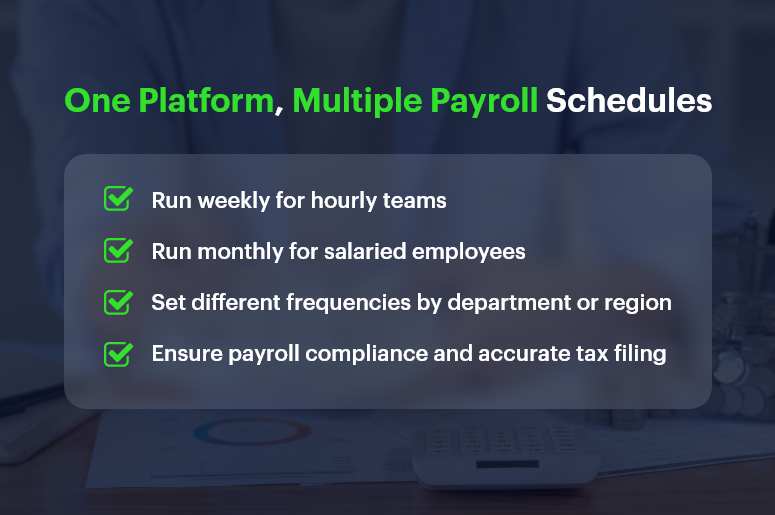
One Platform, Multiple Payroll Schedules

Why Payroll Frequency Is a Strategic Decision for Growing Businesses

Payroll isn’t just about cutting checks — it’s about financial planning, employee satisfaction, and regulatory compliance. As your business scales, choosing the right payroll schedule becomes even more critical.

1. Operational Simplicity vs. Workforce Expectations

  • Businesses often lean toward monthly payroll for its administrative simplicity and predictable cash flow cycles.
  • However, some industries require weekly payroll to meet labor expectations, especially for hourly or part-time staff.

2. Industry-Specific Norms

  • Construction, manufacturing, and retail industries often pay weekly or biweekly due to fluctuating shifts, hourly pay structures, and union rules.
  • SaaS companies, consultancies, and professional services prefer monthly payroll to reduce admin load and align payments with invoice cycles.

3. Employee Engagement and Retention

  • For many employees, pay frequency impacts satisfaction. Weekly payroll can improve morale and reduce financial stress — especially in hourly workforces.
  • On the other hand, salaried professionals often prefer predictable, consolidated monthly pay.

So, how do you decide between monthly payroll vs. weekly payroll? Let’s explore the pros and cons.

Payroll Schedule Comparison: Monthly vs. Weekly Breakdown

Here’s a clear breakdown of the advantages and trade-offs for both schedules, so you can make a confident decision.

Monthly Payroll: Advantages

  • Reduced Administrative Overhead: You only process payroll 12 times a year, saving time, effort, and resource costs.
  • Simplified Tax Filing: Fewer filings mean fewer opportunities for compliance errors and smoother reconciliation processes.
  • Cash Flow Predictability: Monthly payouts help businesses better forecast cash flow, especially when managing vendor payments and invoices.
  • Better Integration with Financial Systems: Monthly payroll aligns well with CRM + ERP platforms that also operate on monthly billing and reporting cycles.

Monthly Payroll: Potential Drawbacks

  • Delayed Earnings for Employees: Waiting 30 days for pay may cause dissatisfaction among employees, especially in lower-income or hourly roles.
  • Harder to Adjust for Mid-Cycle Changes: Bonuses, terminations, and last-minute adjustments may be harder to handle without disrupting the cycle.
  • Less Flexibility: If labor hours vary significantly, reconciling hours and calculating pay can be more challenging over longer cycles.

Weekly Payroll: Advantages

  • Boosts Employee Satisfaction: Employees receive faster access to their earnings, which can reduce financial stress and improve engagement.
  • Ideal for Hourly Workforces: Weekly payroll is perfect for businesses with fluctuating schedules and overtime payments.
  • Faster Error Correction: Mistakes can be caught and corrected more quickly, limiting the window for unresolved issues.

Weekly Payroll: Potential Drawbacks

  • Higher Administrative Load: Processing payroll 52 times a year can burden HR and finance teams — unless you automate with tools like CRMLeaf.
  • Increased Processing Costs: More frequent payroll runs can increase costs related to compliance, direct deposits, and accounting.
  • Shorter Cash Flow Windows: Weekly disbursements require tighter cash management and forecasting to avoid liquidity issues.

Best Practices: How to Choose the Right Payroll Schedule

Choosing between monthly payroll and weekly payroll depends on several factors — employee type, industry, company size, and available payroll infrastructure.

1. Align Payroll with Workforce Structure

  • If your team is largely hourly, seasonal, or shift-based, weekly payroll often works best.
  • For predominantly salaried employees, monthly payroll minimizes complexity and matches performance review or bonus cycles.

2. Evaluate Internal Resources

  • If your HR and finance teams are small or overstretched, monthly payroll might reduce workload and risk.
  • However, automation with CRMLeaf levels the playing field. You can run payroll weekly without overwhelming your team thanks to built-in workflows and tax calculators.

3. Consider Cash Flow Patterns

  • Ask: Can we maintain healthy cash reserves for weekly disbursements?
  • If not, monthly payroll may give your finance team more breathing room for planning, investing, or handling emergencies.

4. Stay Compliant with Local Laws

  • Some jurisdictions mandate weekly or biweekly payments, especially for certain industries.
  • CRMLeaf helps you stay compliant by automating regional payroll compliance and alerting you to changes in tax rules or labor laws.

Real-World Case Study: Choosing the Right Schedule with CRMLeaf

For example, ShopMax, a mid-sized retail business with 300 hourly employees, switched from monthly to weekly payroll using CRMLeaf’s CRM + ERP platform.

After automating time tracking, tax deduction, and overtime calculations:

  • Payroll errors dropped by 45%
  • Employee satisfaction scores increased by 22%
  • Time spent on payroll processing decreased by 40%

By leveraging CRMLeaf’s payroll automation and analytics, ShopMax turned payroll from a pain point into a retention advantage.

Key Takeaways: Finding Your Payroll Sweet Spot

Choosing between monthly payroll vs. weekly payroll isn’t one-size-fits-all. It’s a decision shaped by your team, your operations, and your goals.

  • Weekly payroll may suit hourly teams and high-turnover roles that require speed, transparency, and employee satisfaction.
  • Monthly payroll may suit salaried workforces, project-based companies, and cash-conscious operations.
  • The best strategy is to combine thoughtful planning with powerful automation.

With CRMLeaf’s CRM + ERP platform, you’re not stuck choosing one over the other — you get the flexibility to run different payroll schedules based on department, location, or role.

So whether you want efficiency, accuracy, or happier employees, CRMLeaf empowers your payroll process to align with business strategy.

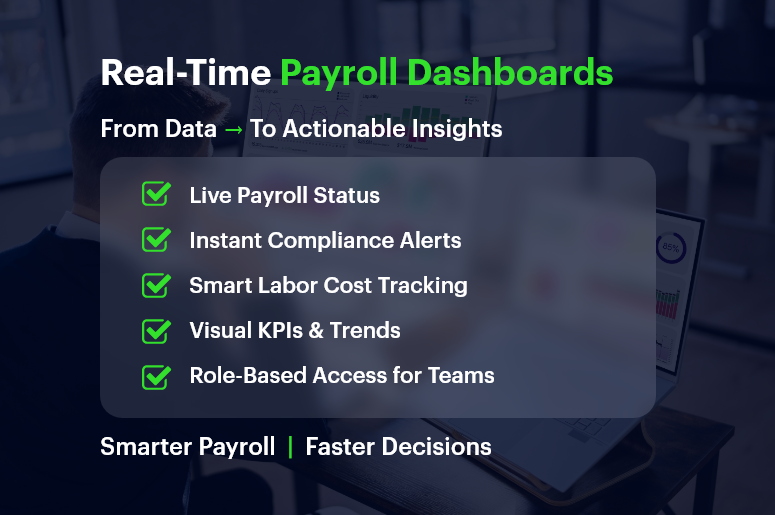
Real-Time Payroll Dashboards: Turning Data into Strategic Insights

Payroll used to be a back-office chore. Today, real-time payroll dashboards are transforming it into a strategic powerhouse.

Think about this: 70% of CFOs say real-time access to payroll data improves financial decision-making.

Yet many businesses still wrestle with outdated spreadsheets, manual reconciliations, and surprise compliance issues.

If you’re in HR, operations, finance, or running a growing business, here’s the good news — real-time payroll dashboards don’t just track payments. They offer insights you can act on immediately.

In this guide, you’ll learn how modern CRM + ERP platforms like CRMLeaf leverage payroll dashboards to optimize processes, save time, and reduce errors—turning routine data into strategic wins.

Real-Time Payroll Dashboards

Why Real-Time Payroll Dashboards Matter for Growing Businesses

Growing companies need visibility, speed, and compliance — without extra complexity. That’s exactly where real-time payroll dashboards help. Let’s break down why they’re a game-changer.

The Payroll Chaos Most SMBs Face

  • Manual data entry causes errors: When finance and HR teams manually process payroll, inconsistencies creep in — often unnoticed until payday.
  • Disjointed tools lead to delays: Separate tools for time tracking, tax filing, and benefits calculation can slow everything down.
  • Lack of transparency frustrates teams: Employees want to know when they’ll be paid and how deductions work, while managers want to spot overtime trends.

Industries That Benefit the Most

  • Retail chains with variable hourly schedules gain real-time clarity on overtime, absences, and shift differentials.
  • Construction firms need mobile-friendly dashboards to manage crews across multiple sites with diverse pay rates.
  • Tech startups scaling quickly use dashboards to maintain accuracy across employee benefits, bonuses, and stock options.

No matter your industry, access to real-time payroll data can reduce risk, control costs, and improve decision-making.

From Data to Action: Payroll Dashboard Best Practices

Let’s walk through how to get the most from real-time payroll dashboards — and why using a unified CRM + ERP platform like CRMLeaf makes it seamless.

1. Centralize Payroll Inputs for Real-Time Accuracy

Connect your time tracking, leave management, and pay-grade systems.

  • A real-time dashboard can only be as good as the inputs feeding it.
  • By syncing everything — from shift hours to performance bonuses — you eliminate blind spots and double entries.

2. Use Visuals to Spot Trends and Outliers Instantly

Numbers are great — but visuals tell the story.

  • CRMLeaf’s dashboards turn raw numbers into bar graphs, heatmaps, and pie charts so that HR and finance teams can spot anomalies like sudden spikes in overtime or underpayments.
  • It empowers quicker interventions without waiting until end-of-month reports.

3. Automate Compliance Tracking and Tax Calculations

Let automation handle ever-changing laws.

  • Real-time payroll dashboards can flag outdated tax rules or threshold breaches.
  • CRMLeaf’s built-in compliance engine keeps your pay cycles aligned with labor laws, minimum wage regulations, and benefits mandates.

4. Monitor Labor Costs Against Project Budgets

Track labor costs in real-time, right down to individual projects.

  • If you’re using job costing or project accounting, dashboards let you see whether labor spend is exceeding planned budgets — before the project wraps.
  • For industries like construction or consulting, this reduces cost overruns and improves bid accuracy.

5. Empower Managers with Role-Based Access

Let managers access only what they need — securely.

  • Managers can view their team’s payroll insights without seeing sensitive financial data across departments.
  • This ensures data integrity, privacy, and faster decision-making at every level.

Case Study: A Fast-Growing Retail Brand Streamlines Payroll

For example, ShopNova, a rapidly expanding retail brand with 50+ outlets, used CRMLeaf’s real-time payroll dashboards to slash its payroll processing time by 35%.

They integrated biometric time clocks, regional tax rules, and incentive structures across all stores.

The results?

  • Errors dropped by 70%
  • Payroll was processed 3x faster
  • Managers gained insight into peak-hour labor costs, improving scheduling efficiency

With CRMLeaf, ShopNova turned payroll into a strategic lever — not a bottleneck.

Key Takeaways: Why Payroll Dashboards Deserve Your Attention

Let’s recap what makes real-time payroll dashboards so valuable for businesses:

  • You get immediate visibility into payroll operations across departments, helping you make informed decisions faster.
  • You reduce compliance risks by automating tax calculations, deductions, and wage laws.
  • You simplify labor cost management by seeing live reports on where time and money are being spent.
  • You foster employee trust by improving pay accuracy and transparency.

In short, real-time payroll dashboards are no longer a nice-to-have — they’re a must-have for any business that values operational control, compliance, and growth.

They’re also far more powerful when integrated into a CRM + ERP platform like CRMLeaf — bringing payroll, project costing, workforce planning, and reporting under one roof.

Why Manual Payroll Processing Is Costing You More Than You Think?

On the surface, manual payroll processing might seem manageable — especially for small teams or early-stage companies. But behind the scenes, it’s a productivity drain, a compliance risk, and a hidden cost center.

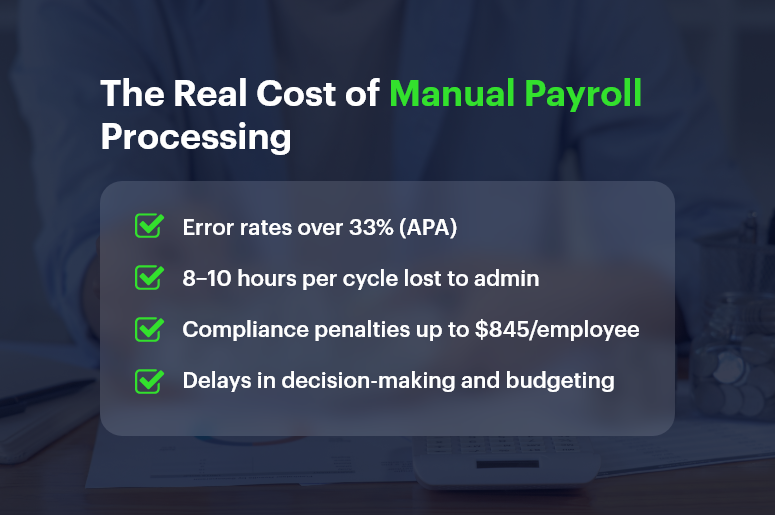
In fact, the American Payroll Association found that payroll errors affect over 33% of businesses, often costing hundreds to thousands annually per employee. And yet, many companies stick with spreadsheets and legacy systems simply because “that’s how it’s always been done.”

In this blog, we’ll explore why manual payroll processing is costing you more than you think, uncover the real-world risks, and show how platforms like CRMLeaf’s CRM + ERP help modernize payroll with automation, accuracy, and insight.

The Real Cost of Manual Payroll Processing

The Real Cost of Manual Payroll: Why This Matters to Growing Businesses

Manual processes aren’t just outdated — they’re dangerous in a fast-paced, compliance-heavy, and data-driven business world. And the impact isn’t limited to just HR.

1. Manual Means Mistakes — And Mistakes Cost Money

  • Data entry errors are common: Manually inputting hours, deductions, and tax codes opens the door to mistakes. One wrong cell and your employees get underpaid or your business overpays taxes.
  • Fixing errors eats into productive time: HR and finance teams often spend hours fixing mistakes instead of focusing on strategic initiatives.

2. Hidden Compliance Risks Are Always Lurking

  • Tax laws change constantly: Staying updated manually across multiple jurisdictions increases the risk of fines and audits.
  • Late filings or misclassified employees can result in government penalties, legal trouble, and loss of trust.

3. Employee Experience Takes a Hit

  • Late payments or incorrect paychecks hurt morale: It’s hard to keep employees engaged if they’re constantly questioning their pay.
  • Manual processes reduce transparency: Employees may not know where to go for breakdowns, deductions, or past payslips.

4. Business Scalability Slows Down

  • Manual payroll doesn’t scale: The more employees you onboard, the harder it becomes to track benefits, bonuses, and time off accurately.
  • Disconnected systems stall decision-making: Without real-time integration between payroll, finance, and HR, you lose visibility.

From retail and manufacturing to tech startups and agencies, businesses in every industry face these bottlenecks — until they automate.

The True Costs of Manual Payroll Processing: Let’s Break It Down

You might think manual processing saves you software costs. But here’s what it’s costing:

1. Time Cost

  • Manual payroll can take 8–10 hours per cycle, depending on employee count, overtime tracking, tax calculations, and approvals.
  • Multiply that across 12–52 pay periods, and you’re talking about dozens of workdays lost annually to payroll administration.

2. Financial Risk

  • A simple mistake — like failing to withhold the correct tax — can cost businesses up to $845 per year per employee in penalties, according to the IRS.
  • Labor audits due to noncompliance often result in thousands in legal fees.

3. Opportunity Cost

  • Manual payroll drains time that could be spent on performance analysis, workforce planning, or improving employee engagement.
  • Delayed payroll insights mean you can’t react quickly to budget overruns or labor costs exceeding projections.

Best Practices: How to Eliminate the Hidden Costs of Manual Payroll

It’s time to stop treating payroll like a back-office burden and start managing it as a strategic function. Here’s how to make the shift:

1. Automate Data Collection with Integrated Time Tracking

  • Sync employee hours, leave records, overtime, and holidays with your payroll system using CRMLeaf’s unified CRM + ERP.
  • You’ll eliminate manual errors and gain real-time visibility across departments.

2. Implement Tax Rules & Compliance Workflows

  • Automate tax calculations and state-specific compliance checks within your payroll module.
  • CRMLeaf keeps tax rules up to date, so you’re always audit-ready without manual intervention.

3. Generate Reports Instantly

  • From payroll summaries to compliance reports, automation lets you run reports with one click instead of piecing together Excel sheets.
  • This makes it easier to justify expenses, analyze labor trends, and share insights with leadership.

4. Give Employees Self-Service Access

  • Empower employees with portals where they can access payslips, tax forms, and payment history — reducing HR queries by up to 40%.
  • CRMLeaf includes secure, role-based access so sensitive data stays protected.

5. Sync Payroll with Project Costs

  • When payroll data integrates with projects and budgets, you can track real-time labor costs per client or task.
  • This is crucial for consulting firms, marketing agencies, and any business with billable hours.

Customer Story: How One Business Slashed Payroll Costs with CRMLeaf

For example, TaskPro, a logistics company with 150+ employees, was managing payroll manually using spreadsheets and a legacy HR tool.

Once they switched to CRMLeaf’s payroll automation, the impact was immediate:

  • Payroll processing time dropped by 60%
  • Error rate reduced by 80%
  • Annual compliance fines went from $6,000 to zero

TaskPro also integrated payroll with their budgeting module — improving project profitability by understanding labor cost allocations in real-time.

Key Takeaways: Automation Isn’t Optional Anymore

Here’s the reality — manual payroll processing is draining your time, increasing risk, and limiting your growth.

To recap:

  • Manual methods introduce more errors, which cost both money and employee trust.
  • You’re losing valuable time and missing out on insights that modern automation delivers instantly.
  • Payroll should be part of your business intelligence strategy, not just a monthly task.

With CRMLeaf’s CRM + ERP platform, payroll is integrated, automated, and optimized — so your teams can focus on strategy, not spreadsheets.

Employee Self‑Service in Payroll: A Win for Transparency and Productivity

Every time someone emails HR for a pay stub or correction, you lose productivity, clarity, and trust. That’s why employee self‑service in payroll isn’t just a convenience — it’s a transformative approach to fostering transparency and efficiency.

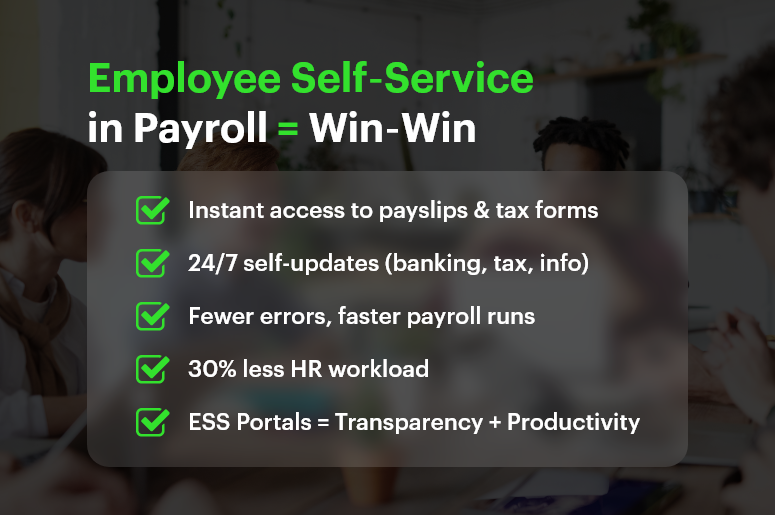
Research confirms that self‑service portals reduce HR workload by up to 30%, speed responses, and boost employee empowerment

In this post, we’ll explain why employee self‑service in payroll matters, the benefits it delivers, and how CRMLeaf’s unified CRM + ERP platform makes it effortless to implement.

Employee Self‑Service in Payroll Win‑Win

Why Employee Self‑Service in Payroll Matters

When employees rely on HR for every pay slip or deduction question, HR teams become overloaded, and delays frustrate people. Empowering employees with a payroll self-service portal solves that—and unlocks broader organizational benefits.

1. Enhances Payroll Transparency

  • An ESS portal gives employees instant access to payslips, deductions, tax forms, and earnings history.
  • With on-demand visibility, trust rises because payroll becomes open and understandable

2. Boosts Productivity & Reduces HR Workload

  • Empowering employees to self-serve reduces routine HR queries by nearly one-third.
  • This frees HR teams for strategic initiatives instead of repetitive admin

3. Improves Payroll Accuracy

  • When employees enter their details — banking info, tax election, personal data — errors drop significantly.
  • Built-in validation helps correct discrepancies before payroll is finalized

Who Benefits Most? Industries That Gain from ESS in Payroll

Employee self‑service in payroll delivers ROI across sectors:

  • Retail & Hospitality: High-volume, hourly staff with frequent deductions rely on immediate pay transparency.
  • Manufacturing & Logistics: Rotating shift workers need real-time payroll visibility to confirm hours across sites.
  • Professional Services & Startups: Tight payroll schedules, project-based compensation, and fast-changing headcounts benefit from self-service accessibility.

In all cases, ESS leads to fewer errors, happier teams, and more focused HR departments.

Best Practices & Actionable Tips for ESS in Payroll

Effective deployment of employee self‑service in payroll requires a best-in-class strategy. Here’s how to plan implementation — especially when integrated with CRMLeaf’s CRM + ERP system.

1. Implement a Unified ESS Portal

  • Use a single platform that integrates payroll, HR, and finance.
  • That way, changes in one module (like leave or benefits) reflect across the system immediately.

2. Offer Mobile & 24/7 Access

  • Employees should be able to view pay details, request updates, and download forms anytime.
  • Mobile-compatible portals meet modern expectations perfectly.

3. Enable Self-Updates with Automatic Validation

  • Let staff update direct deposit details, withholding info, or emergency contacts themselves.
  • Use validation rules to prevent incorrect entries and conflicts before payroll processing.

4. Cut HR Tickets by Providing Transparent Information

  • When employees can self-access payslips and tax forms, HR inquiries reduce drastically.
  • This minimizes repetitive texting and email chains for routine questions.

5. Integrate ESS with Leave & Benefits Modules

  • Link ESS to leave balance, PTO requests, and benefits elections to reduce cross-team misalignment.
  • Every update feeds into payroll automatically without manual adjustments.

6. Provide Pre-Payroll Error Alerts

  • Use alerts to flag missing data, incomplete profiles, or mismatched information before final payroll runs.
  • This proactive approach improves data quality and lowers downstream corrections.

7. Empower Employees & Improve Engagement

  • Giving staff control over their payroll data drives accountability and morale.
  • Studies show empowered employees report higher satisfaction and retention.

8. Use Secure, Role‑Based Access

  • Provide multi-factor authentication and restrict visibility so employees only see their data.
  • Role-based permissions keep HR and finance functions secure and audit-ready.

Customer Success /Case Study

For example, BrightWorks Co., a mid-sized manufacturing company with 300 employees, implemented employee self‑service in payroll using CRMLeaf’s CRM + ERP platform. They rolled out a mobile ESS portal allowing staff to view payslips, update banking and tax info, request PTO, and submit unclaimed hours.

  • HR queries dropped by 35% within two months
  • Payroll error rate fell by 60% due to pre-payroll validation
  • Employee satisfaction increased by 20%, thanks to transparency and autonomy

By empowering employees and streamlining admin, BrightWorks transformed payroll from a headache into a productivity driver.

Key Takeaways & Closing

Here’s why employee self‑service in payroll is a win-win for businesses:

  • Transparency: Staff can access their payroll data instantly, reducing confusion and enhancing trust.
  • Productivity: HR teams spend less time on routine tickets, freeing them for strategic work.
  • Accuracy: Self-entry and validation reduce errors before payroll is processed.

With CRMLeaf’s integrated CRM + ERP platform, ESS becomes more than a feature — it becomes a backbone of data integrity, employee engagement, and operational efficiency. This synergy helps businesses scale faster, operate more transparently, and support employees better — without increasing HR effort.

How Payroll Integration with HR and Finance Boosts Accuracy?

Every month, HR teams pull hours, benefits, and leave data while finance teams reconcile costs. Yet without payroll integration with HR and finance, data mismatches emerge, and errors slip through the cracks. Manual misalignments result in inaccurate paychecks, compliance headaches, and lost confidence.

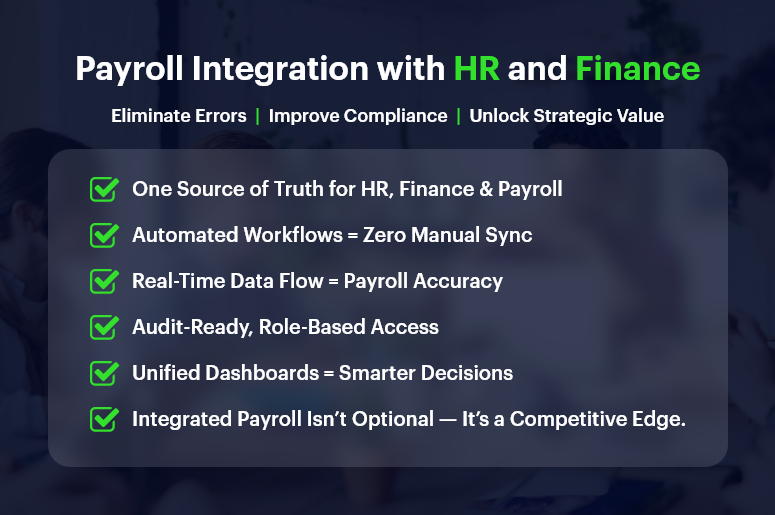
By linking payroll directly to HR and finance systems, organizations eliminate duplication, reduce mistakes, and safeguard trust — making payroll not just accurate but strategic. In this post, you’ll learn why payroll integration with HR and finance matters, how it transforms operations, and how CRMLeaf’s integrated CRM + ERP platform delivers results you can measure.

Business Need & Importance: Why Integration Matters Across Teams

Accurate payroll isn’t just about paying employees — it’s about consistency, compliance, and confidence across departments. When payroll doesn’t integrate with HR or finance, gaps emerge:

1. Misaligned Data Creates Errors

Even minor discrepancies in hours, deductions, or tax codes can lead to incorrect salaries or financial reports. Especially in industries like retail, hospitality, or consulting, where overtime and different pay structures abound, data alignment is critical.

2. Finance and HR Operate in Silos

Without integration, HR may see payroll data separate from finance budgets. That fragmentation delays reporting and undermines workforce planning.

3. Compliance Becomes a Risk

Tax rules, deductions, and benefit eligibility — these change often. Without automatic updates, manual systems amplify compliance risk and audit exposure.

For example, in manufacturing or logistics firms, workforce cost planning relies on aligned payroll, HR scheduling, and finance budgeting. In professional services firms, linking time tracking to payroll and invoicing ensures accurate client billing. And in tech startups, connecting HR records, payroll, and financial reporting supports fast growth with real-time visibility.

Best Practices & Actionable Tips: Boost Accuracy with Payroll Integration

Integrated systems aren’t magic — they follow best practices and smart workflows. Here’s how to implement robust payroll integration with HR and finance, especially when using CRMLeaf.

1. Use a Unified Platform for HR, Finance & Payroll

Rather than syncing separate tools, use a single CRM + ERP platform so HR, payroll, and finance draw from the same data sources.
This shared database ensures that changes in hours, benefits, or role assignments immediately flow into payroll calculations without mediation.

2. Automate Data Flow Between Modules

Ensure that timesheets, leave entries, and benefit changes automatically update payroll and finance ledgers.
For instance, when an HR manager marks an employee as full-time or adds a bonus, the system reflects that in the payroll run without human intervention.

3. Leverage Audit Trails and Role‑based Access

Accurate reporting requires transparent records of changes. Use logs that track when payroll data was updated — by whom and why.
Meanwhile, role-based permissions let HR see benefits and hours while finance sees cost breakdowns — without overexposure.

4. Design Smart Approval Workflows

Establish multi-tier approval (e.g., team lead approves timesheet before payroll processing).
When workflows trigger payroll only after verification, you reduce risk and avoid last-minute corrections.

5. Sync Compliance Rules and Tax Logic

Payroll integration with compliance modules ensures that tax tables, labor laws, and deductions are up to date.
Platforms like CRMLeaf can automatically enforce regional rules, avoiding manual recalibration each pay cycle.

6. Generate Unified Reporting Dashboards

Create dashboards that combine HR metrics (headcount, leave trends), payroll costs, and finance data (GL entries, cost centers).
This holistic view enables better forecasting, budgeting, and resource planning.

7. Provide Self‑Service Access for Teams

Employees and managers should access payslips, summary reports, leave balances, and benefit info via a shared portal.
This reduces HR queries and ensures consistent data visibility across departments.

Customer Success/Case Study

For example, GreenLeaf Consulting, a professional services firm, used payroll integration with HR and finance on CRMLeaf’s CRM + ERP platform to unify employee records, project billing, and payroll calculations seamlessly.

They automated:

  • Timesheet approvals,
  • Salary adjustments,
  • Tax rule updates, and
  • Benefits deductions

The results:

  • Payroll errors dropped by 75% and manual adjustments nearly vanished
  • Payroll processing time fell by 50%
  • Finance forecasting accuracy improved by 20%, enabling smarter budgeting and expense allocation

By aligning HR, payroll, and finance in real time, GreenLeaf turned payroll into a data-driven advantage—not a compliance risk.

Key Takeaways & Closing

Integrated payroll integration with HR and finance is no longer optional — it’s a core requirement for accuracy, compliance, and efficiency.

  • Manual or disconnected systems introduce errors, siloed data, and delays.
  • With integration, you unify key data, automate workflows, and reduce risk.
  • Accurate payroll becomes a driver of strategic insight instead of a monthly chore.

By using CRMLeaf’s unified CRM + ERP platform, businesses gain real-time visibility across payroll, HR, and finance — leading to better decisions, happier teams, and reduced costs.

End-to-End Payroll Processing Checklist for Growing Businesses

Payroll isn’t just about paying your people. It’s about staying compliant, earning trust, and keeping your team motivated. But as your business grows, managing payroll manually becomes risky, time-consuming, and error-prone. In fact, more than 33% of small businesses face penalties due to payroll errors. In this guide, we’ll walk you through a practical end-to-end payroll processing checklist — built for modern, growing businesses. You’ll learn where most companies slip up, what to fix, and how to make the entire process seamless with CRMLeaf’s CRM + ERP platform.

The Business Case: Why End-to-End Payroll Processing Matters

Managing payroll goes far beyond cutting checks. When payroll is inaccurate or non-compliant, it creates ripple effects across your business. Think employee dissatisfaction, audits, legal trouble, and financial losses.

Let’s look at why a robust payroll system is essential for growth:

  • Retail & Hospitality: High employee turnover and hourly wages make real-time payroll updates critical. Delays lead to unhappy staff and retention issues.
  • Manufacturing & Logistics: Managing overtime, shift differentials, and contract workers demands precision — or you’ll face major payroll compliance risks.
  • Professional Services: Billing hours, bonuses, and project-based compensation require automation to prevent calculation errors.

No matter the industry, streamlined payroll automation improves productivity, builds employee trust, and reduces your operational burden.

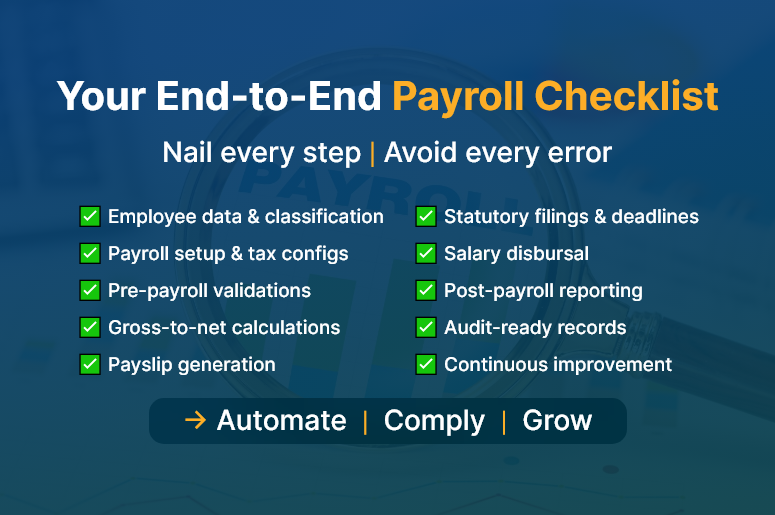
Your End-to-End Payroll Checklist

The Ultimate End-to-End Payroll Processing Checklist

Here’s your complete payroll checklist, broken down into actionable stages. Each one is critical for a smooth, accurate, and compliant payroll cycle.

1. Employee Data Collection & Classification

  • Capture full employee details: Collect tax ID, contact info, job role, bank details, and any benefits preferences at onboarding.
  • Classify employment type: Distinguish between full-time, part-time, contract, and freelance workers to ensure correct tax treatment.
  • Track working hours and shifts: Use digital timesheets or biometric systems to gather accurate work data.

2. Payroll Setup & Configuration

  • Set pay frequencies: Define weekly, bi-weekly, or monthly payroll cycles based on company structure.
  • Automate tax rates & deductions: Stay current with federal, state, and local tax laws to apply accurate deductions.
  • Integrate with attendance systems: Sync leave, holidays, and work hours from your HR tool into your payroll system.

3. Pre-Payroll Validation

  • Verify attendance data: Double-check logged work hours, approved leave, and overtime entries.
  • Audit changes in pay structure, including bonuses, commissions, and pay raises, and validate them before final processing.
  • Confirm deductions: Ensure that benefits, insurance, and loan deductions are accurate and approved.

4. Payroll Calculation & Review

  • Run gross-to-net calculations: Automatically compute gross salary, taxes, deductions, and net pay.
  • Cross-check with payroll software: Use automated payroll software to reduce human errors and eliminate spreadsheet fatigue.
  • Generate payslips: Produce detailed, downloadable payslips for employee transparency.

5. Compliance & Statutory Filings

  • Generate tax forms: Automatically create W-2s, 1099s, PF/ESI documents, and other required tax filings.
  • Meet submission deadlines: Set reminders for tax payment and reporting deadlines to avoid penalties.
  • Stay audit-ready: Maintain digital records and audit trails to comply with labor laws.

6. Payment Processing

  • Schedule timely payments: Use integrated banking or payroll software to process salary payments without delay.
  • Disburse reimbursements: Include travel or expense claims in the current cycle to avoid payment lags.
  • Reconcile bank statements: Ensure every payment matches the payroll run and accounting books.

7. Post-Payroll Reporting & Feedback

  • Share detailed reports: Provide department-wise breakdowns and payroll summaries to finance and HR teams.
  • Analyze payroll KPIs: Track payroll accuracy, error rates, cycle time, and compliance status.
  • Collect feedback: Enable employee feedback to improve future payroll runs.

How CRM + ERP Transforms Payroll for Scaling Teams

Disconnected tools lead to fragmented processes. CRMLeaf’s CRM + ERP platform brings everything — from employee onboarding to payroll disbursal — into one unified workflow.

  • HR integration: Automatically sync new hire data from your HR module into payroll setup.
  • Real-time tracking: Use dashboards to monitor payroll progress, pending validations, and payment status.
  • Custom reports: Generate audit-ready reports, salary slips, and tax documents at the click of a button.
  • Scalability: Whether you have 20 or 200 employees, the system grows with you — minus the manual work.

Customer Success

For example, Finovate Solutions, a 50-person IT services company, used CRMLeaf’s payroll automation to reduce payroll errors by 95% and cut processing time from 3 days to 4 hours. Here’s how:

  • Integrated employee timesheets with payroll
  • Enabled automatic compliance checks and tax form generation
  • Streamlined payouts and payslip generation

This shift not only saved time but boosted employee satisfaction and reduced compliance risks.

Key Takeaways & Closing

A smooth end-to-end payroll processing workflow doesn’t just prevent errors — it strengthens trust, ensures compliance, and frees up your time for strategic growth.

  • Map your payroll process: Understand each phase and identify bottlenecks.
  • Automate wherever possible: Manual work invites mistakes. Use payroll automation tools.
  • Stay compliant: Regulations change frequently. Your system must adapt in real time.
  • Unify systems: Don’t rely on disconnected HR, time tracking, and payroll apps.

With the right tools and mindset, payroll can become a growth enabler — not a back-office burden.

Category: EPFO & ESI

No posts in this category.

Subcategory: EPFO

Subcategory: ESI

Category: Payroll Help

No posts in this category.

Subcategory: Employee Self-Service & Engagement

Subcategory: Introduction to Payroll

Subcategory: Payroll Analytics & Reporting

Subcategory: Payroll Automation & Technology

Subcategory: Payroll for Business Growth

Subcategory: Payroll Processing & Management

Subcategory: Taxation & Compliance

Category: User Manual

No posts in this category.

Subcategory: Company Setup

Subcategory: Employee Management

Subcategory: Getting Started

Subcategory: Glossary

Subcategory: Import & Export

Subcategory: Introduction

Subcategory: Payroll Configuration

Subcategory: Payslips & Disbursement

Subcategory: Reports & Analytics

Subcategory: Running Payroll

Subcategory: Statutory Compliance & Reports

Subcategory: Troubleshooting

Subcategory: User Management & Security