
Attendance Management System Checklist: How To Choose The Right Software

Buying attendance software without a proper attendance management system checklist is how companies end up paying for six modules they never use and still exporting timesheets to Excel by hand every Friday. An attendance management system touches payroll, compliance, and employee trust all at once, so a rushed decision is expensive to reverse.

This guide gives you a complete attendance management system checklist built from the criteria that actually separate a good purchase from a costly mistake: capture methods, payroll integration, compliance, scalability, and total cost of ownership. Whether you’re an HR manager evaluating vendors, a business owner replacing biometric machines and spreadsheets, or a payroll professional trying to cut down reconciliation time, you’ll find a structured way to compare options and a checklist you can literally copy into your vendor evaluation sheet.

Key Takeaways

An attendance management system checklist should cover five areas: capture methods, payroll integration, compliance, scalability, and support, not just price.

  • Look for attendance and payroll integration first. Disconnected systems cause the most manual rework and payroll errors.
  • A biometric attendance system alone isn’t enough anymore; mobile GPS, QR codes, and web punch-in options matter for hybrid and field teams.
  • Cloud attendance management software wins over on-premise for most SMEs because of remote access, automatic updates, and lower IT overhead.
  • Cheap, feature-light tools often cost more later in manual corrections, compliance risk, and re-implementation.
  • The right attendance software for a small business should be free or low-cost to start and scale in pricing without a per-employee shock later.
India’s #1 Free Software

What Is an Attendance Management System?

What Is an Attendance Management System?

An attendance management system is software that records when employees start and end work, tracks leave and shift patterns, and sends that data to payroll for salary and overtime calculation. Modern systems use biometric devices, mobile GPS, QR codes, or web punch-ins instead of manual registers, and most run on the cloud so managers can see attendance in real time from any location.

The category sits at the intersection of HR, payroll, and compliance, which is exactly why choosing the wrong one creates problems in three departments at once, not just one.

Why You Need a Checklist Before You Buy

Most teams start shopping for an attendance management software after a specific pain point: a biometric device that keeps failing, a payroll cycle that takes three extra days because of manual attendance imports, or a compliance audit that exposed missing records.

A checklist forces you to evaluate the system against your actual workflow instead of a polished demo. Vendors demo their best-case scenario. Your checklist should test the scenarios that matter to you: remote employees, rotational shifts, multiple office locations, or seasonal staff. Without a structured evaluation, businesses commonly end up with one of two outcomes: an over-engineered enterprise tool that’s too complex for a 30-person team, or a bare-bones app that can’t handle overtime rules and needs to be replaced within a year.

Attendance Management System Features to Evaluate

This is the core of your attendance management system checklist: the ten feature areas worth testing before you sign a contract.

1. Multiple Attendance Capture Methods

A single capture method rarely covers a whole workforce. Evaluate whether the system supports:

  • Biometric attendance system integration (fingerprint or facial recognition) for factory floors and office entrances
  • Mobile GPS check-in with geo-fencing for field and sales teams
  • QR code attendance for shared or multi-location sites
  • Web-based punch-in is restricted by office IP for desk-based staff

If your workforce is mixed, some in-office, some remote, some on-site, the system needs at least three of these methods working together, not bolted on as an afterthought.

2. Cloud-Based Access and Real-Time Visibility

Cloud attendance management software lets HR and managers see who’s present, late, or absent across every location from a single live dashboard, with no end-of-day batch uploads. This matters most for businesses with more than one office or field-based staff, where visibility gaps translate directly into payroll disputes.

3. Attendance and Payroll Integration

This is the feature most checklists underweight. If attendance data doesn’t flow automatically into payroll, someone is still exporting spreadsheets and re-entering hours manually every month, which is exactly the manual error risk you’re trying to eliminate. Confirm that attendance and payroll integration includes overtime hours, leave deductions, and late-mark penalties, not just raw punch times. Attendance and payroll data flowing into a single payroll run is what actually saves processing time, not just digitizing the punch clock.

4. Leave and Attendance Management Together

Leave requests, approvals, and balances should live in the same system as attendance, not a separate tool you reconcile manually. Leave and attendance management in one platform prevent the common problem of an employee being marked absent for a day they’d already booked as approved leave.

5. Shift Scheduling and Overtime Tracking

For businesses with rotational, split, or night shifts, check whether the system supports unlimited shift configurations, auto-assignment rules, shift swap approvals, and configurable overtime multipliers (1.5x, 2x). Overtime miscalculation is one of the most common sources of payroll disputes and statutory non-compliance.

6. Employee Self-Service

A self-service portal where employees can view their own attendance, request regularization for a missed punch, and apply for leave reduces HR ticket volume significantly. It also improves transparency, which reduces disputes over pay.

7. Real-Time Reports and Analytics

Look for out-of-the-box reports on late arrivals, absenteeism trends, overtime cost, and department-wise attendance, not just raw export files you’d need to build reports from yourself in Excel.

8. Compliance and Data Security

In India, attendance records feed directly into statutory obligations under the Shops and Establishments Act, the Factories Act, and wage compliance requirements. The system should maintain an audit-ready trail of punches, regularizations, and shift changes with timestamps and store data securely (look for encryption and data residency details). Confirm how the vendor’s compliance layer supports EPF and ESI filing if attendance and payroll compliance are handled by the same provider.

9. Scalability and Pricing

Attendance software for small businesses needs to start cheap or free and scale predictably. Watch for per-employee pricing models that get expensive fast as you grow; flat-rate or tiered pricing is usually more predictable for budgeting. Review transparent pricing and plan comparison before committing, and check whether attendance features are bundled or sold as a separate add-on.

10. Local Support and Relevance

Indian buyers of attendance software should specifically check whether the vendor understands Indian labour law nuances, supports regional biometric hardware brands (ZKTeco, ESSL, Hikvision, Matrix), and offers support during Indian business hours.

Attendance Management System Benefits

Done right, the attendance management system benefits compound across departments:

  • HR spends less time chasing manual attendance corrections and more time on strategic work
  • Payroll processing time drops because attendance, overtime, and leave are fed in automatically
  • Fewer pay disputes because employees can see their own attendance and regularization status
  • Real-time visibility into absenteeism and late-mark trends before they become a retention problem
  • Stronger compliance posture with a digital, timestamped audit trail
India’s #1 Free Software

See The Benefits In Action

Automate attendance, payroll, and compliance in one platform

Feature Comparison Table

Use this table to compare where your current process — or a vendor you’re evaluating — actually stands. Capability

Capability Manual / Excel Register Basic Attendance App Full Attendance Management System
Capture methods Paper or single biometric device One method (usually mobile or biometric) Biometric + GPS + QR + web + kiosk
Real-time visibility None (end-of-day compilation) Partial, single location Live, multi-location dashboard
Attendance–payroll integration Manual re-entry every cycle Rarely integrated Automatic sync into payroll
Leave management Separate register or form Basic leave request only Unified leave + attendance + approvals
Shift & overtime handling Manually calculated Limited or fixed shifts only Unlimited shift types, auto OT calculation
Compliance audit trail Weak or nonexistent Basic logs Timestamped, audit-ready trail
Employee self-service None Limited Full self-service portal
Scalability/pricing Free but labor-intensive Cheap but caps out fast Flat-rate or tiered, scales with the team
Support for India-specific compliance Manual tracking Rarely built-in Built-in statutory alignment

Attendance Management System Checklist: Evaluation Steps

Copy this into your vendor scorecard and check off each item during demos or trials. Capture & Access

  • Supports biometric, mobile GPS, QR, and web punch-in
  • Works reliably offline and syncs when connectivity returns
  • Geo-fencing available for field and remote staff

Payroll & Leave

  • Attendance flows directly into payroll without manual export
  • Leave balances and attendance are managed in one system
  • Overtime, comp-offs, and shift differentials are calculated automatically

Compliance & Security

  • Maintains a timestamped audit trail for punches and regularizations
  • Data is encrypted, and the hosting location is disclosed
  • Vendor understands local labour law and statutory reporting needs

Usability & Scale

  • Employees can self-serve attendance history, leave, and regularization requests
  • Reports are available out-of-the-box, not just raw exports
  • Pricing is predictable as headcount grows (flat-rate or tiered, not runaway per-employee cost)
  • Vendor offers a free plan or trial to test with real data before committing

Common Buying Mistakes to Avoid

  • Choosing on price alone. The cheapest plan often lacks payroll integration, forcing manual work that costs more in HR hours than the subscription saves.
  • Ignoring mixed workforce needs. A system built only for in-office biometric punching fails the moment you hire a remote or field employee.
  • Skipping the payroll integration test. Many buyers confirm that attendance tracking works but never test whether that data actually reaches payroll without manual intervention.
  • Underestimating shift complexity. Businesses with rotational or night shifts often discover overtime miscalculation only after the first payroll run.
  • Not checking data ownership and export options. If you can’t export your own attendance history in a usable format, switching vendors later becomes painful.
  • Overbuying for current headcount. Enterprise-grade systems with complex approval chains can slow down a 20-person team that just needs reliable tracking.

Avoid Costly Mistakes

Get a compliant, integrated attendance system from day one

Step-by-Step Selection Process

  • Map your workforce types. List how many employees are office-based, remote, field-based, or shift workers. This determines which capture methods you actually need.
  • Shortlist based on payroll integration first. Eliminate any tool that can’t sync attendance directly into your payroll process.
  • Run a real trial, not just a demo. Use actual employee data for at least one full pay cycle before deciding.
  • Test compliance and audit trail features. Ask the vendor to show a sample audit log with regularization history.
  • Compare total cost at your projected headcount, not just today’s price. Model out 12-24 months of growth.
  • Check support responsiveness during the trial itself; a slow response now is a preview of support after you’re a paying customer.
  • Get sign-off from HR, payroll, and IT before finalizing, since all three teams will depend on the system daily.

Best Practices for Rollout

  • Run the new system in parallel to your existing process for one full pay cycle before fully switching over
  • Train employees on self-service features before go-live to reduce first-week support tickets
  • Configure shift and overtime rules carefully before onboarding data  retrofitting rules after data entry causes discrepancies
  • Communicate the “why” to employees. Attendance systems perceived as surveillance-only tools face more pushback than those framed around accurate pay
  • Review compliance settings with your payroll or finance team, not just IT, since audit requirements vary by state and industry
  • Revisit your configuration quarterly as headcount or shift patterns change

Real Business Use Cases

Retail chain with multiple outlets. A 60-employee retail business struggled with inconsistent attendance across five outlet locations, relying on outlet managers to manually report hours. Moving to QR-based attendance per location with a live dashboard cut monthly reconciliation time from two days to under two hours.

Construction and field workforce. A construction contractor needed to track on-site workers across shifting project locations where biometric hardware wasn’t practical. Mobile GPS check-in with geo-fencing lets supervisors confirm workers were on-site without deploying physical devices to every project.

IT/SaaS startup with hybrid staff. A 40-person software company had office-based and fully remote employees on different schedules. Web-based punch-in for remote staff and biometric for office staff, unified in one system, gave HR a single source of truth for both groups instead of two separate tracking methods.

Expert Tips

  • Prioritize systems where overtime rate configuration is visible and editable by HR, not locked behind a support ticket to the vendor.
  • Ask vendors directly: “What happens to our attendance history if we cancel?” A confident, specific answer signals a mature data export process.
  • Treat the free trial as a stress test: import your messiest real-world attendance scenario (a split shift, a remote employee, a regularization request) rather than clean sample data.
  • If your team already uses a payroll platform, check whether that vendor offers attendance as a bundled module before buying a standalone tool. One login and one data source reduce reconciliation errors significantly.
India’s #1 Free Software

Simplify attendance & payroll today

Final Thoughts

The right attendance management system checklist isn’t about finding the tool with the most features; it’s about matching capture methods, payroll integration, and compliance support to how your specific workforce actually works. Test payroll integration and compliance reporting before you sign anything, and be honest about your growth trajectory when comparing pricing.

If you want to see these checklist criteria in a working system rather than a feature list, INDPayroll’s attendance management system combines biometric, mobile GPS, QR, and web-based capture with direct payroll sync, shift and overtime automation, real-time reporting, and employee self-service — free for up to 25 employees, with no credit card required to start.

You can also review the full plan comparison or explore free payroll tools to see how attendance and payroll work together before committing to a paid plan.
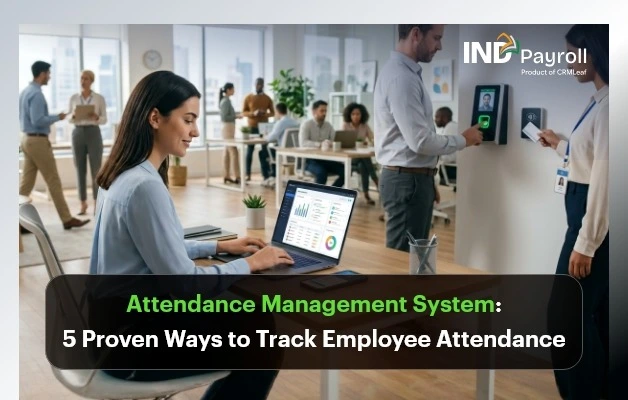
Attendance Management System: 5 Proven Ways to Track Employee Attendance

TL;DR: 

  • An Attendance Management System centralizes attendance capture, shift data, and leave records, then connects them directly to payroll.
  • INDPayroll supports five practical attendance tracking methods: biometric devices, bulk attendance import, mobile GPS/geo-fencing, web-based manual entry, and facial recognition.
  • Attendance flows through a clear six-step path: attendance settings, shift assignment, capture, calendar view, reports, and payroll with no manual re-entry.
  •  Attendance reports provide HR with present, absent, late, half-day, and hours-clocked data that are export-ready and payroll-ready.
  • Different teams (office, factory, retail, field, construction, remote) often need different capture methods. A good system supports all of them together instead of forcing one method on every employee.

Introduction

An Attendance Management System keeps attendance data accurate, and accurate attendance data is the foundation of correct payroll. When someone records working days, late arrivals, half days, or overtime incorrectly, salaries go wrong too. This leads to employee disputes, compliance exposure, and rework for HR and payroll teams every single month. Attendance errors rarely stay contained to one payslip. They tend to repeat until someone catches them, which usually happens only after an employee complains.

Beyond payroll accuracy, attendance data provides operations and HR managers with real visibility into who is working, where, and for how long. A manufacturing supervisor needs to know who reported to the factory floor on time. A construction site manager needs proof that workers actually checked in at the site. A sales head needs to confirm that field executives visited their assigned locations. A single, one-size-fits-all attendance method cannot solve any of these needs.

HR managers, payroll managers, business owners, and operations managers run offices, factories, retail outlets, construction sites, or remote and hybrid teams. For all of them, attendance tracking has to be flexible enough to match how each type of employee actually works.

This blog explains what an Attendance Management System does and walks through the exact workflow that attendance data follows before it reaches payroll. It also covers five proven ways INDPayroll helps businesses track employee attendance accurately, without maintaining separate systems for separate teams.

India’s #1 Free Software

Track Attendance Smarter

Simplify employee attendance tracking

What Is an Attendance Management System?

An Attendance Management System is software that records when employees start and end work and tracks their assigned shifts. It also consolidates this information for HR and payroll use. Instead of maintaining paper registers, biometric device exports, and separate spreadsheets that someone has to manually reconcile every month, a modern Attendance Management System centralizes attendance records in one place.

INDPayroll’s Attendance Management System connects attendance directly with shift schedules, leave records, and payroll processing. This means HR does not need to manually match attendance sheets against payroll inputs every cycle. Employees can capture attendance through biometric devices, mobile check-ins, or manual entry. Once captured, it becomes available for shift review, attendance reporting, and payroll calculation without duplicate data entry anywhere in the process.

This centralization matters most for businesses managing mixed workforces. Some employees punch in at a biometric device at the factory gate, and some check in from a client site using a mobile phone. A supervisor marks others manually because they are temporary staff or because they missed a punch. A system that only supports one of these methods forces HR to maintain workarounds for everyone else. A system that supports all of them keeps every employee’s attendance inside the same report and the same payroll run.

Attendance Management System: 5 Proven Ways to Track Employee Attendance

Different teams need different ways to record attendance, and no single method covers every scenario well. A factory floor cannot rely on mobile GPS because production workers are not carrying phones with location services on all day. A field sales team cannot use a fingerprint scanner because they are never at a fixed device. A small business with five employees does not need to invest in biometric hardware at all.

INDPayroll addresses this by supporting five attendance capture methods within one system. This allows businesses to mix and match based on workforce type, budget, and how much control they need over location verification.

1. Biometric Attendance Tracking

Biometric attendance uses physical verification, fingerprint devices, or iris scanners to record entry and exit times. INDPayroll integrates with widely used biometric device brands, including ZKTeco, Hikvision, ESSL, and Matrix, along with other industry-standard biometric devices, through SDK and API connections.

This means businesses that already have biometric hardware installed at their office, factory, or warehouse do not need to replace it to start using INDPayroll. The existing devices connect to the software instead.

INDPayroll builds the integration on standard SDK and API connections rather than a single proprietary device. This means it also supports businesses running more than one biometric brand across different locations.

For example, a business might use one device model at the head office and a different one at a factory unit. Attendance from both feeds into the same central system. INDPayroll provides a step-by-step device configuration guide to help HR and IT teams set up this connection without needing a dedicated technical integration specialist.

Where Biometric Attendance Works Best

This method suits office premises, factories, and manufacturing units well, where employees report to a fixed location daily. It also works well where accountability for exact in-and-out times matters.

This method ties attendance to a physical identity check, rather than a card, code, or manual sign-in. This removes the possibility of buddy punching. Buddy punching is a common problem where one employee marks attendance for another who has not actually arrived. The device logs entry and exit times automatically the moment it verifies the employee. This gives accurate records without a supervisor having to watch the entrance or manually note down timings.

For manufacturing units in particular, biometric attendance also supports shift-based operations well. When production runs in fixed shifts, biometric logs give an unambiguous record of who was present for which shift. This record becomes important both for payroll accuracy and for safety and compliance audits on the factory floor.

2. Bulk Attendance Import

This applies to businesses with large teams or to cases where attendance data originates from external biometric machines that do not directly connect to INDPayroll. In these situations, the Attendance Management System supports importing attendance in bulk rather than entering it one employee at a time.

This is especially useful right after exporting logs from a standalone biometric device. It also helps when a business is onboarding a large workforce’s attendance for a payroll cycle for the first time.

In practice, this method matters most for HR teams handling attendance for a hundred or more employees. Instead of opening each employee’s record and updating it individually, HR can prepare the data once, often directly from the biometric device’s own export file.

HR can then upload it in a single action through the Import button under Payroll → Attendance → Mark Attendance.

The Attendance Management System validates the uploaded data as it comes in, flagging inconsistencies such as missing employee IDs or improperly formatted dates before they reach payroll. This way, errors do not sit undetected until payroll calculates salaries.

Bulk import does not replace daily attendance capture; it complements it. A business might use biometric devices for daily capture and still need bulk import once a month. This could be to bring in attendance from a satellite office that uses a separate, non-integrated device, or to correct a batch of records after a device malfunction.

Either way, it saves considerable manual effort compared to retyping attendance data for dozens or hundreds of employees. It also reduces the kind of typing errors that are easy to make and hard to catch when entering attendance one row at a time.

3. Mobile Attendance with GPS / Geo-Fencing

Not every employee works from a fixed office. Field sales staff, construction site workers, remote employees, and hybrid teams all need a way to mark attendance from wherever they happen to be working that day.

INDPayroll’s mobile GPS check-in and check-out capture the employee’s location at the exact time they punch in or out. This gives HR and managers a location-stamped attendance record instead of a blind self-declaration.

Geo-fencing adds a further layer of control by restricting attendance marking to approved locations. Businesses use this to confirm that a field employee actually checked in from a client site, a construction site, or another pre-approved work zone. It rules out check-ins from home, a coffee shop, or somewhere unrelated to the day’s assignment.

For a construction company, this might mean an employee can only mark attendance once they are physically within the boundary of the project site. For a field sales team, this might mean the Attendance Management System only accepts check-ins within a defined radius of the client locations assigned for that day.

This location verification gives operations and HR managers real confidence that attendance reflects actual, on-site presence rather than a punch made from anywhere. It is particularly valuable for construction firms managing multiple sites at once. The same applies to field sales organizations where reps are constantly moving between client locations. It also applies to businesses running remote or hybrid teams where there is no office entry point to observe in person.

4. Web-Based Manual Attendance

INDPayroll also allows HR and other authorized team members to record attendance manually through the web portal, without requiring any device or mobile app.

This method works well for small businesses that do not yet need hardware-based tracking. It is equally useful as a fallback for larger businesses. HR can use it for correcting missing punches, marking attendance for temporary or short-term employees who do not yet have biometric device access, or handling one-off exceptions that automated methods cannot capture on their own.

A common real-world scenario is a biometric device going offline for part of a day. Another is a new employee joining before completing fingerprint enrollment on the device. In both cases, an authorized user can step in and mark attendance manually through Payroll → Attendance → Mark Attendance. This way, the attendance calendar does not show a blank day. This method can also regularize missed punches, reflecting the correction in the same records used for reporting and payroll.

This option keeps attendance tracking accessible for smaller teams from day one. Businesses do not need to invest in devices before they can use an attendance system at all. It still feeds directly into the same shift, calendar, report, and payroll workflow as biometric or GPS-based methods. No employee’s attendance sits in a separate system just because it happened to be entered manually.

5. Facial Recognition Attendance

INDPayroll also supports AI-powered facial recognition as a touchless way to mark attendance, available on the premium plan. Instead of touching a fingerprint scanner or a shared device, an employee simply faces the camera and is verified automatically. Entry and exit times are logged the moment the match is confirmed.

This method suits workplaces that want the accountability of biometric verification without physical contact with a shared device. Examples include healthcare facilities, food processing units, or any workplace where hygiene standards make a shared fingerprint scanner less desirable. Like fingerprint-based biometric attendance, facial recognition ties the attendance record to a verified identity. This removes the possibility of one employee marking attendance for another.

Because it is a premium-plan feature, businesses evaluating this option should confirm it is included in their plan before rolling it out across a location. They can pair it with one of the other four methods for locations or teams that do not need it.

Method Best For Key Benefit
Biometric Attendance Office, factory, manufacturing Eliminates buddy punching
Bulk Attendance Import Large workforces, monthly uploads Saves HR time with validated data
Mobile GPS / Geo-Fencing Field sales, construction, remote teams Verifies on-site presence
Web-Based Manual Attendance Small businesses, corrections, and temporary staff Simple, no hardware needed
Facial Recognition Hygiene-sensitive workplaces, high-security offices Touchless, identity-verified marking

Real-Time Visibility and an Audit-Ready Trail

Capturing attendance through any of the five methods above is only half the value. INDPayroll also gives HR and operations managers a live dashboard. It shows who is present, late, or absent across offices and field locations at any point during the day. This is a real change from a picture that only becomes available at month-end.

For a business running multiple locations, this real-time view makes it possible to notice attendance problems, like an unusually high number of absences at one site. There is still time to act on them.

Every punch, attendance regularization, and shift change is also logged with a timestamp and, where applicable, the approver’s details. This creates an audit trail that HR teams can rely on if attendance records are ever questioned internally or reviewed during a compliance check. The history of who changed what and when is preserved automatically, rather than depending on someone’s memory or a side note in an email.

How Attendance Data Flows into Payroll

INDPayroll follows a clear, six-step workflow so attendance data reaches payroll without manual reconciliation at the end of the month. Each step depends on the one before it, which is why the order matters as much as the steps themselves.

Step 1 — Settings

Path: Settings → Attendance Settings

Configure attendance settings such as work hours and grace period. This step defines what “on time,” “late,” and a full working day actually mean for your business before any attendance is captured. As a result, every later calculation is measured against the correct baseline.

Step 2 — Shift Roster

Path: Payroll → Shift Roster → Assign Bulk Shifts

Assign shifts to all employees before attendance capture begins. Employees need a defined shift before their attendance can be evaluated correctly. Without it, the Attendance Management System has no reference point to determine whether a punch was on time, late, or outside working hours.

Step 3 — Mark Attendance

Path: Payroll → Attendance → Mark Attendance

Enter daily attendance manually or import bulk attendance using the Import button (Excel upload). This is where the five capture methods discussed above come into play. They can be used either individually or in combination, depending on the employee and the day.

Step 4 — View Calendar

Check attendance status on the monthly calendar grid, which shows Holiday, Day Off, Present, Half Day, Late, Absent, and On Leave for each employee. This calendar view gives HR a visual, day-by-day picture of the month before generating any reports. This makes it easy to spot gaps or unusual patterns early, rather than after payroll has already been run.

Step 5 — Attendance Report

Path: Reports → Attendance Report

Generate and review the attendance report for the month. This is the checkpoint where HR confirms the data is accurate before it becomes the basis for salary calculations.

Step 6 — Export & Run Payroll

Path: Payroll → Run Payroll

Use the verified attendance data to run payroll. Once attendance has been reviewed at Step 5, it flows directly into payroll. There is no need to re-enter working days, late counts, or overtime hours separately. See how this step works in detail on the INDPayroll salary processing page.

What Attendance Data Calculates in Payroll

This sequence flows in a fixed order: settings first, then shifts, then capture, then a calendar review, then a report, and only then payroll. Because of this, the attendance data used for salary calculations has already been verified by the time payroll is run. From this data, INDPayroll calculates:

  • Working days
  • Late arrivals
  • Half days
  • Loss of Pay (LOP)
  • Overtime

This removes the need for a payroll manager to manually count attendance days from a separate register or spreadsheet before applying deductions. This manual counting is where a large share of payroll errors traditionally originate.

Live & Automated

Automate Attendance

Manage attendance with confidence

Attendance Reports That Help HR Make Better Decisions

Attendance reports give HR and payroll managers a clear monthly picture of workforce presence. This saves them from having to piece it together from the calendar view alone. INDPayroll’s attendance reports typically cover:

  • Present days
  • Absent days
  • Late days
  • Half days
  • Extra working days
  • Hours clocked

These fields matter for different reasons. Present and absent day counts are the baseline for working-day calculations. Late days and half days feed directly into deductions or grace-period policy enforcement. Extra working days and hours clocked matter most for overtime-eligible teams. For these teams, accurate hour totals determine whether an employee has crossed into overtime territory for that pay cycle.

Reports can typically be reviewed for the full team at once or drilled down to an individual employee. This is useful when a manager needs to verify one person’s record, for example, before approving a regularization request. It avoids the need to generate a report for the entire organization just for that check.

These reports can be exported in Excel or CSV format for record-keeping, audits, or sharing with department heads who need visibility into their own team’s attendance without accessing the full HR system. The same attendance data is already linked to shifts and leave, so the reports are payroll-ready.

This means payroll managers can run salary processing directly from verified attendance figures, instead of rebuilding the data separately in a spreadsheet each month. These reports sit alongside INDPayroll’s other payroll reports and digital payslips, so attendance, salary, and compliance data all stay in one place.

Why Businesses Need Multiple Attendance Tracking Methods

A single attendance method rarely works for every team inside one business, let alone across different industries. Consider how attendance needs differ in practice:

  • Office staff can use biometric devices or web-based punching at a fixed location. This works because they report to the same premises each day, and a device-based check is simple to maintain.
  • Manufacturing units benefit from biometric tracking to manage shift-based factory floors accurately. This especially matters where production runs in fixed shifts and exact in-and-out timing affects both payroll and safety accountability.
  • Retail outlets with distributed staff across multiple stores often combine web-based punching with manual corrections for shift changes. Staffing patterns can shift day to day, and a single outlet may not justify dedicated biometric hardware.
  • Field sales teams rely on mobile GPS check-ins. This is because they are rarely at one location, and their working day is defined by client visits rather than office hours.
  • Construction site workers need geo-fenced mobile attendance to confirm on-site presence. This matters particularly on projects where labor contractors and daily wage tracking depend on verified attendance at the actual site.
  • IT companies and other remote-friendly teams depend on GPS-based mobile attendance or web-based portals. This is because there is often no single physical office that every employee reports to.

Supporting all five methods in one system means a business does not need to run separate tools for each employee type. Attendance from a factory worker’s biometric punch, a field rep’s GPS check-in, and a temporary employee’s manually marked entry all feed into one place. This includes the same shift structure, the same monthly calendar, the same attendance report, and the same payroll run.

How to Choose the Right Attendance Method for Your Team

Most businesses do not end up using just one method. Instead, they assign methods based on how each group of employees actually works. A practical way to decide is to group employees first, then match a method to each group:

  • If a team reports to one physical location every day, biometric attendance is usually the most reliable and lowest-effort option. This holds true once the device is set up.
  • Attendance data sometimes already exists somewhere else — a standalone biometric machine, an older system, or a large batch of new joiners. In these cases, bulk import avoids re-entering that data by hand.
  • If a team’s work location changes day to day or is outside a fixed office, mobile GPS with geo-fencing is the right choice. It provides location verification that a simple check-in cannot.
  • If a team is small, temporary, or not yet set up on hardware, web-based manual attendance is the simplest option. It keeps them inside the same payroll workflow without any upfront investment.
  • If a location needs touchless, hygiene-conscious verification and is on a premium plan, facial recognition is a strong option. It offers the same identity accountability as biometric attendance without physical contact.

Many businesses end up using two or three of these methods at once. For example, they might use biometric or facial recognition attendance for permanent office and factory staff, GPS attendance for field sales, and manual entry as a fallback for corrections across both groups.

Best Practices for Accurate Attendance Management

Getting the technology right is only part of accurate attendance management. The sequence and discipline around using it matter just as much.

  • Configure attendance settings before the payroll cycle begins. Work hours and grace periods set the baseline for every late-arrival and half-day calculation that follows. Getting this right at the start avoids disputes later.
  • Assign shifts first so captured attendance is measured against the correct working hours. Attendance recorded against the wrong shift will produce incorrect late-arrival or overtime results even if the punch itself was accurate.
  • Capture attendance daily rather than waiting until month-end. Daily capture makes it far easier to catch a missed punch or device issue while it can still be corrected. This avoids discovering a gap only when the monthly report is generated.
  • Review attendance reports regularly, not just before payroll day. A weekly glance at the report can surface a pattern, such as repeated lateness from one location. Spotting this early means it never becomes a payroll-day surprise.
  • Verify late arrivals and flagged exceptions before they affect payroll. Not every late punch or absence should automatically become a deduction. Genuine exceptions need a quick review and, where appropriate, a regularization.
  • Run payroll only after attendance data has been reviewed and verified. Treat the attendance report as a sign-off step, not a formality. It is the last checkpoint before the numbers become part of an employee’s salary.

Following this order reduces last-minute corrections and keeps payroll calculations accurate the first time. This avoids requiring a rerun after employees flag discrepancies in their payslips.

Common Attendance Tracking Mistakes to Avoid

Even with the right system in place, a few habits tend to undermine attendance accuracy:

  • Skipping the shift assignment step. Capturing attendance before shifts are assigned means the system has nothing to measure lateness or working hours against. This shows up later as inconsistent or incorrect report data.
  • Letting corrections pile up. Waiting until month-end to fix missed punches or regularize exceptions makes it harder to remember the actual circumstances of each case. It also increases the chance of an error slipping through to payroll.
  • Treating the attendance report as a formality. Generating the report without actually reviewing it defeats its purpose as a verification checkpoint before payroll.
  • Using one method for a workforce that clearly needs more than one. Forcing a field team onto biometric devices they cannot access, or forcing office staff into manual entry when a device would be faster, is a common mistake. It creates unnecessary friction and more room for error.
India’s #1 Free Software

Simplify attendance & payroll today

Conclusion: Choosing the Right Attendance Management System

Attendance tracking is not a one-size-fits-all task. Office teams, factory workers, field staff, and remote employees all need different ways to mark attendance. Payroll accuracy depends on capturing that data correctly for each of them.

A good system supports biometric tracking, bulk import, GPS-based mobile attendance, web-based manual entry, and facial recognition, all connected to the same six-step payroll workflow. Choosing this kind of system reduces manual work for HR and improves the accuracy of every payroll run, regardless of how varied the workforce is.

Explore the INDPayroll Attendance Management System to simplify attendance tracking and payroll from one centralized platform.

Category: EPFO & ESI

No posts in this category.

Subcategory: EPFO

Subcategory: ESI

Category: Payroll Help

No posts in this category.

Subcategory: Employee Self-Service & Engagement

Subcategory: Introduction to Payroll

Subcategory: Payroll Analytics & Reporting

Subcategory: Payroll Automation & Technology

Subcategory: Payroll for Business Growth

Subcategory: Payroll Processing & Management

Subcategory: Taxation & Compliance

Category: User Manual

No posts in this category.

Subcategory: Company Setup

Subcategory: Employee Management

Subcategory: Getting Started

Subcategory: Glossary

Subcategory: Import & Export

Subcategory: Introduction

Subcategory: Payroll Configuration

Subcategory: Payslips & Disbursement

Subcategory: Reports & Analytics

Subcategory: Running Payroll

Subcategory: Statutory Compliance & Reports

Subcategory: Troubleshooting

Subcategory: User Management & Security