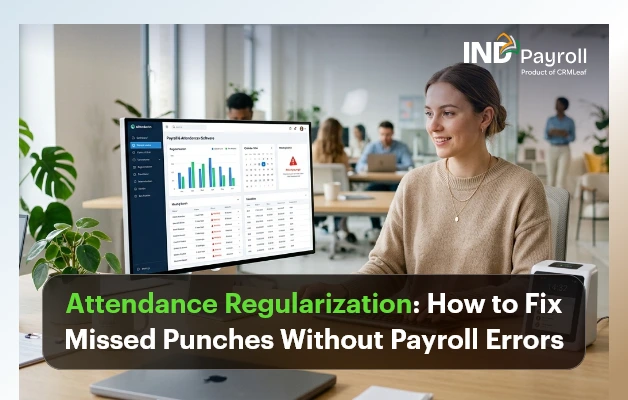
Attendance Regularization: How to Fix Missed Punches Without Payroll Errors

TL;DR: 

  • Attendance regularization corrects missed punches, device errors, and attendance discrepancies before payroll is processed.
  • Missed punches can lead to salary deductions, overtime errors, payroll disputes, and compliance risks if left unresolved.
  • A reliable workflow follows Employee Request → Manager Approval → HR Verification → Payroll Sync.
  • Following best practices like clear cut-off dates, approval workflows, and digital audit trails helps reduce payroll errors.
  • An integrated Attendance Management System automates regularization, approvals, and payroll synchronization, making attendance processing faster and more accurate.

Introduction

Attendance regularization is the process of correcting attendance records before the data flows into payroll. It covers missed punches, wrong punch times, device failures, and unrecorded field visits. Done well, it prevents salary errors and keeps HR out of the business of manually chasing timesheets every month. Done poorly, or not at all, it becomes one of the most common causes of payroll disputes in Indian workplaces.

This guide breaks down what attendance regularization actually means and why employees miss punches in the first place. It also covers how a missed punch turns into a payroll error. Most importantly, it maps the exact workflow that fixes it: employee request → manager approval → HR verification → payroll sync. In addition, you’ll find real-world scenarios from construction sites to remote teams, a checklist of best practices, and mistakes to avoid.

If you’re evaluating how to reduce manual attendance work altogether, this article pairs well with our detailed look at the Attendance Management System, which automates much of what’s described here.

India’s #1 Free Software

Fix Missed Punches Fast

Automate attendance corrections before payroll.

What Is Attendance Regularization?

Attendance regularization is the formal correction of an employee’s recorded attendance when the system-captured data doesn’t match what actually happened. It covers a missed check-in, a forgotten check-out, or a biometric device malfunction. This also covers time spent working outside the office. Think client visits, site inspections, or approved remote work that a punch machine never saw in the first place.

It is not the same as an unauthorized absence, and it is not a loophole for chronic latecomers. A proper regularization request is tied to evidence, such as a calendar invite, a manager’s confirmation, or a travel log. In short, the process exists to reconcile the gap between “what the machine recorded” and “what actually happened,” so that payroll reflects reality rather than a device error or a forgotten tap.

Most Indian companies with in-office biometric or GPS attendance systems build a regularization window into their monthly payroll calendar. This window is typically 3 to 7 working days after the pay period closes. During that window, employees can raise corrections and managers can approve them. HR verifies everything before payroll locks for the month.

Why Employees Miss Punches

Missed punches rarely happen because employees are trying to game the system. In most cases, they’re a byproduct of how modern work actually happens.

Field and client-facing roles. Sales executives, service engineers, and relationship managers spend their day away from the office, often starting directly from a client site. There’s no punch machine at a customer’s office.

Forgotten check-outs. An employee leaves for a late meeting, rushes home, and simply forgets to tap out. The system logs a check-in with no check-out and often marks the day as incomplete or half-day.

Device and network issues. Biometric scanners fail to read fingerprints in humid weather. Power cuts take kiosks offline, or a Wi-Fi outage stops app-based GPS punches from syncing.

Shift and location changes. An employee who temporarily moves to a different branch or shift may fall outside the right device or geo-fence mapping. The system then rejects a legitimate punch.

New employees and app friction. Employees unfamiliar with a mobile attendance app may open it too late. They might also stand outside the geo-fenced radius by a few meters, or forget to enable location permissions.

Approved exceptions. Someone working from home with manager approval, or attending training off-site, has no reason to be near a punch device at all.

Common Causes of Attendance Errors

Beyond individual missed punches, several structural issues generate attendance errors at scale:

  • Multiple attendance sources that don’t talk to each other. A company might use a standalone biometric device, a separate mobile app for field staff, and a manual register for one branch. That setup forces the team to reconcile three systems by hand.
  • No single source of truth for shift timings. Shift rosters often live in a spreadsheet that isn’t synced with the attendance device. When that happens, the system flags legitimate late arrivals on rotational or night shifts as errors.
  • Manual data entry between systems. Attendance exported from a biometric device and re-typed into a payroll spreadsheet introduces transcription errors a classic case of one broken formula affecting an entire month’s salary run.
  • No cut-off communicated to employees. If nobody tells the workforce when to submit regularization requests, requests trickle in after payroll closes for the month.
  • Weak audit trail. Without timestamps on who approved what and when, HR cannot defend an attendance correction decision during an audit or an employee dispute.

How Missed Punches Affect Payroll

A missed punch doesn’t stay a minor data glitch. It becomes a payroll problem the moment the team processes the pay run. Here’s the typical chain reaction:

Attendance Issue Payroll Impact
Missed check-in/check-out Recorded as absent or half-day, reducing that month’s payable days
Unregularized field visit Loss of a full day’s pay despite the employee having worked
Incorrect shift mapping Wrong overtime (OT) calculation or missed night-shift allowance
Device downtime for multiple employees Bulk incorrect attendance affecting an entire team’s salary
Late regularization approval Correction missed before payroll lock, requiring an off-cycle adjustment or reimbursement next month

The downstream effects compound quickly. Attendance errors lead to incorrect salary or wage deductions. This is exactly the kind of payroll error labour law aims to prevent. The Payment of Wages provisions under India’s Code on Wages, 2019 require that employees be paid the wages actually due to them, on time, and without unauthorized deductions. As a result, even an otherwise fully compliant payroll process can end up in violation of that basic principle, simply because the input attendance data was flawed.

Beyond compliance, there’s a trust cost. An employee who is short-paid because of a device error, and then has to argue their way to a correction, remembers that experience. Repeated payroll errors are, in fact, one of the most cited reasons for HR complaints and rising attrition risk in SME workplaces.

Signs Your Attendance Process Needs Improvement

Not every company needs to overhaul its attendance system immediately, but certain warning signs suggest the current process is creating more work than it saves:

  • Consequently, payroll processing routinely runs late while HR chases attendance clarifications from managers.
  • The same employees raise the same type of regularization request every month (a strong sign of a systemic device, geo-fence, or shift-mapping issue, not an individual problem).
  • Attendance correction requests arrive after the payroll cut-off, forcing manual off-cycle corrections.
  • There’s no record of who approved a correction or why, making audits stressful.
  • HR is manually cross-checking a biometric export against a spreadsheet before every payroll run.
  • Employees complain about salary discrepancies more than once a quarter.

If two or more of these sound familiar, the gap usually isn’t employee discipline; it’s a missing workflow.

The Attendance Regularization Workflow

A dependable attendance regularization process has four stages, and together they form a simple attendance approval workflow that any HR team can run every month. Skipping any one of them is usually where errors creep back in.

Step 1: Employee Request

The employee raises a regularization request for the specific date and punch that needs correction, stating the reason (forgot to punch, client visit, device failure, approved WFH). Where relevant, they attach supporting evidence: a calendar invite, travel bill, or manager’s chat confirmation. This should happen through a self-service portal or app, not an email thread that’s easy to lose track of.

Step 2: Manager Approval

In practice, the reporting manager has first-hand knowledge of whether the employee was actually working. This manager reviews the request and approves or rejects it. This step separates a legitimate correction from an attempt to cover an unauthorized absence. The manager is the person best placed to know the difference.

Step 3: HR Verification

HR reviews approved requests in bulk, checking for patterns (an employee regularizing the same day of the week repeatedly, for instance), confirming the request falls within policy limits (most companies cap regularizations at 2–3 per month per employee), and giving final sign-off.

Step 4: Payroll Sync

Once verified, the corrected attendance record updates automatically in the payroll module before payroll processing begins. No manual re-entry, no spreadsheet patching after the fact.

A simple way to visualize it:

Employee submits request → Manager approves/rejects → HR verifies and finalizes → Payroll auto-updates → Payslip reflects accurate pay

When any one of these steps is manual or undocumented, regularization becomes a source of delay rather than a safeguard. This is exactly the workflow that automated attendance software is built to enforce. That’s why the “Regularizations Pending” counter is one of the first things HR checks on a live attendance dashboard before running payroll.

Best Practices for Attendance Regularization

Set a clear regularization window. Define exactly how many days after each pay period employees can submit corrections, commonly 3 to 7 working days, and communicate it in the employee handbook and onboarding material.

Cap the number of regularizations per employee. Generally, a reasonable monthly limit (2–3 requests) stops the policy from becoming a substitute for punctuality, while still covering genuine exceptions.

Require evidence for field and remote work. A calendar invite, a client sign-in sheet, or a manager’s written confirmation turns a vague request into a defensible one.

Route approvals through the direct manager, not HR first. Managers know the context of a specific day far better than a centralized HR team reviewing hundreds of requests.

Automate the payroll sync. Manually re-entering approved corrections into a payroll sheet reintroduces the exact risk the process is meant to eliminate.

Review regularization patterns monthly. If certain teams or locations generate a disproportionate number of requests, investigate whether it’s a device, roster, or geo-fence problem rather than an individual one.

Keep a digital audit trail. Every request, approval, rejection, and timestamp should be retrievable; this protects the company during compliance reviews and gives HR a clear answer if an employee disputes a decision.

Do’s and Don’ts at a glance:

Do Don’t
Set and publish a fixed regularization cut-off date Leave the deadline undefined or “flexible”
Require a reason and evidence for every request Approve requests without any context
Let the direct manager approve first Route every request through HR before the manager
Sync approved corrections directly into payroll Manually retype attendance data into payroll sheets
Track regularization trends monthly Ignore repeat requests from the same employee or device
Keep timestamped digital records of every approval Rely on email threads or verbal approvals

Mistakes HR Teams Should Avoid

Treating every regularization request the same way. A one-off device failure affecting 30 employees needs a bulk correction, not 30 individual approval threads.

No defined cut-off before payroll lock. Without a hard deadline, corrections keep arriving after payroll processes salaries. This forces reversals and reimbursements that frustrate both HR and employees.

Letting regularization become a rubber stamp. If managers approve every request without reviewing context, the policy stops serving its purpose and start-time discipline erodes across the team.

No visibility into recurring issues. If the same field employee misses a punch every Monday, the root cause might be a genuinely broken commute pattern, a geo-fence set too narrow, or a device sync issue, not carelessness. Treating it as a one-off each month misses the pattern.

Manually re-keying attendance into payroll. This is the single biggest source of payroll errors in companies without integrated systems; a transposition error in a spreadsheet can silently misstate a dozen salaries.

No written regularization policy. Verbal or inconsistent rules mean different managers apply different standards, which becomes a fairness issue and, in unionized or larger workplaces, a potential grievance.

How Attendance Software Simplifies Regularization

Manual regularization tracked over email or paper forms works for a five-person office. It breaks down quickly beyond that. Every additional employee adds another thread to follow up on, another approval to chase, and another chance for a request to slip through before the payroll cut-off.

Purpose-built attendance management software addresses this in a few concrete ways:

Self-service submission. Employees raise a regularization request from a mobile app or portal in seconds, with the date, reason, and supporting note attached no email, no paper form.

Instant manager notifications. As a result, approvers receive a notification the moment an employee raises a request, with a one-tap approve or reject option, instead of discovering a backlog of requests days later.

Bulk handling for systemic issues. When a device outage affects an entire shift, HR can regularize the whole group in one action instead of processing dozens of individual requests.

Automatic payroll sync. Once approved, the correction flows directly into the payroll engine no export, no re-entry, no risk that the team misses it before the pay run.

Pattern visibility. Dashboards surface which employees, teams, or devices generate repeat regularization requests, helping HR fix root causes (a misconfigured geo-fence, an unreliable device) rather than approving the same correction every month.

Built-in audit trail. Every request carries a timestamp, an approver, and a status exactly the kind of record that compliance reviews and internal audits expect to see.

  Manual Process (Email/Paper) Automated Attendance Software
Request submission Email or physical form Self-service app/portal
Approval turnaround Days, depending on manager availability Minutes, with instant notifications
Payroll update Manual re-entry, error-prone Automatic sync, no re-entry
Bulk corrections (device failure) One-by-one, time-consuming Single bulk action
Audit trail Scattered across emails Centralized, timestamped, exportable
Pattern detection Rarely reviewed Built into reporting dashboards
Live & Automated

Automate Attendance Regularization

Reduce payroll errors with one approval workflow.

How INDPayroll Helps

INDPayroll’s Attendance Management System is built around exactly this problem. It makes sure attendance data stays accurate before it ever reaches payroll, and it makes corrections fast enough that nobody misses them.

Multiple Ways to Capture Attendance

On the capture side, INDPayroll supports biometric attendance integration with ZKTeco, Hikvision, ESSL, Matrix, and other common devices. It also offers GPS check-in with geo-fencing for field and multi-location teams, QR code attendance for locations without hardware, and facial recognition for touchless marking. Because multiple capture methods are available, a single device outage is less likely to disrupt an entire team’s attendance for the day.

A Regularization Workflow Built Into the Platform

When a punch is missed anyway, employees raise a regularization request directly from the same platform. Managers see it instantly and approve or reject with full context. HR, meanwhile, gets a consolidated view of pending regularizations right on the attendance dashboard, rather than digging through email. Once approved, the correction flows straight into the payroll sync no spreadsheet, no manual re-entry, and no gap between what was approved and what actually gets paid.

One System for Shifts, Leave, and Payroll

Because shift management, leave management, overtime tracking, and payroll processing all sit on the same platform, a regularized attendance record doesn’t need to be manually mapped against leave balances or shift rules; the system already knows them. Employees can also check their own regularization status, view payslips, and track attendance history through employee self-service. This cuts down the “did my correction go through?” queries that otherwise land on HR’s desk. In addition, because every request, approval, and sync is logged, the reports module gives HR an audit-ready trail without extra effort. That trail is especially useful when reconciling statutory filings tied to PF, ESI, or professional tax against actual days worked, covered in more detail in our compliance resources.

The goal isn’t to eliminate regularization; genuine exceptions will always exist. Instead, it’s to make the process fast, visible, and error-free, so it stops being a monthly fire drill for HR and starts being a routine five-minute task.

Real-World Use Cases by Industry

Construction. Site supervisors and daily-wage workers often move between multiple project sites in a week. GPS-based check-ins with geo-fencing confirm presence at the correct site. Regularization handles the days workers shift between sites on short notice, or when a power outage takes the site’s biometric device offline.

Manufacturing. Rotational and night shifts make manual attendance tracking error-prone; a worker clocking in for a night shift can easily be marked “late” if the roster in the attendance system hasn’t been updated. Regularization combined with proper shift mapping prevents unnecessary OT disputes and ensures employees receive the correct night-shift allowances.

Retail. Staff across multiple outlets, often working split shifts around peak footfall hours, need attendance captured accurately per location. A biometric device failure at one outlet shouldn’t affect payroll accuracy for staff at other branches — bulk regularization for the affected outlet resolves this in one action instead of dozens.

Healthcare, IT, and Remote Teams

Healthcare. Nursing and support staff frequently work rotating and emergency shifts that don’t fit a standard 9-to-6 pattern. Regularization requests here often relate to shift swaps and emergency coverage, where a colleague covers a shift on short notice and the original schedule doesn’t match actual hours worked.

IT – Hybrid and flexible-hour policies mean employees may legitimately log in from home on days they’re not physically at a geo-fenced office location. A clear regularization policy backed by manager approval rather than a rigid device check accommodates this without penalizing compliant hybrid work.

Remote Teams. Fully remote employees may have no biometric or GPS touchpoint at all. For these teams, attendance is often tracked through login activity, task check-ins, or manager confirmation. The “regularization” process here is really a lightweight approval step rather than a correction to a missed physical punch. Even so, the same principle applies: attendance data needs a manager sign-off before it reaches payroll.

Audit-ReADY PAYROLL

Simplify Attendance & Payroll Today

Conclusion

Attendance regularization isn’t an administrative afterthought; it’s the safeguard that stands between a missed punch and a payroll error. Employees will always occasionally forget to tap out, devices will occasionally fail, and field teams will always work outside the reach of a fixed punch machine. What separates a smooth payroll cycle from a month of salary disputes is whether the correction process is fast, clearly defined, and properly connected to payroll before the pay run locks.

The four-step workflow employee request, manager approval, HR verification, payroll sync is simple in principle. Getting it right consistently, every month, across every team and location, is where most companies struggle without the right employee attendance system in place. If your team is still reconciling attendance corrections over email or spreadsheets, it may be worth looking at how an integrated attendance management system can close that gap and improve payroll accuracy from the first pay run to the last.
Payroll Reconciliation: A Complete Guide For Indian Employers

TL;DR: 

  • Payroll reconciliation happens after payroll processing but before payment and booking. It compares payroll output against attendance, approvals, bank files, and accounting records to catch errors before they reach employees or the ledger.
  • Most payroll discrepancies trace back to a handful of recurring causes: stale attendance data, unprocessed salary revisions, exited employees left in the run, duplicate incentives, or a mismatch between the approved payroll register and the actual bank payout file.
  • A reliable process compares payroll against source records at multiple points, not just once at the end, and every correction should be traceable to an approval.
  • Applied consistently before sign-off, a monthly payroll reconciliation checklist catches most errors that would otherwise surface only after employees receive their pay.
  • Payroll software can standardize calculations and centralize records, which reduces manual re-keying errors, but it does not replace the need for accurate source data, defined controls, and human review.
  • Treating payroll reconciliation as a routine, documented process rather than a firefighting exercise after a complaint is what separates audit-ready payroll teams from reactive ones.

Introduction

The team has processed payroll for the month, payslips are ready, and the bank file is about to go out. Then someone notices that the attendance system shows an employee on loss of pay for three days, but the salary register shows a full month’s pay. Another employee who resigned two weeks ago is still on the payout list. A manager approved an increment last month, but the payroll register still reflects the old salary.

None of this means the team processed payroll carelessly. It means they processed payroll but have not yet reconciled it. Running payroll and confirming that payroll is accurate are two different activities, and conflating them is one of the most common (and costly) habits in Indian payroll operations. Payroll reconciliation is the discipline that closes this gap: it is the systematic comparison of what payroll calculated against what should have happened, based on attendance, approvals, salary structures, and financial records.

For Indian employers, whether a 15-person startup or a multi-location company processing payroll for hundreds of employees, payroll reconciliation is not an optional finance formality. It stands between a clean monthly close and a scramble to explain a wrong salary credit. It also helps avoid a missed final settlement or a mismatch that shows up during an internal or statutory audit.

This guide walks through what payroll reconciliation means in practice and why it matters. It covers which records to compare and how to build a repeatable monthly process with a step-by-step method, a practical checklist, and an illustrative example.

🔄
Zero Reconciliation Errors

Automate Payroll Reconciliation With INDPayroll

Try It Free

What Is Payroll Reconciliation?

Payroll reconciliation is the process of comparing payroll calculations and outputs, gross pay, deductions, net pay, and the final payout against the source records that should have driven them, such as attendance, approved salary changes, and bank or accounting data. This comparison identifies and resolves discrepancies before the team finalizes or books payroll.

In simple terms, it answers the question, “Does what payroll produced actually match what should have happened this month?”

Why Is Payroll Reconciliation Important?

Payroll reconciliation matters because payroll touches money, trust, and records that other business functions depend on. Skipping it, or treating it as a glance rather than a structured check tends to surface problems at the worst possible time after money has already moved.

Salary accuracy. Reconciliation guards against overpaying or underpaying employees, or paying them on the wrong date — mistakes that quickly damage trust in HR and payroll.

Detecting duplicate or missing payments. Manual processes and multiple approval stages can let someone enter a bonus twice or miss a new joiner’s salary entirely in the first payroll cycle.

Spotting unexpected payroll variances. Comparing the current run against the previous one is often the fastest way to catch an error. A sudden jump or drop in an individual’s or a department’s payout is a signal worth investigating before payment, not after.

Keeping approved changes and payroll in sync. Teams usually approve increments, promotions, transfers, and exits in one system (HR, a spreadsheet, an email trail) and execute them in another (payroll). Reconciliation is what confirms the two are actually talking to each other.

Stronger financial records. Payroll is usually one of the largest recurring expenses a business has. Reconciling payroll against the general ledger keeps accounting records accurate and reduces the year-end scramble to explain differences.

Compliance and Audit Benefits

Better audit readiness. Audits can be internal, statutory, or requested by a lender or investor. A business that can show a documented, evidence-backed reconciliation process for every payroll cycle stands in a much stronger position than one relying on memory.

Support for accurate statutory reporting. Reconciling payroll data, correcting wages, correcting deduction amounts, correct employee counts is the foundation for statutory filings and reports. Reconciliation does not itself determine statutory compliance requirements. Relevant government bodies set those requirements, such as the Employees’ Provident Fund Organisation (EPFO), the Employees’ State Insurance Corporation (ESIC), and the Income Tax Department. However, inaccurate payroll data makes accurate statutory reporting far harder to achieve.

What Records Are Commonly Used in Payroll Reconciliation?

Payroll reconciliation depends on comparing multiple, independent sources of truth against each other. The table below outlines the records most Indian payroll teams work with. For the statutory contribution and tax record row specifically, treat the payroll system’s calculation as the internal figure to reconcile; the Ministry of Labour and Employment, EPFO, ESIC, and the Income Tax Department define the applicable rules themselves, and you should confirm them on those portals rather than assume them from a prior period.

Records to Compare During Reconciliation

Record / Data Source What to Verify Common Discrepancy
Employee master data Active/inactive status, designation, department, bank details, PAN, joining/exit dates Outdated status, incorrect bank account, duplicate employee records
Attendance and leave records Days worked, approved leave, loss-of-pay (LOP) days, overtime where applicable LOP not reflected, leave applied after payroll cutoff, attendance system not synced
Salary structure Current CTC breakup, allowances, fixed components The old salary structure is still in use after a revision
New joiner data Joining date, prorated salary, correct salary structure applied from day one Full month’s salary paid instead of a prorated amount, or vice versa
Exit and final settlement data Last working day, notice period recovery, full and final settlement components The exited employee is still included in the regular payroll run
Approved increments Effective date, revised components, approval reference Increment approved but not updated in the payroll system in time
Bonuses and incentives Approved amount, eligibility, payment period Duplicate entry, incentive paid to an ineligible employee
Deductions Loan recoveries, advances, penalties, other approved deductions Deduction applied twice, or not applied at all
Payroll register Gross-to-net breakup per employee, totals by department/cost centre Register total not matching sum of individual entries
Bank payment file/payout record Amount, account number, IFSC, payment date per employee The amount in the bank file differs from the approved payroll register
General ledger/accounting records Payroll expense booked, department-wise cost allocation Payroll expense in the ledger does not match the payroll register total
Statutory contribution and tax records Consistency between payroll-calculated statutory components and the amounts reported/remitted Mismatch between payroll deduction and the amount actually reported to the relevant authority

Payroll Reconciliation Process: Step-by-Step

Step 1: Confirm the payroll period and employee population

What to check: Confirm the exact pay period and the complete list of employees you should include: active employees, new joiners, and exits within the period.

Why it matters: Every other reconciliation step depends on starting with the right population. An incomplete or outdated employee list will produce errors that no amount of downstream checking can fully catch.

Common error to watch for: HR records include a new joiner who is not yet in the payroll system, or the payroll system still marks an exited employee as active.

Step 2: Verify employee master data changes

What to check: Any changes made during the period to designation, department, cost centre, bank account, or tax declarations, and whether the team approved them.

Why it matters: Master data changes flow directly into salary calculation and payment routing. An unverified bank account change, for instance, can misdirect an entire month’s salary.

Common error to watch for: A bank account update requested by an employee but not verified before payroll cutoff.

Step 3: Reconcile attendance, leave, and loss-of-pay inputs

What to check: Attendance data for the period against approved leave records, and confirm loss-of-pay days are correctly reflected for each employee.

Why it matters: Attendance is one of the most frequent sources of payroll variance because it changes every cycle and often comes from a separate system from payroll.

Common error to watch for: Leave applied or approved after payroll pulled the attendance data never reaches the payroll calculation.

Step 4: Check salary revisions and variable pay

What to check: Whether approved increments, promotions, and variable pay (bonuses, incentives, commissions) for the period are correctly reflected in the payroll system.

Why it matters: HR or management usually approves salary revisions outside the payroll system, which requires a manual or system update — a step that’s easy to miss in a busy cycle.

Common error to watch for: An increment approved with a specific effective date, but payroll continues to calculate on the old salary structure for that month.

Step 5: Review gross-to-net payroll calculations

What to check: That gross pay, all applicable earnings, deductions, and net pay reconcile arithmetically for each employee — i.e., the math is internally consistent.

Why it matters: Even correct inputs can produce a wrong output if a formula, rounding rule, or system configuration is off.

Common error to watch for: A configuration or formula error that affects a whole employee category (for example, everyone on a particular salary structure) rather than a single individual.

Step 6: Review applicable deductions and statutory payroll components

What to check: That deductions relevant to each employee, such as loan recoveries, advances, and applicable statutory contributions, match the approved amounts and apply consistently to that employee.

Why it matters: Deduction errors affect take-home pay directly and are one of the fastest ways to generate an employee complaint. Statutory components, in particular, need to be internally consistent before the team reports them to the relevant authority.

Common error to watch for: A one-time deduction, like an advance recovery, should stop after a certain month but keeps getting deducted anyway. Statutory rules change periodically, so confirm current requirements directly on the EPFO, ESIC, or Income Tax Department portals rather than relying on the prior period’s configuration alone.

Step 7: Compare the current payroll with the previous payroll period

What to check: Individual and total payroll figures for the current month against the prior month, looking for unexplained jumps or drops.

Why it matters: Period-over-period comparison is often the single fastest way to catch an error, because most employees’ pay does not change dramatically month to month without a known reason.

Common error to watch for: A large unexplained variance for an employee whose salary structure has not changed.

Step 8: Investigate unusual variances

What to check: Any variance flagged in Step 7 or elsewhere that does not have an obvious, documented explanation.

Why it matters: Not every variance is an error; a variance could be a legitimate bonus, a genuine LOP, or a real increment. But every variance deserves a documented explanation before the team finalizes payroll.

Common error to watch for: Assuming a variance is “probably fine” without tracing it back to a source record.

Step 9: Compare the approved payroll register with the payment output

What to check: Confirm that the final payroll register, the one the team reviewed and approved, matches exactly what’s in the bank payment file or payout instruction: same amounts, same accounts, same employees.

Why it matters: This is the last checkpoint before money actually moves. A mismatch here means the approval and the execution have diverged.

Common error to watch for: Someone corrects the payroll register at the last minute but does not carry the correction through to the bank file, or the reverse happens.

Step 10: Reconcile payroll totals with accounting records

What to check: That the total payroll expense in the general ledger matches the payroll register total, including how the team allocates it across departments or cost centres.

Why it matters: Payroll is typically a company’s highest recurring cost. A mismatch here distorts financial reporting and makes month-end close harder.

Common error to watch for: A timing difference where the team books payroll in one accounting period but pays it in another, without a clear reconciling note.

Step 11: Document corrections, approvals, and final sign-off

What to check: Record every correction made during reconciliation, what was wrong, what the team corrected, who approved it, and confirm a final sign-off before payment.

Why it matters: Documentation is what makes reconciliation defensible later, whether to an auditor, a finance leader, or the employee affected.

Common error to watch for: Corrections made verbally or informally, with no record of who approved them or why.

Payroll Reconciliation Example

The following is an illustrative, fictional example only and does not represent actual statutory rates, real company data, or specific compliance figures. Consider a fictional Indian company, “Sample Textiles Pvt Ltd,” reconciling one employee’s payroll for a month.

Item Value
Expected net pay (per approved salary structure and attendance) ₹52,000
Actual net pay (as calculated in payroll run) ₹58,000
Difference ₹6,000 (overpaid)
Possible cause The employee took 3 days of unpaid leave (loss of pay) during the month, but the attendance feed used for payroll was pulled before the leave was approved, so the loss-of-pay deduction was never applied.
Corrective action Trace the discrepancy to the attendance record, confirm the approved loss-of-pay days with the reporting manager, apply the correction in the payroll system, and re-verify the revised net pay before the payment file is generated. Document the correction and obtain sign-off before disbursal.

To independently sanity-check gross-to-net figures like this during Step 5 and Step 6, free tools such as a CTC calculator, TDS calculator, or PF calculator can serve as a quick cross-reference before a correction is finalized.

Common Payroll Reconciliation Discrepancies

  • Incorrect attendance input. The team pulled attendance data before the cutoff, or the attendance system did not sync correctly with payroll.
  • Missed loss of pay. Approved unpaid leave that never gets reflected in the salary calculation for that period.
  • Duplicate incentive. A bonus or incentive entered more than once, often when multiple people (HR, finance, a manager) each add it independently.
  • Unprocessed salary revision. The payroll team approved an increment or promotion but had not yet updated it in the payroll system by the time payroll ran.
  • Incorrect new-joiner proration. A new employee paid a full month’s salary instead of a prorated amount based on their actual joining date, or the reverse.
  • Exited employee included in payroll. An employee who has already left the organization is still appearing in the active payroll run.
  • Incorrect deduction. A loan recovery, advance, or other deduction was applied at the wrong amount, applied twice, or not stopped when it should have ended.
  • Mismatch between payroll register and bank payment file. The approved register and the actual file sent to the bank should match exactly. This kind of difference should never reach the payment stage undetected.
  • Payroll-to-ledger mismatch. The payroll expense recorded in accounting does not match the payroll register total, often due to timing differences or manual entry errors.
Audit-Ready

Turn Payroll Reconciliation Into a 10-Minute Task

Centralize records and catch discrepancies before they reach employees or the ledger.

Start Free Trial

How to Investigate a Payroll Variance

When a variance surfaces, whether during reconciliation or after a query, a consistent troubleshooting approach saves time and avoids guesswork:

  • Identify the affected employee or payroll component. Narrow down exactly which employee, department, or salary component is involved.
  • Compare with the previous period. Check whether this is a new variance or a recurring one, and how large the gap is.
  • Trace the amount back to the source input. Follow the number back to attendance, an approval record, a salary structure, or a manual entry; don’t stop at the payroll output itself.
  • Verify approval records. Confirm whether the change (if any) was actually approved, by whom, and when.
  • Correct the source where appropriate. Fix the discrepancy at its origin (attendance record, master data, approval log) rather than only adjusting the payroll number.
  • Rerun or adjust according to the organization’s controlled payroll process. Any correction should go through the same approval discipline as the original payroll run; do not push it through informally.
  • Document the reason and approval. Record what was found, what was changed, and who signed off, so the correction is auditable later.

Payroll Reconciliation Checklist

Use this checklist before every payroll sign-off.

Employee data checks

  • Active employee list matches current HR records
  • New joiners added with the correct joining date and salary structure
  • Exited employees removed from the active payroll run
  • Bank account and PAN details verified for changes made this period

Attendance and leave checks

  • Attendance data reflects the full pay period
  • All approved leave is captured, including late approvals
  • Loss-of-pay days are correctly applied

Earnings checks

  • Approved increments and promotions reflected from the correct effective date
  • Bonuses and incentives match approved amounts, with no duplicates
  • New joiner salary correctly prorated

Deduction checks

  • Loan and advance recoveries applied at the correct amount
  • One-time deductions stopped after completion
  • Statutory and other deductions are applied consistently across eligible employees

Variance checks

  • Current payroll compared against the previous period
  • Unusual variances flagged and investigated
  • Every variance has a documented explanation

Payment checks

  • The approved payroll register matches the bank payment file exactly
  • Account numbers and payment dates verified
  • No employee appears twice or is missing from the payout file

Accounting checks

  • Payroll register total matches the amount booked in the general ledger
  • Department/cost-centre allocation is accurate
  • Timing differences between booking and payment are noted

Final approval checks

  • All corrections documented with reason and approver
  • Final payroll register signed off by the designated approver
  • Reconciliation evidence is retained for future reference

Pre-Payroll vs Post-Payroll Reconciliation

Aspect Pre-Payroll Reconciliation Post-Payroll Reconciliation
Purpose Catch input errors before payroll is calculated Confirm payroll output matches approvals, payments, and accounting records
Timing Before the payroll run is processed After the payroll run, before or immediately after payment
Data checked Attendance, leave, new joiner/exit data, approved changes Payroll register, bank payment file, general ledger, statutory records
Typical issues detected Missing attendance updates, unapproved changes, incomplete employee data Payment file mismatches, ledger discrepancies, unexplained variances
Outcome A cleaner, more accurate payroll run with fewer downstream errors Confirmation that what was paid and booked matches what was approved

Manual vs Automated Payroll Reconciliation

Manual payroll reconciliation, comparing spreadsheets, attendance reports, and bank files by hand, is workable for very small teams, but it scales poorly. Every additional employee, salary structure, or approval step adds more manual cross-checking, and manual processes are inherently more prone to copy-paste and re-keying errors as volume grows.

Payroll software can reduce a meaningful share of this repetitive work by centralizing data, applying calculations consistently, and generating reports that make variances easier to spot. This generally means faster reconciliation cycles and more consistent application of rules across employees.

That said, automation is not a substitute for good source data or human judgement. Software will faithfully calculate whatever it is given. If attendance data is wrong, if an approval was never logged, or if a salary structure was never updated, automated payroll will reproduce that error accurately and consistently. Reconciliation still requires accurate inputs, defined controls, and a human review and sign-off step regardless of how much of the process is automated.

🤝
Trusted by 50,000+ Businesses

Stop Reconciling Payroll Manually

Talk to Our Consultants

Best Practices for Indian Employers

  • Define clear payroll cut-off procedures. Set a firm date that locks attendance, leave, and other inputs for the current cycle, and communicate it clearly to managers and employees.
  • Maintain controlled employee master data. Changes to bank details, salary structure, or employment status should go through a defined update and verification process, not ad hoc edits.
  • Require approval for payroll-impacting changes. Increments, bonuses, and deductions should have a clear, traceable approval before they reach payroll.
  • Use variance thresholds for review. Flag any individual or departmental payroll change above a defined percentage or amount for mandatory review before sign-off.
  • Separate preparation and approval where practical. Having the person who prepares payroll differ from the person who approves it adds a natural check, especially as team size grows. This separation matters more as team size grows.
  • Maintain reconciliation evidence. Keep records of what the team checked, what they found, and who approved corrections. This evidence is valuable for both internal review and external audits.
  • Investigate root causes instead of repeatedly correcting symptoms. Suppose the same type of error recurs every month, for example, late leave approvals. Fix the underlying process rather than just correcting the number each time.
  • Integrate attendance and payroll data where appropriate. Reducing manual re-entry between attendance and payroll systems removes one of the most common sources of variance.
  • Review the process regularly. As the organization grows or changes (new locations, new salary structures, new approval chains), revisit the reconciliation process to make sure it still fits.

How Payroll Software Can Support Reconciliation

Payroll software can meaningfully support reconciliation by addressing several of the structural causes of payroll variance:

  • Centralized payroll data –  keeping employee master data, salary structures, and payroll history in one system reduces the risk of using outdated information.
  • Attendance integration pulling attendance and leave data directly into payroll reduces manual re-entry and the errors that come with it.
  • Standardized calculations –  applying the same calculation logic to every employee- reduce the inconsistency that comes from manual, ad hoc computation.
  • Reports –  generating payroll registers, variance reports, and salary trend reports- make it easier to compare current and prior periods.
  • Change visibility –  logging who changed what, and when, supports the documentation and approval trail that reconciliation depends on.
  • Controlled payroll workflows –  structured approval steps before the team finalizes a payroll run help enforce the separation between preparation and sign-off.

INDPayroll, for instance, offers cloud-based payroll and salary processing with automated salary calculations, digital payslip generation, bulk employee data import, and payroll and salary reports that can support the kind of period-over-period comparison reconciliation relies on. Companies managing multiple entities or client portfolios can also use their multi-company payroll dashboard to centralize this further and their EPF compliance resources page for tracking regulatory updates relevant to that record type. As with any payroll software, these capabilities support a more consistent reconciliation process; they do not remove the need for accurate attendance data, timely approvals, and a documented review before sign-off.

10-Min
Reconciliation Task
Audit-Ready, Always

Turn Payroll Reconciliation Into a 10-Minute Task

Start Free Trial

Conclusion

Processing payroll and confirming that payroll is correct are two different milestones, and treating them as the same step is where most avoidable payroll problems begin. Payroll reconciliation done consistently turns a payroll run into a number you can actually trust.

This means comparing clear records at each stage and documenting every correction. That trust gets tested by an employee query, a finance review, or an audit.

Building this into a routine monthly process, rather than a reactive one, is one of the most practical steps an Indian employer can take to protect payroll accuracy, financial reporting, and employee confidence.

For teams looking to reduce the manual work behind this process, tools like INDPayroll‘s payroll processing and reporting features can help centralize the data reconciliation; you can compare plans on the pricing page, though the review, judgment, and sign-off still belong with the payroll team.

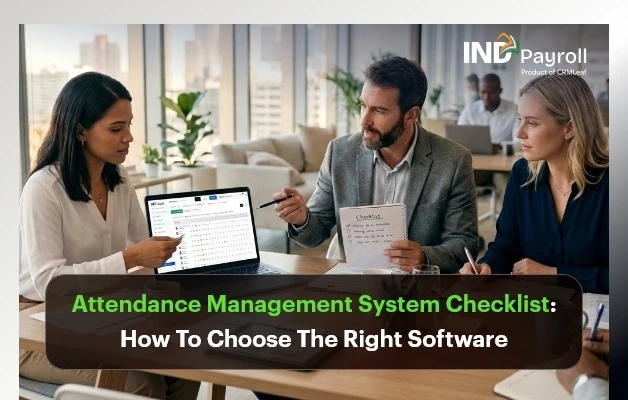
Attendance Management System Checklist: How To Choose The Right Software

Buying attendance software without a proper attendance management system checklist is how companies end up paying for six modules they never use and still exporting timesheets to Excel by hand every Friday. An attendance management system touches payroll, compliance, and employee trust all at once, so a rushed decision is expensive to reverse.

This guide gives you a complete attendance management system checklist built from the criteria that actually separate a good purchase from a costly mistake: capture methods, payroll integration, compliance, scalability, and total cost of ownership. Whether you’re an HR manager evaluating vendors, a business owner replacing biometric machines and spreadsheets, or a payroll professional trying to cut down reconciliation time, you’ll find a structured way to compare options and a checklist you can literally copy into your vendor evaluation sheet.

Key Takeaways

An attendance management system checklist should cover five areas: capture methods, payroll integration, compliance, scalability, and support, not just price.

  • Look for attendance and payroll integration first. Disconnected systems cause the most manual rework and payroll errors.
  • A biometric attendance system alone isn’t enough anymore; mobile GPS, QR codes, and web punch-in options matter for hybrid and field teams.
  • Cloud attendance management software wins over on-premise for most SMEs because of remote access, automatic updates, and lower IT overhead.
  • Cheap, feature-light tools often cost more later in manual corrections, compliance risk, and re-implementation.
  • The right attendance software for a small business should be free or low-cost to start and scale in pricing without a per-employee shock later.
India’s #1 Free Software

What Is an Attendance Management System?

What Is an Attendance Management System?

An attendance management system is software that records when employees start and end work, tracks leave and shift patterns, and sends that data to payroll for salary and overtime calculation. Modern systems use biometric devices, mobile GPS, QR codes, or web punch-ins instead of manual registers, and most run on the cloud so managers can see attendance in real time from any location.

The category sits at the intersection of HR, payroll, and compliance, which is exactly why choosing the wrong one creates problems in three departments at once, not just one.

Why You Need a Checklist Before You Buy

Most teams start shopping for an attendance management software after a specific pain point: a biometric device that keeps failing, a payroll cycle that takes three extra days because of manual attendance imports, or a compliance audit that exposed missing records.

A checklist forces you to evaluate the system against your actual workflow instead of a polished demo. Vendors demo their best-case scenario. Your checklist should test the scenarios that matter to you: remote employees, rotational shifts, multiple office locations, or seasonal staff. Without a structured evaluation, businesses commonly end up with one of two outcomes: an over-engineered enterprise tool that’s too complex for a 30-person team, or a bare-bones app that can’t handle overtime rules and needs to be replaced within a year.

Attendance Management System Features to Evaluate

This is the core of your attendance management system checklist: the ten feature areas worth testing before you sign a contract.

1. Multiple Attendance Capture Methods

A single capture method rarely covers a whole workforce. Evaluate whether the system supports:

  • Biometric attendance system integration (fingerprint or facial recognition) for factory floors and office entrances
  • Mobile GPS check-in with geo-fencing for field and sales teams
  • QR code attendance for shared or multi-location sites
  • Web-based punch-in is restricted by office IP for desk-based staff

If your workforce is mixed, some in-office, some remote, some on-site, the system needs at least three of these methods working together, not bolted on as an afterthought.

2. Cloud-Based Access and Real-Time Visibility

Cloud attendance management software lets HR and managers see who’s present, late, or absent across every location from a single live dashboard, with no end-of-day batch uploads. This matters most for businesses with more than one office or field-based staff, where visibility gaps translate directly into payroll disputes.

3. Attendance and Payroll Integration

This is the feature most checklists underweight. If attendance data doesn’t flow automatically into payroll, someone is still exporting spreadsheets and re-entering hours manually every month, which is exactly the manual error risk you’re trying to eliminate. Confirm that attendance and payroll integration includes overtime hours, leave deductions, and late-mark penalties, not just raw punch times. Attendance and payroll data flowing into a single payroll run is what actually saves processing time, not just digitizing the punch clock.

4. Leave and Attendance Management Together

Leave requests, approvals, and balances should live in the same system as attendance, not a separate tool you reconcile manually. Leave and attendance management in one platform prevent the common problem of an employee being marked absent for a day they’d already booked as approved leave.

5. Shift Scheduling and Overtime Tracking

For businesses with rotational, split, or night shifts, check whether the system supports unlimited shift configurations, auto-assignment rules, shift swap approvals, and configurable overtime multipliers (1.5x, 2x). Overtime miscalculation is one of the most common sources of payroll disputes and statutory non-compliance.

6. Employee Self-Service

A self-service portal where employees can view their own attendance, request regularization for a missed punch, and apply for leave reduces HR ticket volume significantly. It also improves transparency, which reduces disputes over pay.

7. Real-Time Reports and Analytics

Look for out-of-the-box reports on late arrivals, absenteeism trends, overtime cost, and department-wise attendance, not just raw export files you’d need to build reports from yourself in Excel.

8. Compliance and Data Security

In India, attendance records feed directly into statutory obligations under the Shops and Establishments Act, the Factories Act, and wage compliance requirements. The system should maintain an audit-ready trail of punches, regularizations, and shift changes with timestamps and store data securely (look for encryption and data residency details). Confirm how the vendor’s compliance layer supports EPF and ESI filing if attendance and payroll compliance are handled by the same provider.

9. Scalability and Pricing

Attendance software for small businesses needs to start cheap or free and scale predictably. Watch for per-employee pricing models that get expensive fast as you grow; flat-rate or tiered pricing is usually more predictable for budgeting. Review transparent pricing and plan comparison before committing, and check whether attendance features are bundled or sold as a separate add-on.

10. Local Support and Relevance

Indian buyers of attendance software should specifically check whether the vendor understands Indian labour law nuances, supports regional biometric hardware brands (ZKTeco, ESSL, Hikvision, Matrix), and offers support during Indian business hours.

Attendance Management System Benefits

Done right, the attendance management system benefits compound across departments:

  • HR spends less time chasing manual attendance corrections and more time on strategic work
  • Payroll processing time drops because attendance, overtime, and leave are fed in automatically
  • Fewer pay disputes because employees can see their own attendance and regularization status
  • Real-time visibility into absenteeism and late-mark trends before they become a retention problem
  • Stronger compliance posture with a digital, timestamped audit trail
India’s #1 Free Software

See The Benefits In Action

Automate attendance, payroll, and compliance in one platform

Feature Comparison Table

Use this table to compare where your current process — or a vendor you’re evaluating — actually stands. Capability

Capability Manual / Excel Register Basic Attendance App Full Attendance Management System
Capture methods Paper or single biometric device One method (usually mobile or biometric) Biometric + GPS + QR + web + kiosk
Real-time visibility None (end-of-day compilation) Partial, single location Live, multi-location dashboard
Attendance–payroll integration Manual re-entry every cycle Rarely integrated Automatic sync into payroll
Leave management Separate register or form Basic leave request only Unified leave + attendance + approvals
Shift & overtime handling Manually calculated Limited or fixed shifts only Unlimited shift types, auto OT calculation
Compliance audit trail Weak or nonexistent Basic logs Timestamped, audit-ready trail
Employee self-service None Limited Full self-service portal
Scalability/pricing Free but labor-intensive Cheap but caps out fast Flat-rate or tiered, scales with the team
Support for India-specific compliance Manual tracking Rarely built-in Built-in statutory alignment

Attendance Management System Checklist: Evaluation Steps

Copy this into your vendor scorecard and check off each item during demos or trials. Capture & Access

  • Supports biometric, mobile GPS, QR, and web punch-in
  • Works reliably offline and syncs when connectivity returns
  • Geo-fencing available for field and remote staff

Payroll & Leave

  • Attendance flows directly into payroll without manual export
  • Leave balances and attendance are managed in one system
  • Overtime, comp-offs, and shift differentials are calculated automatically

Compliance & Security

  • Maintains a timestamped audit trail for punches and regularizations
  • Data is encrypted, and the hosting location is disclosed
  • Vendor understands local labour law and statutory reporting needs

Usability & Scale

  • Employees can self-serve attendance history, leave, and regularization requests
  • Reports are available out-of-the-box, not just raw exports
  • Pricing is predictable as headcount grows (flat-rate or tiered, not runaway per-employee cost)
  • Vendor offers a free plan or trial to test with real data before committing

Common Buying Mistakes to Avoid

  • Choosing on price alone. The cheapest plan often lacks payroll integration, forcing manual work that costs more in HR hours than the subscription saves.
  • Ignoring mixed workforce needs. A system built only for in-office biometric punching fails the moment you hire a remote or field employee.
  • Skipping the payroll integration test. Many buyers confirm that attendance tracking works but never test whether that data actually reaches payroll without manual intervention.
  • Underestimating shift complexity. Businesses with rotational or night shifts often discover overtime miscalculation only after the first payroll run.
  • Not checking data ownership and export options. If you can’t export your own attendance history in a usable format, switching vendors later becomes painful.
  • Overbuying for current headcount. Enterprise-grade systems with complex approval chains can slow down a 20-person team that just needs reliable tracking.

Avoid Costly Mistakes

Get a compliant, integrated attendance system from day one

Step-by-Step Selection Process

  • Map your workforce types. List how many employees are office-based, remote, field-based, or shift workers. This determines which capture methods you actually need.
  • Shortlist based on payroll integration first. Eliminate any tool that can’t sync attendance directly into your payroll process.
  • Run a real trial, not just a demo. Use actual employee data for at least one full pay cycle before deciding.
  • Test compliance and audit trail features. Ask the vendor to show a sample audit log with regularization history.
  • Compare total cost at your projected headcount, not just today’s price. Model out 12-24 months of growth.
  • Check support responsiveness during the trial itself; a slow response now is a preview of support after you’re a paying customer.
  • Get sign-off from HR, payroll, and IT before finalizing, since all three teams will depend on the system daily.

Best Practices for Rollout

  • Run the new system in parallel to your existing process for one full pay cycle before fully switching over
  • Train employees on self-service features before go-live to reduce first-week support tickets
  • Configure shift and overtime rules carefully before onboarding data  retrofitting rules after data entry causes discrepancies
  • Communicate the “why” to employees. Attendance systems perceived as surveillance-only tools face more pushback than those framed around accurate pay
  • Review compliance settings with your payroll or finance team, not just IT, since audit requirements vary by state and industry
  • Revisit your configuration quarterly as headcount or shift patterns change

Real Business Use Cases

Retail chain with multiple outlets. A 60-employee retail business struggled with inconsistent attendance across five outlet locations, relying on outlet managers to manually report hours. Moving to QR-based attendance per location with a live dashboard cut monthly reconciliation time from two days to under two hours.

Construction and field workforce. A construction contractor needed to track on-site workers across shifting project locations where biometric hardware wasn’t practical. Mobile GPS check-in with geo-fencing lets supervisors confirm workers were on-site without deploying physical devices to every project.

IT/SaaS startup with hybrid staff. A 40-person software company had office-based and fully remote employees on different schedules. Web-based punch-in for remote staff and biometric for office staff, unified in one system, gave HR a single source of truth for both groups instead of two separate tracking methods.

Expert Tips

  • Prioritize systems where overtime rate configuration is visible and editable by HR, not locked behind a support ticket to the vendor.
  • Ask vendors directly: “What happens to our attendance history if we cancel?” A confident, specific answer signals a mature data export process.
  • Treat the free trial as a stress test: import your messiest real-world attendance scenario (a split shift, a remote employee, a regularization request) rather than clean sample data.
  • If your team already uses a payroll platform, check whether that vendor offers attendance as a bundled module before buying a standalone tool. One login and one data source reduce reconciliation errors significantly.
India’s #1 Free Software

Simplify attendance & payroll today

Final Thoughts

The right attendance management system checklist isn’t about finding the tool with the most features; it’s about matching capture methods, payroll integration, and compliance support to how your specific workforce actually works. Test payroll integration and compliance reporting before you sign anything, and be honest about your growth trajectory when comparing pricing.

If you want to see these checklist criteria in a working system rather than a feature list, INDPayroll’s attendance management system combines biometric, mobile GPS, QR, and web-based capture with direct payroll sync, shift and overtime automation, real-time reporting, and employee self-service — free for up to 25 employees, with no credit card required to start.

You can also review the full plan comparison or explore free payroll tools to see how attendance and payroll work together before committing to a paid plan.

The Ultimate Payroll Compliance Checklist for Indian Employers 2026

TL;DR: 

  • Payroll compliance in India requires employers to comply with EPF, ESIC, TDS, Professional Tax, Labour Welfare Fund (where applicable), Minimum Wages, Bonus, and Gratuity regulations.
  • This guide explains the key payroll laws, statutory obligations, common compliance mistakes, and best practices for Indian employers.
  • A practical 24-point payroll compliance checklist helps HR teams and businesses review payroll processes, meet filing deadlines, and reduce compliance risks.
  • State-specific regulations matter. Professional Tax, Labour Welfare Fund, and Minimum Wages vary by state, so employers should verify the latest government notifications before processing payroll.
  • Payroll automation improves compliance by streamlining salary calculations, statutory deductions, payslip generation, compliance reporting, and payroll record management.
  • Use this checklist as a recurring audit tool to maintain payroll accuracy, meet statutory deadlines, and stay compliant as regulations, employee count, or business locations change.

A single missed EPF deposit can cost an employer interest, damages, and a compliance notice — and most payroll teams don’t find out until months later. This payroll compliance checklist India guide covers every key obligation employers must track.

Payroll compliance in India spans at least eight separate laws. Each law has its own registration, deduction, deposit, and filing timeline. For HR managers, payroll teams, and SME owners, keeping track of all of it manually is where errors creep in.

This guide lays out what payroll compliance actually covers, why it matters beyond avoiding penalties, and a practical payroll compliance checklist India employers can use to audit their payroll process. It flags where rules are state-specific or subject to government revision, so you know exactly where to verify current figures before you rely on them.

Key takeaway: Payroll compliance is not one law — it’s a system of overlapping central and state obligations that needs continuous monitoring, not a once-a-year review.

India’s #1 Free Software

Free Payroll, PF, ESI & TDS Software

What Is Payroll Compliance?

Payroll compliance is the process of calculating, deducting, depositing, and reporting statutory dues — such as provident fund, employee insurance, income tax, and professional tax — in line with central and state labour and tax laws. It also covers timely registration, accurate recordkeeping, and issuing correct pay documents to employees.

In practice, this means every payroll cycle involves more than paying salaries. It involves running the right deductions for each employee based on their wage level and location, depositing those amounts with the correct government authority by a fixed date, and filing periodic returns that authorities use to verify compliance.

Key takeaway: Payroll compliance is an ongoing operational discipline, not a one-time registration task.

Why Does Payroll Compliance Matter?

Non-compliance carries real financial and legal exposure: delayed EPF or ESIC deposits attract interest and damages under their respective Acts, incorrect TDS deduction can trigger notices from the Income Tax Department, and repeated violations can result in prosecution under labour law. Beyond penalties, compliance failures damage employee trust — provident fund and insurance benefits are often an employee’s primary financial safety net.

Compliance also affects business continuity. Government tenders, funding due diligence, and statutory audits routinely check EPF/ESIC registration status and filing history. A clean compliance record is now a basic requirement for scaling operations, not just a legal formality.

Key takeaway: Payroll compliance protects employees’ statutory benefits and protects the employer’s ability to operate, raise funds, and bid for contracts without legal friction.

What Are the Key Payroll Laws and Compliance Areas in India?

Indian payroll compliance sits across central laws (EPF, ESIC, income tax, bonus, gratuity) and state-specific levies (professional tax, labour welfare fund, minimum wages). Use this payroll compliance checklist India summary to understand each law’s scope before diving into the full checklist below. The applicability, rates, and thresholds below reflect long-standing statutory norms. Government notifications set ceilings and rates, and these can change. Always confirm current figures on the relevant official portal before applying them.

Employees’ Provident Fund (EPF)

EPF is a retirement savings scheme under the Employees’ Provident Funds and Miscellaneous Provisions Act, 1952, administered by the Employees’ Provident Fund Organisation (EPFO). It applies to establishments with 20 or more employees. Both the employer and the employee contribute a percentage of basic wages plus dearness allowance every month, up to a notified wage ceiling. Employers and employees can enroll workers above the wage ceiling voluntarily, by mutual agreement. Read our detailed ESIC new rules 2026 guide for current salary limits and contribution rates. EPFO periodically revises administrative and inspection charges, so payroll teams should track EPFO circulars rather than assume rates are permanently fixed. See our guide on how to generate EPF challans and ECR files for step-by-step filing instructions.

Employees’ State Insurance (ESIC)

ESIC is a health and social security scheme under the Employees’ State Insurance Act, 1948, administered by the Employees’ State Insurance Corporation (ESIC). It covers employees in notified establishments earning wages up to a government-notified ceiling, funded through employer and employee contributions on gross wages. ESIC coverage gives employees access to medical care, sickness benefit, maternity benefit, and dependent benefits. Because the applicable employee threshold and wage ceiling differ across states and have been revised over time, employers should verify current applicability on the ESIC portal for each location they operate in.

Tax Deducted at Source (TDS) on Salary

TDS on salary is tax that an employer deducts every payday under Section 192 of the Income Tax Act, 1961, based on each employee’s estimated annual tax liability under their chosen tax regime, and deposits directly with the Income Tax Department. Since employees can choose between the old and new tax regimes, and the default regime and slab structure are revised through the annual Union Budget, payroll systems need to be updated each financial year to reflect the current slabs, standard deduction, and rebate limits published by the Income Tax Department.

Professional Tax (Where Applicable)

Professional tax is a state-level tax on salaried income, levied and collected under each state’s own Professional Tax Act rather than a single central law, which is why it is not uniform across India — several states, including Maharashtra, Karnataka, and West Bengal, levy it, while others impose no professional tax at all. Because slabs, exemptions, and payment frequency are set independently by each state government, employers with operations in multiple states cannot apply a single professional tax structure company-wide. Each state’s schedule must be tracked and applied separately.

Labour Welfare Fund (LWF, Where Applicable)

The Labour Welfare Fund (LWF) is a state-administered fund, run by each state’s labour department, that finances welfare activities for workers such as education, housing, and recreation programs, funded through small periodic contributions from employers and, in most states, employees too. Not every state mandates LWF, and where it applies, contribution amounts and payment frequency vary widely. Employers expanding into a new state should check that state’s Labour Welfare Fund Act (or equivalent notification) rather than assuming the rules from their existing location apply.

Minimum Wages

Minimum wages are the lowest rates an employer can legally pay. Central and state governments fix them separately under the Minimum Wages Act, 1948, and revise them periodically — often linking them to a Variable Dearness Allowance tied to inflation. Rates differ by state, sector, and skill category. The Ministry of Labour & Employment publishes current central-sphere rates and notifications. Because state governments issue these notifications and change on a rolling basis, payroll teams should build a recurring review step into their compliance calendar rather than relying on a rate captured once at onboarding.

Statutory Bonus

Statutory bonus is an annual payment governed by the Payment of Bonus Act, 1965, payable by factories and establishments that meet the Act’s employee-count threshold to eligible employees earning below a notified salary ceiling, calculated as a percentage of eligible wages between a statutory minimum and maximum, and due within a prescribed period after the financial year closes. Bonus calculations use a separate, lower wage ceiling for computation than the eligibility ceiling. This is a common source of errors. Payroll teams should confirm both figures independently rather than assuming they are the same number. Our CTC calculator can help you break down wage structures accurately.

Gratuity

Gratuity is a lump-sum retirement benefit under the Payment of Gratuity Act, 1972, payable to employees who complete a minimum period of continuous service (with exceptions for death or disablement) in establishments covered by the Act. Employers calculate it using the employee’s last drawn salary and total years of service. Use our free gratuity calculator to get instant estimates. A portion of gratuity is exempt from income tax, up to a ceiling set by government notification. Amounts above that ceiling are taxable. Employers must track continuous service records accurately. Breaks in service and the exact “last drawn salary” figure directly affect the payout calculation. Key takeaway: Each compliance area has its own trigger (employee count, wage level, or state), its own authority, and its own deadline — treating them as one combined “payroll tax” leads to missed obligations.

Free Payroll, PF, ESI & TDS Software

The most trusted automation tool for modern Indian businesses.

The Ultimate Payroll Compliance Checklist for India

Use this payroll compliance checklist India to audit your current payroll process. It is organized by when each action happens in the compliance lifecycle. For automated compliance tracking, explore IndPayroll’s payroll software.

Registration and setup

  • Register with EPFO and obtain an establishment code once employee-count thresholds are met. See our EPF compliance regulations page for detailed requirements.
  • Register with ESIC and obtain an employer code for establishments and employees within scope.
  • Register for Professional Tax with the relevant state authority, where applicable. Check our professional tax slab rates by state in India 2026 for current slabs.
  • Register for the Labour Welfare Fund where the state mandates it.
  • Obtain a Tax Deduction and Collection Account Number (TAN) for TDS compliance.
  • Confirm Shops and Establishments Act registration in every state of operation.

Every payroll cycle

  • Structure gross salary correctly into Basic, DA, HRA, and other allowances before running deductions (see our guide on salary components in India: HRA, DA, TA explained).
  • Deduct the employee’s EPF contribution accurately for all eligible employees. Our PF calculator helps verify contribution amounts instantly.
  • Deduct the employee’s ESIC contribution for employees within the applicable wage ceiling (see our ESI challan generation guide)
  • Deduct TDS under Section 192 based on the employee’s chosen tax regime and declared investments. Use our TDS calculator to compute the right monthly deduction.
  • Deduct Professional Tax per the applicable state slab.
  • Deduct Labour Welfare Fund contributions per the state’s schedule, where applicable.
  • Deposit employer and employee EPF/EPS contributions with EPFO by the prescribed due date.
  • Deposit ESIC contributions by the prescribed due date.
  • Deposit TDS with the Income Tax Department by the prescribed due date.
  • File the monthly Provident Fund Electronic Challan cum Return (ECR) with EPFO.
  • Issue an accurate, itemized payslip to every employee for every pay cycle.

Periodic and annual compliance

  • File half-yearly ESIC contribution returns and reconcile records.
  • File quarterly TDS returns (Form 24Q) with the Income Tax Department.
  • Issue the annual salary and TDS certificate to employees within the prescribed timeline.
  • Calculate and disburse statutory bonus to eligible employees within the period prescribed by the Payment of Bonus Act.
  • Track continuous service records to determine gratuity eligibility and compute payouts accurately on separation.
  • Update minimum wage rates in payroll whenever the relevant state issues a revised notification.
  • Reconcile and pay Labour Welfare Fund contributions per the state’s payment cycle.

Key takeaway: Roughly half of these checkpoints repeat every single payroll cycle — which is exactly why manual, spreadsheet-based payroll is where compliance gaps most often start. Compare the best payroll software in India for 2026 to find the right solution for your team.

What Are the Most Common Payroll Compliance Mistakes?

Retaining statutory registers for less than the legally required period leaves an employer without evidence during a labour inspection or dispute.

Incorrect gratuity or bonus calculations are frequent sources of disputes at employee exit. These usually stem from an inaccurate “last drawn salary” figure or a wrong continuous-service period.

Using outdated minimum wage or Professional Tax slabs is common. This happens when payroll teams don’t review configuration on a set schedule.

Expanding into a new state without registering for that state’s Professional Tax or Labour Welfare Fund is easy to overlook. These obligations don’t appear in any central compliance list.

Applying wage ceilings inconsistently creates discrepancies that surface only during an audit. For instance, treating a variable allowance differently across pay cycles when calculating EPF-eligible wages is a common error.

Missing monthly EPF, ESIC, or TDS deposit deadlines is another common gap. Each deadline triggers interest or penal charges the moment the due date passes, regardless of whether the delay was intentional.

Misclassifying employees as consultants or contractors to avoid EPF and ESIC is a frequent and legally risky mistake. If the actual relationship shows employer control over work, authorities can challenge the classification regardless of the contract’s wording.

What Are the Best Practices for Payroll Compliance?

For multi-state operations, engage a qualified chartered accountant or labour law consultant for an annual compliance review. This adds an independent check for state-specific gaps that an internal team may miss.

Run an internal payroll compliance audit at least quarterly. Don’t wait until year-end — early action lets you fix gaps before regulatory exposure occurs.

Track notifications from the Ministry of Labour & Employment and relevant state governments. Pay particular attention to minimum wages and the rollout of India’s consolidated Labour Codes. This keeps payroll configuration current as rules evolve.

Assigning clear ownership for each compliance area within the HR or finance team prevents obligations from falling through the cracks when responsibilities are ambiguous.

Reconcile payroll registers against EPFO and ESIC portal records every month. Don’t wait until year-end — catching mismatches early makes them easy to correct.

Maintain a compliance calendar that lists every deposit and filing due date: EPF, ESIC, TDS, bonus, gratuity, and LWF. This gives the payroll team visibility before deadlines are missed. Generate professional payslips easily with our free payslip generator.

Automating EPF, ESIC, Professional Tax, and TDS calculations through payroll compliance software reduces manual errors. Spreadsheets fail when wage structures or slabs change mid-year.

India’s #1 Free Software

Free Payroll, PF,
ESI & TDS Software

Professional compliance management for Indian businesses. 100% Free Forever.

Conclusion

Payroll compliance in India is not a single checkbox. It’s a recurring set of obligations across EPF, ESIC, TDS, professional tax, labour welfare fund, minimum wages, bonus, and gratuity. Each obligation has its own trigger and deadline. The employers who stay ahead build a compliance calendar, automate statutory calculations, and review their configuration every time a rate, slab, or headcount changes.

Use this payroll compliance checklist in India as a recurring audit tool. Verify every rate or threshold against the Ministry of Labour & Employment’s official source before applying it to your next payroll run. For TDS guidance, refer to the Income Tax Department.

ESIC New Rules 2026: Salary Limit, Eligibility, Contribution Rates & Payroll Compliance Guide

TL;DR: ESIC New Rules 2026

  • ESIC wage ceiling remains unchanged at ₹21,000 per month for general employees and ₹25,000 for employees with disabilities.
  • Contribution rates remain the same: Employer contributes 3.25%, and employee contributes 0.75% of eligible wages.
  • Eligible employees working in covered establishments and earning within the wage limit must be enrolled under the ESI Scheme.
  • ESI wages include Basic Pay, DA, HRA, CCA, attendance allowance, and other regular allowances, while overtime, bonus, gratuity, and reimbursements are generally excluded.
  • Employers must ensure compliance through timely registration, accurate contribution calculations, record maintenance, and on-time monthly payments.
  • No major ESIC rule changes were officially notified for 2026; the focus remains on stronger payroll compliance, digital audits, and accurate employee coverage.

Introduction

The Employees’ State Insurance Corporation (ESIC) is one of India’s largest social security organizations, providing medical and financial benefits to millions of employees and their families. For employers, compliance with this scheme is a critical payroll responsibility that directly impacts statutory compliance and employee welfare.

In 2026, employers must continue to comply with these statutory regulations relating to employee eligibility, wage limits, contribution calculations, registration requirements, and monthly filings.

This guide explains the latest ESIC rules applicable in 2026, including salary limits, contribution rates, eligibility criteria, benefits, compliance requirements, and payroll best practices.

India’s #1 Free Software

Free Payroll, PF,
ESI & TDS Software

Professional compliance management for Indian businesses. 100% Free Forever.

What Is ESIC?

The Employees’ State Insurance (ESI) Scheme is governed by the ESI Act, 1948, and administered by the Employees’ State Insurance Corporation (ESIC).

The scheme provides social security protection to eligible employees against:

  • Sickness
  • Maternity
  • Employment injury
  • Disability
  • Death due to employment injury

Employees and employers contribute to the scheme, enabling insured persons and their dependents to receive medical and financial benefits.

ESIC Salary Limit 2026

The ESIC wage ceiling in 2026 remains:

Category Wage Limit
General Employees ₹21,000 per month
Employees with Disabilities ₹25,000 per month

Employees earning wages within the prescribed limit are generally covered under the ESI Scheme if employed in an eligible establishment.

Who Is Eligible for ESIC Coverage?

An employee is generally covered under ESIC if (refer to the ESI registration guide for details):

  • The establishment is covered under the ESI Act.
  • The employee’s monthly wages do not exceed ₹21,000.
  • The establishment employs the prescribed minimum number of employees (generally 10 or more).
  • The employee works in a covered category of employment.

Coverage may also extend to:

  • Contract workers
  • Casual workers
  • Temporary employees
  • Outsourced workers deployed at covered establishments

Wage Components Included in ESIC Calculation

The following salary components are generally included for ESI contribution purposes:

  • Basic Salary
  • Dearness Allowance (DA)
  • House Rent Allowance (HRA)
  • City Compensatory Allowance (CCA)
  • Attendance Allowance
  • Night Shift Allowance
  • Fixed Monthly Incentives
  • Other Regular Allowances

Wage Components Generally Excluded

  • Overtime Wages
  • Annual Bonus
  • Ex-Gratia Payments
  • Leave Encashment
  • Gratuity
  • Retrenchment Compensation
  • Employer PF Contribution
  • Travel Reimbursements
  • Business Expense Reimbursements

Correct wage classification is essential for accurate contribution calculations. Use our free ESI Calculator to verify deductions instantly.

ESIC Contribution Rates 2026

The contribution rates remain unchanged in 2026.

Contribution Rate
Employer Contribution 3.25%
Employee Contribution 0.75%
Total Contribution 4.00%

Employers are responsible for deducting employee contributions and depositing both shares with the corporation. Explore our PF & ESI Compliance Software for automated calculations.

ESIC Contribution Calculation Examples

Example 1: Monthly Wage ₹15,000

Particulars Amount
Monthly Wage ₹15,000
Employee Contribution (0.75%) ₹112.50
Employer Contribution (3.25%) ₹487.50
Total Contribution ₹600.00

Example 2: Monthly Wage ₹21,000

Particulars Amount
Monthly Wage ₹21,000
Employee Contribution (0.75%) ₹157.50
Employer Contribution (3.25%) ₹682.50
Total Contribution ₹840.00

ESIC Contribution Period and Benefit Period

The scheme follows two contribution periods and corresponding benefit periods.

Contribution Period Benefit Period
April – September January – June
October – March July – December

Benefits are generally available during the applicable benefit period based on contributions made during the contribution period.

Free Payroll, PF, ESI & TDS Software

The most trusted automation tool for modern Indian businesses.

What Happens If Salary Exceeds ₹21,000?

A common payroll question arises when an employee’s wages exceed the ESIC wage ceiling during a contribution period. Use our CTC Calculator to model revised salary structures.

If an employee is already covered at the beginning of a contribution period and subsequently receives a salary increase above ₹21,000, ESIC contributions generally continue until the end of that contribution period.

Example

Month Wage
April ₹20,500
July ₹22,500

The employee remains covered until the current contribution period ends.

ESIC Registration Process for Employers

Step 1: Employer Registration

Register the establishment on the official portal and obtain the Employer Code Number.

Step 2: Employee Enrollment

Register eligible employees and collect required personal and family information.

Step 3: Insurance Number Generation

Each insured employee receives a unique Insurance Number.

Step 4: Monthly Contribution Calculation

Calculate employee and employer contributions based on applicable wages.

Step 5: Contribution Payment

Deposit all contributions through the online portal. Learn how to generate ESI challan online for timely payment.

Step 6: Maintain Records

Maintain wage records, contribution records, employee details, and statutory documentation for inspections and audits.

ESIC Due Date for Contribution Payment

Employers must deposit ESIC contributions within 21 days of the end of the calendar month” — i.e., by the 21st of the following month, per Regulation 31 of the ESI (General) Regulations, 1950.

Late payment may result in:

  • Interest on delayed contributions
  • Damages and penalties
  • Compliance notices
  • Legal action in severe cases

ESIC Benefits Available to Employees

Medical Benefit

Comprehensive medical care for insured employees and their dependents.

Sickness Benefit

Cash compensation during certified sickness periods.

Extended Sickness Benefit

Additional support for specified long-term illnesses.

Maternity Benefit

Paid maternity benefits for eligible insured women employees.

Temporary Disablement Benefit

Compensation for temporary loss of earning capacity due to employment injury.

Permanent Disablement Benefit

Long-term financial assistance for permanent disability.

Dependants Benefit

Financial support for dependants in case of death due to employment injury.

Funeral Expenses

Financial assistance towards the funeral expenses of an insured person.

Payroll Compliance Checklist for Employers

To maintain ESIC compliance in 2026 and meet all statutory compliance requirements:

  • Verify employee eligibility regularly.
  • Register all eligible employees promptly.
  • Calculate applicable wages accurately.
  • Deduct employee contributions correctly.
  • Deposit contributions within prescribed timelines.
  • Maintain contribution and wage records.
  • Reconcile payroll and statutory filings monthly. Use the Compliance Calendar to track all due dates.
  • Monitor salary changes impacting ESIC eligibility.
  • Respond promptly to ESIC notices and inspections.

What Actually Changed in 2026?

While ESIC contribution rates and wage ceilings remain unchanged in 2026, the compliance environment is new. ESIC has intensified digital audits, enforced stricter employer registration checks, continued the SPREE scheme for new enrolments, and increased scrutiny of contract worker coverage. For employers, 2026 demands stronger payroll accuracy and audit readiness.

Organizations are expected to:

  • Maintain accurate payroll records.
  • Ensure proper employee registration.
  • Avoid incorrect wage classifications.
  • Strengthen payroll audit readiness.
  • Use payroll systems capable of handling statutory compliance automatically.

For most employers, the focus in 2026 is not on new contribution rates but on stronger compliance and accurate payroll administration. Avoid costly errors by reviewing common payroll challenges HR teams face.

How INDPayroll Simplifies ESIC Compliance

INDPayroll’s payroll software helps businesses manage ESIC compliance through:

By automating payroll processes, organisations can reduce manual effort, minimise errors, and maintain statutory compliance.

India’s #1 Free Software

Free Payroll, PF, ESI & TDS Software

Conclusion

The scheme remains a critical component of India’s social security framework. Employers must ensure accurate employee registration, wage classification, contribution calculation, and timely compliance to avoid penalties and ensure uninterrupted benefits for employees. Follow proven payroll best practices and use purpose-built tools to stay ahead.

By understanding ESIC eligibility rules, salary limits, contribution requirements, and compliance obligations, organizations can build a stronger payroll compliance framework and provide better protection to their workforce.

15 Proven Payroll Best Practices for Indian SMEs 2026

TL;DR: Payroll Best Practices for Indian SMEs in 2026

  • Classify employees and contractors correctly to avoid compliance penalties.
  • Build compliant salary structures aligned with wage regulations.
  • Automate PF, ESI, TDS, and Professional Tax calculations.
  • Never miss statutory filing and payment deadlines.
  • Maintain accurate payroll records, payslips, and reconciliation reports.
  • Conduct regular payroll audits and prepare for Labour Code implementation.

Nearly half of India’s small businesses have faced a payroll penalty they could have avoided. One wrong formula in a spreadsheet, one missed PF deadline, one misclassified employee — and a routine pay run turns into interest, fines, and a difficult conversation with your team. Payroll is the single largest cash outflow for most SMEs, yet it is often run on tools never designed for India’s compliance maze.

If you manage payroll for a small or mid-sized business, you already feel the pressure: shifting tax rules, the long-awaited Labour Codes, and employees who expect their salary to be correct and on time — every single month. The cost of getting it wrong is rising, and “we’ll fix it next month” is no longer a safe plan.

In this guide, you will discover the 15 payroll best practices that keep Indian SMEs compliant, accurate, and audit-ready in 2026 — without expensive consultants or fragile spreadsheets. The INDPayroll Compliance Team works with thousands of Indian businesses and CA firms to automate PF, ESI, TDS, and Professional Tax, and these payroll best practices are the habits we see in every well-run payroll.

Free Payroll, PF, ESI & TDS Software

The most trusted automation tool for modern Indian businesses.

Why payroll best practices matter for Indian SMEs in 2026

Following payroll best practices is no longer optional housekeeping — it is risk management. Indian payroll sits at the intersection of the EPFO, the ESIC, and the Income Tax Department, and each carries its own deadlines and penalties. Strong payroll best practices protect your cash flow, your compliance record, and your reputation as an employer.

What are the payroll best practices for Indian SMEs? Payroll best practices are the standardised steps a business follows to pay staff accurately and stay legally compliant. They cover correct salary structuring, automated PF, ESI, TDS and Professional Tax deductions, on-time filings, accurate payslips, and secure record-keeping. Together, they prevent penalties and build employee trust.

1. Classify every worker correctly before you pay them

Misclassification is the most expensive payroll mistake an SME can make. Whether a person is a full-time employee, a contractor, or a gig worker decides which deductions, benefits, and filings apply. Treating an employee as a “consultant” to avoid PF and ESI can trigger back-payments, interest, and penalties during an inspection.

Worker classification is the process of deciding a worker’s legal status — employee, contractor, or gig worker. It works by testing control, supervision, and the nature of the engagement. It matters because each category carries different obligations for PF, ESI, TDS, and gratuity under Indian law.

India’s four Labour Codes formally recognise gig and platform workers and tighten definitions across the board. Map every person on your payroll to the right category in writing, and review the classification whenever a role changes.

2. Build a salary structure that is compliant by design

How you split a salary is not just a tax decision — it is a compliance one. Under the Code on Wages, 2019, the statutory definition of “wages” limits how much of total pay can sit in excluded allowances. In practice, this pushes the basic-plus-DA component toward at least 50% of total remuneration, which directly affects PF, gratuity, and overtime calculations.

A compliant salary structure is a pay breakup where basic wages meet statutory thresholds and allowances stay within legal limits. It works by keeping basic plus dearness allowance at roughly half of total pay. Most SMEs use it to control PF and gratuity liability while maximising employee take-home.

Design your CTC template once, correctly, and apply it consistently. A lopsided structure that under-reports basic wages is a red flag in any audit.

3. Automate statutory deductions instead of calculating them by hand

PF, ESI, Professional Tax, and TDS each follow different rates, ceilings, and rounding rules. Calculating them manually for even 30 employees invites error — and a single decimal mistake in TDS can cascade into a wrong Form 16. Automation removes the guesswork and applies current rates consistently every month.

Statutory deductions are the legally mandated amounts withheld from salary — EPF, ESI, Professional Tax, and TDS. They work by applying fixed rates to defined wage components each pay cycle. Indian employers must deduct and deposit them on time to stay compliant and avoid interest or penalties.

This is exactly the work payroll software is built to handle. Automated compliance tools recalculate deductions whenever rates change, so you are never relying on a year-old spreadsheet formula.

4. Get EPF (Provident Fund) right, every month

The EPFO administers the Employees’ Provident Fund and is mandatory for most establishments with 20 or more employees. Both employer and employee contribute 12% of basic wages plus dearness allowance, and contributions are typically due by the 15th of the following month.

EPF is a retirement savings scheme run by the Employees’ Provident Fund Organisation. It works by collecting 12% of basic wages plus DA from both the employer and the employee each month. The employer’s share is split between the pension fund (EPS) and the provident fund, calculated on a statutory wage ceiling of Rs. 15,000.

Generate your ECR (Electronic Challan-cum-Return) and deposit on time. Late PF payments not only attract damages and interest, but they can also disqualify the expense for income-tax purposes.

5. Stay within ESI rules for eligible employees

The Employees’ State Insurance scheme, run by the ESIC, provides medical and cash benefits to lower-wage workers. It generally applies to establishments with 10 or more employees and covers staff earning up to Rs. 21,000 per month (Rs. 25,000 for employees with disabilities).

ESI is a social security scheme for employees earning up to Rs. 21,000 a month. It works through a combined contribution of 4% of wages — 0.75% from the employee and 3.25% from the employer. It funds medical care, sickness, maternity, and disability benefits for covered workers.

Track wage thresholds carefully: an employee can move in or out of ESI coverage mid-year as pay changes, and your system must handle that transition cleanly within the contribution period.

6. Run an accurate TDS on salary under Section 192

Tax Deducted at Source on salary is governed by Section 192 of the Income Tax Act. Employers must estimate each employee’s annual tax liability and deduct it proportionately every month, choosing correctly between the old and new tax regimes based on the employee’s declaration.

TDS on salary is income tax that the employer deducts before paying wages, under Section 192. It works by spreading an employee’s estimated yearly tax across 12 months. Employers deposit it with the government and report it quarterly on Form 24Q, then issue Form 16 to each employee.

The new tax regime is now the default, and recent Budgets have reshaped the slabs and rebates. Collect investment declarations early in the financial year, verify proofs before year-end, and reconcile so no employee faces a shock deduction in March. Always confirm the current year’s slabs against the Income Tax Department before finalising.

7. Treat statutory deadlines as a non-negotiable payroll best practice

Most payroll penalties come not from wrong amounts but from being late. Each statutory due date is fixed, and missing it triggers automatic interest or fees regardless of intent. Among all payroll best practices, hitting deadlines is the cheapest and highest-return habit you can build.

Obligation Typical due date
EPF contribution & ECR 15th of the following month
ESI contribution 15th of the following month
TDS deposit (salary) 7th of the following month
TDS return (Form 24Q) Quarterly
Professional Tax Varies by state
What happens if you miss a TDS deadline? Late filing of a TDS return attracts a fee of Rs. 200 per day under Section 234E until the return is filed, capped at the TDS amount. A separate interest applies for late deduction or deposit. Meeting every due date is the cheapest compliance you will ever buy.

8. Keep a single source of truth for payroll data

When salary data lives in one spreadsheet, attendance in another, and bank details in an email, errors are inevitable. Centralising employee master data — pay structure, PAN, UAN, ESI number, bank details, and tax declarations — in one system removes duplication and version-control chaos.

A single source of truth is one authoritative system holding all payroll and employee data. It works by feeding every calculation, payslip, and filing from the same records. SMEs use it to eliminate conflicting spreadsheets, reduce manual re-entry, and ensure every report reconciles.

This is where SMEs reclaim the most time. Centralised payroll processing means one update flows everywhere instead of being copied across files.

9. Issue clear, itemised payslips on time

A payslip is both a legal record and a trust signal. The Code on Wages requires employers to give employees wage slips, and a good payslip itemises earnings, each statutory deduction, and the net pay so employees can see exactly how their salary was calculated.

A payslip is a document detailing an employee’s earnings and deductions for a pay period. It works by listing gross pay, PF, ESI, TDS, and other deductions, then showing net pay. Indian employers must provide it to meet wage-transparency obligations and reduce salary disputes.

Automated, password-protected digital payslips — generated and emailed in one click — save hours and look far more professional than a manual PDF.

10. Reconcile payroll before, not after, you file

Reconciliation catches errors while they are still cheap to fix. Each month, match gross pay, deductions, and net disbursement against your bank file. Each quarter, reconcile TDS deducted against Form 24Q and the deposits reflected in Form 26AS.

Payroll reconciliation is the process of matching payroll records against bank payments and statutory filings. It works by comparing what was calculated, paid, and reported, line by line. It matters because mismatches in Form 24Q or Form 26AS create notices and corrections that are costly to unwind.

A clean monthly reconciliation makes year-end Form 16 generation almost effortless.

11. Maintain statutory registers and records

Indian labour law requires employers to keep registers and records of wages, attendance, leave, and deductions — and to retain them for several years. Inspectors can ask for these at any time, and missing documentation is itself a violation, even if your calculations were correct.

Statutory registers are the records employers must keep under labour and tax laws, covering wages, attendance, and deductions. They work as the audit trail behind every pay run. The Labour Codes aim to simplify them into fewer digital registers, but retention obligations remain firmly in place.

Digital records with a complete change history make audits straightforward and protect you if a past calculation is ever questioned.

12. Manage attendance, leave, and overtime accurately

Payroll is only as accurate as the attendance feeding it. Loss-of-pay, overtime, and leave encashment must flow correctly into each month’s calculation. Manual transcription of attendance is a common — and avoidable — source of salary errors.

Attendance-to-payroll integration is the automatic flow of worked hours, leave, and overtime into salary calculation. It works by linking your attendance system directly to payroll so nothing is keyed in twice. SMEs use it to pay precisely for time worked and to comply with overtime rules.

Define your leave policy clearly, apply it consistently, and let the system, not a person, do the arithmetic.

13. Plan gratuity and full-and-final settlements ahead of time

Gratuity is a statutory benefit under the Payment of Gratuity Act, 1972, payable to employees who complete five years of continuous service, at 15 days’ wages for each completed year, subject to the prevailing cap. Provisioning for it monthly avoids a cash shock when senior staff exit.

Gratuity is a lump-sum reward for long service under the Payment of Gratuity Act. It works out to roughly 15 days of wages for each completed year, payable after five years of continuous service. Employers should provision for it gradually rather than funding it only at exit.

Build a clear, full, and final settlement process too — recovering advances, settling leave balances, and releasing dues within the legally expected timeframe.

14. Protect payroll and employee data

Payroll holds your most sensitive data: salaries, PAN, bank accounts, and Aadhaar-linked identifiers. With the Digital Personal Data Protection Act, 2023, safeguarding this information is now a legal duty, not just good hygiene. A leaked salary sheet damages trust and can carry regulatory consequences.

Payroll data protection is the practice of securing sensitive employee and salary information. It works through access controls, encryption, and limited sharing of pay data. Under India’s DPDP Act, 2023, businesses must handle personal data responsibly, making secure payroll systems a compliance requirement, not an option.

Restrict who can view salary data, use encrypted systems with audit logs, and avoid circulating raw payroll files over email or shared drives.

15. Audit regularly: the payroll best practice that ties it all together

India’s four Labour Codes — on Wages, Social Security, Industrial Relations, and Occupational Safety — consolidate 29 central labour laws and will reshape definitions of wages, working hours, and benefits as they roll out. SMEs that treat a yearly review as a core payroll best practice avoid scrambling later.

The Labour Codes are four laws that consolidate India’s central labour legislation. They work by standardising definitions of wages, social security, and working conditions across the country. Their phased implementation changes how SMEs structure pay and benefits, so businesses should track notifications and adjust payroll settings accordingly.

Run an internal payroll audit at least once a year: review classifications, salary structures, deduction rates, deadlines, and records. Confirm the current implementation status of the Labour Codes and your state’s specific notifications, since timing and rules continue to evolve.

Trust and authority: what we see in practice

“The businesses that never face a payroll penalty are rarely the ones with the biggest finance teams — they are the ones who automated their statutory calculations and treated deadlines as fixed,” notes the INDPayroll Compliance Team, drawing on payroll runs across thousands of Indian SMEs and CA firms.

Our own data points to a clear pattern: the most common penalty is not a wrong amount but a late filing, and almost every late filing traces back to a manual, calendar-driven process that someone simply forgot. The single highest-leverage change an SME can make is to move statutory deductions and deadlines off spreadsheets and onto a system that updates rates and reminders automatically.

Payroll best practices are the standardised steps a business follows to pay staff accurately and stay legally compliant — correct salary structuring, automated PF, ESI, TDS and Professional Tax deductions, on-time filings, accurate payslips, and secure record-keeping. Together, they prevent penalties and build employee trust.

India’s #1 Free Software

Free Payroll, PF, ESI & TDS Software

Conclusion

Strong payroll in 2026 comes down to three things: structure salaries correctly, automate every statutory deduction, and never miss a deadline. Master those, keep secure records, and stay ready for the Labour Codes, and payroll stops being a monthly risk and becomes a quiet competitive advantage. These payroll best practices are not theory — they are the habits that keep Indian SMEs penalty-free and their teams paid on time.

The fastest way to put all 15 payroll best practices into action is to stop running payroll on spreadsheets. Try INDPayroll free and run your next pay cycle in minutes, fully compliant.

This article is for general information only and does not constitute legal, tax, or financial advice. Statutory rates, wage ceilings, thresholds, due dates, and the implementation status of the Labour Codes change over time and can vary by state. Always verify the current rules with official sources such as the EPFO, ESIC, and the Income Tax Department, or consult a qualified professional, before acting.

Category: EPFO & ESI

No posts in this category.

Subcategory: EPFO

Subcategory: ESI

Category: Payroll Help

No posts in this category.

Subcategory: Employee Self-Service & Engagement

Subcategory: Introduction to Payroll

Subcategory: Payroll Analytics & Reporting

Subcategory: Payroll Automation & Technology

Subcategory: Payroll for Business Growth

Subcategory: Payroll Processing & Management

Subcategory: Taxation & Compliance

Category: User Manual

No posts in this category.

Subcategory: Company Setup

Subcategory: Employee Management

Subcategory: Getting Started

Subcategory: Glossary

Subcategory: Import & Export

Subcategory: Introduction

Subcategory: Payroll Configuration

Subcategory: Payslips & Disbursement

Subcategory: Reports & Analytics

Subcategory: Running Payroll

Subcategory: Statutory Compliance & Reports

Subcategory: Troubleshooting

Subcategory: User Management & Security