TL;DR:
- Attendance regularization corrects missed punches, device errors, and attendance discrepancies before payroll is processed.
- Missed punches can lead to salary deductions, overtime errors, payroll disputes, and compliance risks if left unresolved.
- A reliable workflow follows Employee Request → Manager Approval → HR Verification → Payroll Sync.
- Following best practices like clear cut-off dates, approval workflows, and digital audit trails helps reduce payroll errors.
- An integrated Attendance Management System automates regularization, approvals, and payroll synchronization, making attendance processing faster and more accurate.
Introduction
Attendance regularization is the process of correcting attendance records before the data flows into payroll. It covers missed punches, wrong punch times, device failures, and unrecorded field visits. Done well, it prevents salary errors and keeps HR out of the business of manually chasing timesheets every month. Done poorly, or not at all, it becomes one of the most common causes of payroll disputes in Indian workplaces.
This guide breaks down what attendance regularization actually means and why employees miss punches in the first place. It also covers how a missed punch turns into a payroll error. Most importantly, it maps the exact workflow that fixes it: employee request → manager approval → HR verification → payroll sync. In addition, you’ll find real-world scenarios from construction sites to remote teams, a checklist of best practices, and mistakes to avoid.
If you’re evaluating how to reduce manual attendance work altogether, this article pairs well with our detailed look at the Attendance Management System, which automates much of what’s described here.
What Is Attendance Regularization?
Attendance regularization is the formal correction of an employee’s recorded attendance when the system-captured data doesn’t match what actually happened. It covers a missed check-in, a forgotten check-out, or a biometric device malfunction. This also covers time spent working outside the office. Think client visits, site inspections, or approved remote work that a punch machine never saw in the first place.
It is not the same as an unauthorized absence, and it is not a loophole for chronic latecomers. A proper regularization request is tied to evidence, such as a calendar invite, a manager’s confirmation, or a travel log. In short, the process exists to reconcile the gap between “what the machine recorded” and “what actually happened,” so that payroll reflects reality rather than a device error or a forgotten tap.
Most Indian companies with in-office biometric or GPS attendance systems build a regularization window into their monthly payroll calendar. This window is typically 3 to 7 working days after the pay period closes. During that window, employees can raise corrections and managers can approve them. HR verifies everything before payroll locks for the month.
Why Employees Miss Punches
Missed punches rarely happen because employees are trying to game the system. In most cases, they’re a byproduct of how modern work actually happens.
Field and client-facing roles. Sales executives, service engineers, and relationship managers spend their day away from the office, often starting directly from a client site. There’s no punch machine at a customer’s office.
Forgotten check-outs. An employee leaves for a late meeting, rushes home, and simply forgets to tap out. The system logs a check-in with no check-out and often marks the day as incomplete or half-day.
Device and network issues. Biometric scanners fail to read fingerprints in humid weather. Power cuts take kiosks offline, or a Wi-Fi outage stops app-based GPS punches from syncing.
Shift and location changes. An employee who temporarily moves to a different branch or shift may fall outside the right device or geo-fence mapping. The system then rejects a legitimate punch.
New employees and app friction. Employees unfamiliar with a mobile attendance app may open it too late. They might also stand outside the geo-fenced radius by a few meters, or forget to enable location permissions.
Approved exceptions. Someone working from home with manager approval, or attending training off-site, has no reason to be near a punch device at all.
Common Causes of Attendance Errors
Beyond individual missed punches, several structural issues generate attendance errors at scale:
- Multiple attendance sources that don’t talk to each other. A company might use a standalone biometric device, a separate mobile app for field staff, and a manual register for one branch. That setup forces the team to reconcile three systems by hand.
- No single source of truth for shift timings. Shift rosters often live in a spreadsheet that isn’t synced with the attendance device. When that happens, the system flags legitimate late arrivals on rotational or night shifts as errors.
- Manual data entry between systems. Attendance exported from a biometric device and re-typed into a payroll spreadsheet introduces transcription errors a classic case of one broken formula affecting an entire month’s salary run.
- No cut-off communicated to employees. If nobody tells the workforce when to submit regularization requests, requests trickle in after payroll closes for the month.
- Weak audit trail. Without timestamps on who approved what and when, HR cannot defend an attendance correction decision during an audit or an employee dispute.
How Missed Punches Affect Payroll
A missed punch doesn’t stay a minor data glitch. It becomes a payroll problem the moment the team processes the pay run. Here’s the typical chain reaction:
| Attendance Issue | Payroll Impact |
| Missed check-in/check-out | Recorded as absent or half-day, reducing that month’s payable days |
| Unregularized field visit | Loss of a full day’s pay despite the employee having worked |
| Incorrect shift mapping | Wrong overtime (OT) calculation or missed night-shift allowance |
| Device downtime for multiple employees | Bulk incorrect attendance affecting an entire team’s salary |
| Late regularization approval | Correction missed before payroll lock, requiring an off-cycle adjustment or reimbursement next month |
The downstream effects compound quickly. Attendance errors lead to incorrect salary or wage deductions. This is exactly the kind of payroll error labour law aims to prevent. The Payment of Wages provisions under India’s Code on Wages, 2019 require that employees be paid the wages actually due to them, on time, and without unauthorized deductions. As a result, even an otherwise fully compliant payroll process can end up in violation of that basic principle, simply because the input attendance data was flawed.
Beyond compliance, there’s a trust cost. An employee who is short-paid because of a device error, and then has to argue their way to a correction, remembers that experience. Repeated payroll errors are, in fact, one of the most cited reasons for HR complaints and rising attrition risk in SME workplaces.
Signs Your Attendance Process Needs Improvement
Not every company needs to overhaul its attendance system immediately, but certain warning signs suggest the current process is creating more work than it saves:
- Consequently, payroll processing routinely runs late while HR chases attendance clarifications from managers.
- The same employees raise the same type of regularization request every month (a strong sign of a systemic device, geo-fence, or shift-mapping issue, not an individual problem).
- Attendance correction requests arrive after the payroll cut-off, forcing manual off-cycle corrections.
- There’s no record of who approved a correction or why, making audits stressful.
- HR is manually cross-checking a biometric export against a spreadsheet before every payroll run.
- Employees complain about salary discrepancies more than once a quarter.
If two or more of these sound familiar, the gap usually isn’t employee discipline; it’s a missing workflow.
The Attendance Regularization Workflow
A dependable attendance regularization process has four stages, and together they form a simple attendance approval workflow that any HR team can run every month. Skipping any one of them is usually where errors creep back in.
Step 1: Employee Request
The employee raises a regularization request for the specific date and punch that needs correction, stating the reason (forgot to punch, client visit, device failure, approved WFH). Where relevant, they attach supporting evidence: a calendar invite, travel bill, or manager’s chat confirmation. This should happen through a self-service portal or app, not an email thread that’s easy to lose track of.
Step 2: Manager Approval
In practice, the reporting manager has first-hand knowledge of whether the employee was actually working. This manager reviews the request and approves or rejects it. This step separates a legitimate correction from an attempt to cover an unauthorized absence. The manager is the person best placed to know the difference.
Step 3: HR Verification
HR reviews approved requests in bulk, checking for patterns (an employee regularizing the same day of the week repeatedly, for instance), confirming the request falls within policy limits (most companies cap regularizations at 2–3 per month per employee), and giving final sign-off.
Step 4: Payroll Sync
Once verified, the corrected attendance record updates automatically in the payroll module before payroll processing begins. No manual re-entry, no spreadsheet patching after the fact.
A simple way to visualize it:
Employee submits request → Manager approves/rejects → HR verifies and finalizes → Payroll auto-updates → Payslip reflects accurate pay
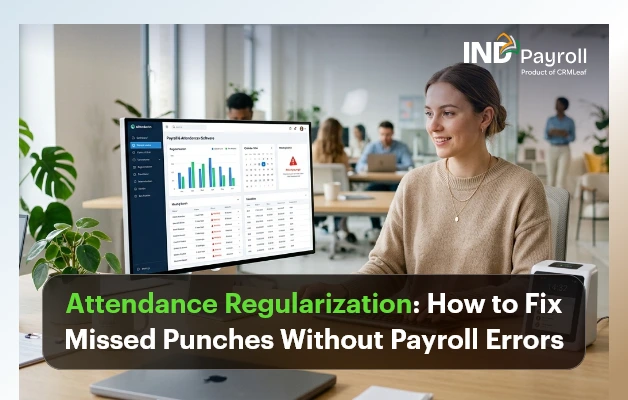
When any one of these steps is manual or undocumented, regularization becomes a source of delay rather than a safeguard. This is exactly the workflow that automated attendance software is built to enforce. That’s why the “Regularizations Pending” counter is one of the first things HR checks on a live attendance dashboard before running payroll.
Best Practices for Attendance Regularization
Set a clear regularization window. Define exactly how many days after each pay period employees can submit corrections, commonly 3 to 7 working days, and communicate it in the employee handbook and onboarding material.
Cap the number of regularizations per employee. Generally, a reasonable monthly limit (2–3 requests) stops the policy from becoming a substitute for punctuality, while still covering genuine exceptions.
Require evidence for field and remote work. A calendar invite, a client sign-in sheet, or a manager’s written confirmation turns a vague request into a defensible one.
Route approvals through the direct manager, not HR first. Managers know the context of a specific day far better than a centralized HR team reviewing hundreds of requests.
Automate the payroll sync. Manually re-entering approved corrections into a payroll sheet reintroduces the exact risk the process is meant to eliminate.
Review regularization patterns monthly. If certain teams or locations generate a disproportionate number of requests, investigate whether it’s a device, roster, or geo-fence problem rather than an individual one.
Keep a digital audit trail. Every request, approval, rejection, and timestamp should be retrievable; this protects the company during compliance reviews and gives HR a clear answer if an employee disputes a decision.
Do’s and Don’ts at a glance:
| Do | Don’t |
| Set and publish a fixed regularization cut-off date | Leave the deadline undefined or “flexible” |
| Require a reason and evidence for every request | Approve requests without any context |
| Let the direct manager approve first | Route every request through HR before the manager |
| Sync approved corrections directly into payroll | Manually retype attendance data into payroll sheets |
| Track regularization trends monthly | Ignore repeat requests from the same employee or device |
| Keep timestamped digital records of every approval | Rely on email threads or verbal approvals |
Mistakes HR Teams Should Avoid
Treating every regularization request the same way. A one-off device failure affecting 30 employees needs a bulk correction, not 30 individual approval threads.
No defined cut-off before payroll lock. Without a hard deadline, corrections keep arriving after payroll processes salaries. This forces reversals and reimbursements that frustrate both HR and employees.
Letting regularization become a rubber stamp. If managers approve every request without reviewing context, the policy stops serving its purpose and start-time discipline erodes across the team.
No visibility into recurring issues. If the same field employee misses a punch every Monday, the root cause might be a genuinely broken commute pattern, a geo-fence set too narrow, or a device sync issue, not carelessness. Treating it as a one-off each month misses the pattern.
Manually re-keying attendance into payroll. This is the single biggest source of payroll errors in companies without integrated systems; a transposition error in a spreadsheet can silently misstate a dozen salaries.
No written regularization policy. Verbal or inconsistent rules mean different managers apply different standards, which becomes a fairness issue and, in unionized or larger workplaces, a potential grievance.
How Attendance Software Simplifies Regularization
Manual regularization tracked over email or paper forms works for a five-person office. It breaks down quickly beyond that. Every additional employee adds another thread to follow up on, another approval to chase, and another chance for a request to slip through before the payroll cut-off.
Purpose-built attendance management software addresses this in a few concrete ways:
Self-service submission. Employees raise a regularization request from a mobile app or portal in seconds, with the date, reason, and supporting note attached no email, no paper form.
Instant manager notifications. As a result, approvers receive a notification the moment an employee raises a request, with a one-tap approve or reject option, instead of discovering a backlog of requests days later.
Bulk handling for systemic issues. When a device outage affects an entire shift, HR can regularize the whole group in one action instead of processing dozens of individual requests.
Automatic payroll sync. Once approved, the correction flows directly into the payroll engine no export, no re-entry, no risk that the team misses it before the pay run.
Pattern visibility. Dashboards surface which employees, teams, or devices generate repeat regularization requests, helping HR fix root causes (a misconfigured geo-fence, an unreliable device) rather than approving the same correction every month.
Built-in audit trail. Every request carries a timestamp, an approver, and a status exactly the kind of record that compliance reviews and internal audits expect to see.
| Manual Process (Email/Paper) | Automated Attendance Software | |
| Request submission | Email or physical form | Self-service app/portal |
| Approval turnaround | Days, depending on manager availability | Minutes, with instant notifications |
| Payroll update | Manual re-entry, error-prone | Automatic sync, no re-entry |
| Bulk corrections (device failure) | One-by-one, time-consuming | Single bulk action |
| Audit trail | Scattered across emails | Centralized, timestamped, exportable |
| Pattern detection | Rarely reviewed | Built into reporting dashboards |
Automate Attendance Regularization
Reduce payroll errors with one approval workflow.
How INDPayroll Helps
INDPayroll’s Attendance Management System is built around exactly this problem. It makes sure attendance data stays accurate before it ever reaches payroll, and it makes corrections fast enough that nobody misses them.
Multiple Ways to Capture Attendance
On the capture side, INDPayroll supports biometric attendance integration with ZKTeco, Hikvision, ESSL, Matrix, and other common devices. It also offers GPS check-in with geo-fencing for field and multi-location teams, QR code attendance for locations without hardware, and facial recognition for touchless marking. Because multiple capture methods are available, a single device outage is less likely to disrupt an entire team’s attendance for the day.
A Regularization Workflow Built Into the Platform
When a punch is missed anyway, employees raise a regularization request directly from the same platform. Managers see it instantly and approve or reject with full context. HR, meanwhile, gets a consolidated view of pending regularizations right on the attendance dashboard, rather than digging through email. Once approved, the correction flows straight into the payroll sync no spreadsheet, no manual re-entry, and no gap between what was approved and what actually gets paid.
One System for Shifts, Leave, and Payroll
Because shift management, leave management, overtime tracking, and payroll processing all sit on the same platform, a regularized attendance record doesn’t need to be manually mapped against leave balances or shift rules; the system already knows them. Employees can also check their own regularization status, view payslips, and track attendance history through employee self-service. This cuts down the “did my correction go through?” queries that otherwise land on HR’s desk. In addition, because every request, approval, and sync is logged, the reports module gives HR an audit-ready trail without extra effort. That trail is especially useful when reconciling statutory filings tied to PF, ESI, or professional tax against actual days worked, covered in more detail in our compliance resources.
The goal isn’t to eliminate regularization; genuine exceptions will always exist. Instead, it’s to make the process fast, visible, and error-free, so it stops being a monthly fire drill for HR and starts being a routine five-minute task.
Real-World Use Cases by Industry
Construction. Site supervisors and daily-wage workers often move between multiple project sites in a week. GPS-based check-ins with geo-fencing confirm presence at the correct site. Regularization handles the days workers shift between sites on short notice, or when a power outage takes the site’s biometric device offline.
Manufacturing. Rotational and night shifts make manual attendance tracking error-prone; a worker clocking in for a night shift can easily be marked “late” if the roster in the attendance system hasn’t been updated. Regularization combined with proper shift mapping prevents unnecessary OT disputes and ensures employees receive the correct night-shift allowances.
Retail. Staff across multiple outlets, often working split shifts around peak footfall hours, need attendance captured accurately per location. A biometric device failure at one outlet shouldn’t affect payroll accuracy for staff at other branches — bulk regularization for the affected outlet resolves this in one action instead of dozens.
Healthcare, IT, and Remote Teams
Healthcare. Nursing and support staff frequently work rotating and emergency shifts that don’t fit a standard 9-to-6 pattern. Regularization requests here often relate to shift swaps and emergency coverage, where a colleague covers a shift on short notice and the original schedule doesn’t match actual hours worked.
IT – Hybrid and flexible-hour policies mean employees may legitimately log in from home on days they’re not physically at a geo-fenced office location. A clear regularization policy backed by manager approval rather than a rigid device check accommodates this without penalizing compliant hybrid work.
Remote Teams. Fully remote employees may have no biometric or GPS touchpoint at all. For these teams, attendance is often tracked through login activity, task check-ins, or manager confirmation. The “regularization” process here is really a lightweight approval step rather than a correction to a missed physical punch. Even so, the same principle applies: attendance data needs a manager sign-off before it reaches payroll.
Simplify Attendance & Payroll Today
Conclusion
Attendance regularization isn’t an administrative afterthought; it’s the safeguard that stands between a missed punch and a payroll error. Employees will always occasionally forget to tap out, devices will occasionally fail, and field teams will always work outside the reach of a fixed punch machine. What separates a smooth payroll cycle from a month of salary disputes is whether the correction process is fast, clearly defined, and properly connected to payroll before the pay run locks.
The four-step workflow employee request, manager approval, HR verification, payroll sync is simple in principle. Getting it right consistently, every month, across every team and location, is where most companies struggle without the right employee attendance system in place. If your team is still reconciling attendance corrections over email or spreadsheets, it may be worth looking at how an integrated attendance management system can close that gap and improve payroll accuracy from the first pay run to the last.