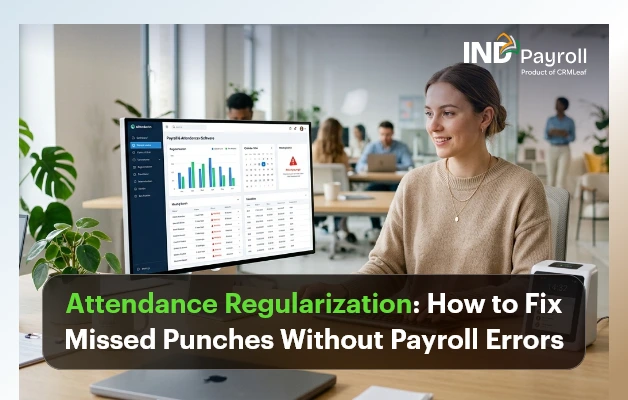
Attendance Regularization: How to Fix Missed Punches Without Payroll Errors

TL;DR: 

  • Attendance regularization corrects missed punches, device errors, and attendance discrepancies before payroll is processed.
  • Missed punches can lead to salary deductions, overtime errors, payroll disputes, and compliance risks if left unresolved.
  • A reliable workflow follows Employee Request → Manager Approval → HR Verification → Payroll Sync.
  • Following best practices like clear cut-off dates, approval workflows, and digital audit trails helps reduce payroll errors.
  • An integrated Attendance Management System automates regularization, approvals, and payroll synchronization, making attendance processing faster and more accurate.

Introduction

Attendance regularization is the process of correcting attendance records before the data flows into payroll. It covers missed punches, wrong punch times, device failures, and unrecorded field visits. Done well, it prevents salary errors and keeps HR out of the business of manually chasing timesheets every month. Done poorly, or not at all, it becomes one of the most common causes of payroll disputes in Indian workplaces.

This guide breaks down what attendance regularization actually means and why employees miss punches in the first place. It also covers how a missed punch turns into a payroll error. Most importantly, it maps the exact workflow that fixes it: employee request → manager approval → HR verification → payroll sync. In addition, you’ll find real-world scenarios from construction sites to remote teams, a checklist of best practices, and mistakes to avoid.

If you’re evaluating how to reduce manual attendance work altogether, this article pairs well with our detailed look at the Attendance Management System, which automates much of what’s described here.

India’s #1 Free Software

Fix Missed Punches Fast

Automate attendance corrections before payroll.

What Is Attendance Regularization?

Attendance regularization is the formal correction of an employee’s recorded attendance when the system-captured data doesn’t match what actually happened. It covers a missed check-in, a forgotten check-out, or a biometric device malfunction. This also covers time spent working outside the office. Think client visits, site inspections, or approved remote work that a punch machine never saw in the first place.

It is not the same as an unauthorized absence, and it is not a loophole for chronic latecomers. A proper regularization request is tied to evidence, such as a calendar invite, a manager’s confirmation, or a travel log. In short, the process exists to reconcile the gap between “what the machine recorded” and “what actually happened,” so that payroll reflects reality rather than a device error or a forgotten tap.

Most Indian companies with in-office biometric or GPS attendance systems build a regularization window into their monthly payroll calendar. This window is typically 3 to 7 working days after the pay period closes. During that window, employees can raise corrections and managers can approve them. HR verifies everything before payroll locks for the month.

Why Employees Miss Punches

Missed punches rarely happen because employees are trying to game the system. In most cases, they’re a byproduct of how modern work actually happens.

Field and client-facing roles. Sales executives, service engineers, and relationship managers spend their day away from the office, often starting directly from a client site. There’s no punch machine at a customer’s office.

Forgotten check-outs. An employee leaves for a late meeting, rushes home, and simply forgets to tap out. The system logs a check-in with no check-out and often marks the day as incomplete or half-day.

Device and network issues. Biometric scanners fail to read fingerprints in humid weather. Power cuts take kiosks offline, or a Wi-Fi outage stops app-based GPS punches from syncing.

Shift and location changes. An employee who temporarily moves to a different branch or shift may fall outside the right device or geo-fence mapping. The system then rejects a legitimate punch.

New employees and app friction. Employees unfamiliar with a mobile attendance app may open it too late. They might also stand outside the geo-fenced radius by a few meters, or forget to enable location permissions.

Approved exceptions. Someone working from home with manager approval, or attending training off-site, has no reason to be near a punch device at all.

Common Causes of Attendance Errors

Beyond individual missed punches, several structural issues generate attendance errors at scale:

  • Multiple attendance sources that don’t talk to each other. A company might use a standalone biometric device, a separate mobile app for field staff, and a manual register for one branch. That setup forces the team to reconcile three systems by hand.
  • No single source of truth for shift timings. Shift rosters often live in a spreadsheet that isn’t synced with the attendance device. When that happens, the system flags legitimate late arrivals on rotational or night shifts as errors.
  • Manual data entry between systems. Attendance exported from a biometric device and re-typed into a payroll spreadsheet introduces transcription errors a classic case of one broken formula affecting an entire month’s salary run.
  • No cut-off communicated to employees. If nobody tells the workforce when to submit regularization requests, requests trickle in after payroll closes for the month.
  • Weak audit trail. Without timestamps on who approved what and when, HR cannot defend an attendance correction decision during an audit or an employee dispute.

How Missed Punches Affect Payroll

A missed punch doesn’t stay a minor data glitch. It becomes a payroll problem the moment the team processes the pay run. Here’s the typical chain reaction:

Attendance Issue Payroll Impact
Missed check-in/check-out Recorded as absent or half-day, reducing that month’s payable days
Unregularized field visit Loss of a full day’s pay despite the employee having worked
Incorrect shift mapping Wrong overtime (OT) calculation or missed night-shift allowance
Device downtime for multiple employees Bulk incorrect attendance affecting an entire team’s salary
Late regularization approval Correction missed before payroll lock, requiring an off-cycle adjustment or reimbursement next month

The downstream effects compound quickly. Attendance errors lead to incorrect salary or wage deductions. This is exactly the kind of payroll error labour law aims to prevent. The Payment of Wages provisions under India’s Code on Wages, 2019 require that employees be paid the wages actually due to them, on time, and without unauthorized deductions. As a result, even an otherwise fully compliant payroll process can end up in violation of that basic principle, simply because the input attendance data was flawed.

Beyond compliance, there’s a trust cost. An employee who is short-paid because of a device error, and then has to argue their way to a correction, remembers that experience. Repeated payroll errors are, in fact, one of the most cited reasons for HR complaints and rising attrition risk in SME workplaces.

Signs Your Attendance Process Needs Improvement

Not every company needs to overhaul its attendance system immediately, but certain warning signs suggest the current process is creating more work than it saves:

  • Consequently, payroll processing routinely runs late while HR chases attendance clarifications from managers.
  • The same employees raise the same type of regularization request every month (a strong sign of a systemic device, geo-fence, or shift-mapping issue, not an individual problem).
  • Attendance correction requests arrive after the payroll cut-off, forcing manual off-cycle corrections.
  • There’s no record of who approved a correction or why, making audits stressful.
  • HR is manually cross-checking a biometric export against a spreadsheet before every payroll run.
  • Employees complain about salary discrepancies more than once a quarter.

If two or more of these sound familiar, the gap usually isn’t employee discipline; it’s a missing workflow.

The Attendance Regularization Workflow

A dependable attendance regularization process has four stages, and together they form a simple attendance approval workflow that any HR team can run every month. Skipping any one of them is usually where errors creep back in.

Step 1: Employee Request

The employee raises a regularization request for the specific date and punch that needs correction, stating the reason (forgot to punch, client visit, device failure, approved WFH). Where relevant, they attach supporting evidence: a calendar invite, travel bill, or manager’s chat confirmation. This should happen through a self-service portal or app, not an email thread that’s easy to lose track of.

Step 2: Manager Approval

In practice, the reporting manager has first-hand knowledge of whether the employee was actually working. This manager reviews the request and approves or rejects it. This step separates a legitimate correction from an attempt to cover an unauthorized absence. The manager is the person best placed to know the difference.

Step 3: HR Verification

HR reviews approved requests in bulk, checking for patterns (an employee regularizing the same day of the week repeatedly, for instance), confirming the request falls within policy limits (most companies cap regularizations at 2–3 per month per employee), and giving final sign-off.

Step 4: Payroll Sync

Once verified, the corrected attendance record updates automatically in the payroll module before payroll processing begins. No manual re-entry, no spreadsheet patching after the fact.

A simple way to visualize it:

Employee submits request → Manager approves/rejects → HR verifies and finalizes → Payroll auto-updates → Payslip reflects accurate pay

When any one of these steps is manual or undocumented, regularization becomes a source of delay rather than a safeguard. This is exactly the workflow that automated attendance software is built to enforce. That’s why the “Regularizations Pending” counter is one of the first things HR checks on a live attendance dashboard before running payroll.

Best Practices for Attendance Regularization

Set a clear regularization window. Define exactly how many days after each pay period employees can submit corrections, commonly 3 to 7 working days, and communicate it in the employee handbook and onboarding material.

Cap the number of regularizations per employee. Generally, a reasonable monthly limit (2–3 requests) stops the policy from becoming a substitute for punctuality, while still covering genuine exceptions.

Require evidence for field and remote work. A calendar invite, a client sign-in sheet, or a manager’s written confirmation turns a vague request into a defensible one.

Route approvals through the direct manager, not HR first. Managers know the context of a specific day far better than a centralized HR team reviewing hundreds of requests.

Automate the payroll sync. Manually re-entering approved corrections into a payroll sheet reintroduces the exact risk the process is meant to eliminate.

Review regularization patterns monthly. If certain teams or locations generate a disproportionate number of requests, investigate whether it’s a device, roster, or geo-fence problem rather than an individual one.

Keep a digital audit trail. Every request, approval, rejection, and timestamp should be retrievable; this protects the company during compliance reviews and gives HR a clear answer if an employee disputes a decision.

Do’s and Don’ts at a glance:

Do Don’t
Set and publish a fixed regularization cut-off date Leave the deadline undefined or “flexible”
Require a reason and evidence for every request Approve requests without any context
Let the direct manager approve first Route every request through HR before the manager
Sync approved corrections directly into payroll Manually retype attendance data into payroll sheets
Track regularization trends monthly Ignore repeat requests from the same employee or device
Keep timestamped digital records of every approval Rely on email threads or verbal approvals

Mistakes HR Teams Should Avoid

Treating every regularization request the same way. A one-off device failure affecting 30 employees needs a bulk correction, not 30 individual approval threads.

No defined cut-off before payroll lock. Without a hard deadline, corrections keep arriving after payroll processes salaries. This forces reversals and reimbursements that frustrate both HR and employees.

Letting regularization become a rubber stamp. If managers approve every request without reviewing context, the policy stops serving its purpose and start-time discipline erodes across the team.

No visibility into recurring issues. If the same field employee misses a punch every Monday, the root cause might be a genuinely broken commute pattern, a geo-fence set too narrow, or a device sync issue, not carelessness. Treating it as a one-off each month misses the pattern.

Manually re-keying attendance into payroll. This is the single biggest source of payroll errors in companies without integrated systems; a transposition error in a spreadsheet can silently misstate a dozen salaries.

No written regularization policy. Verbal or inconsistent rules mean different managers apply different standards, which becomes a fairness issue and, in unionized or larger workplaces, a potential grievance.

How Attendance Software Simplifies Regularization

Manual regularization tracked over email or paper forms works for a five-person office. It breaks down quickly beyond that. Every additional employee adds another thread to follow up on, another approval to chase, and another chance for a request to slip through before the payroll cut-off.

Purpose-built attendance management software addresses this in a few concrete ways:

Self-service submission. Employees raise a regularization request from a mobile app or portal in seconds, with the date, reason, and supporting note attached no email, no paper form.

Instant manager notifications. As a result, approvers receive a notification the moment an employee raises a request, with a one-tap approve or reject option, instead of discovering a backlog of requests days later.

Bulk handling for systemic issues. When a device outage affects an entire shift, HR can regularize the whole group in one action instead of processing dozens of individual requests.

Automatic payroll sync. Once approved, the correction flows directly into the payroll engine no export, no re-entry, no risk that the team misses it before the pay run.

Pattern visibility. Dashboards surface which employees, teams, or devices generate repeat regularization requests, helping HR fix root causes (a misconfigured geo-fence, an unreliable device) rather than approving the same correction every month.

Built-in audit trail. Every request carries a timestamp, an approver, and a status exactly the kind of record that compliance reviews and internal audits expect to see.

  Manual Process (Email/Paper) Automated Attendance Software
Request submission Email or physical form Self-service app/portal
Approval turnaround Days, depending on manager availability Minutes, with instant notifications
Payroll update Manual re-entry, error-prone Automatic sync, no re-entry
Bulk corrections (device failure) One-by-one, time-consuming Single bulk action
Audit trail Scattered across emails Centralized, timestamped, exportable
Pattern detection Rarely reviewed Built into reporting dashboards
Live & Automated

Automate Attendance Regularization

Reduce payroll errors with one approval workflow.

How INDPayroll Helps

INDPayroll’s Attendance Management System is built around exactly this problem. It makes sure attendance data stays accurate before it ever reaches payroll, and it makes corrections fast enough that nobody misses them.

Multiple Ways to Capture Attendance

On the capture side, INDPayroll supports biometric attendance integration with ZKTeco, Hikvision, ESSL, Matrix, and other common devices. It also offers GPS check-in with geo-fencing for field and multi-location teams, QR code attendance for locations without hardware, and facial recognition for touchless marking. Because multiple capture methods are available, a single device outage is less likely to disrupt an entire team’s attendance for the day.

A Regularization Workflow Built Into the Platform

When a punch is missed anyway, employees raise a regularization request directly from the same platform. Managers see it instantly and approve or reject with full context. HR, meanwhile, gets a consolidated view of pending regularizations right on the attendance dashboard, rather than digging through email. Once approved, the correction flows straight into the payroll sync no spreadsheet, no manual re-entry, and no gap between what was approved and what actually gets paid.

One System for Shifts, Leave, and Payroll

Because shift management, leave management, overtime tracking, and payroll processing all sit on the same platform, a regularized attendance record doesn’t need to be manually mapped against leave balances or shift rules; the system already knows them. Employees can also check their own regularization status, view payslips, and track attendance history through employee self-service. This cuts down the “did my correction go through?” queries that otherwise land on HR’s desk. In addition, because every request, approval, and sync is logged, the reports module gives HR an audit-ready trail without extra effort. That trail is especially useful when reconciling statutory filings tied to PF, ESI, or professional tax against actual days worked, covered in more detail in our compliance resources.

The goal isn’t to eliminate regularization; genuine exceptions will always exist. Instead, it’s to make the process fast, visible, and error-free, so it stops being a monthly fire drill for HR and starts being a routine five-minute task.

Real-World Use Cases by Industry

Construction. Site supervisors and daily-wage workers often move between multiple project sites in a week. GPS-based check-ins with geo-fencing confirm presence at the correct site. Regularization handles the days workers shift between sites on short notice, or when a power outage takes the site’s biometric device offline.

Manufacturing. Rotational and night shifts make manual attendance tracking error-prone; a worker clocking in for a night shift can easily be marked “late” if the roster in the attendance system hasn’t been updated. Regularization combined with proper shift mapping prevents unnecessary OT disputes and ensures employees receive the correct night-shift allowances.

Retail. Staff across multiple outlets, often working split shifts around peak footfall hours, need attendance captured accurately per location. A biometric device failure at one outlet shouldn’t affect payroll accuracy for staff at other branches — bulk regularization for the affected outlet resolves this in one action instead of dozens.

Healthcare, IT, and Remote Teams

Healthcare. Nursing and support staff frequently work rotating and emergency shifts that don’t fit a standard 9-to-6 pattern. Regularization requests here often relate to shift swaps and emergency coverage, where a colleague covers a shift on short notice and the original schedule doesn’t match actual hours worked.

IT – Hybrid and flexible-hour policies mean employees may legitimately log in from home on days they’re not physically at a geo-fenced office location. A clear regularization policy backed by manager approval rather than a rigid device check accommodates this without penalizing compliant hybrid work.

Remote Teams. Fully remote employees may have no biometric or GPS touchpoint at all. For these teams, attendance is often tracked through login activity, task check-ins, or manager confirmation. The “regularization” process here is really a lightweight approval step rather than a correction to a missed physical punch. Even so, the same principle applies: attendance data needs a manager sign-off before it reaches payroll.

Audit-ReADY PAYROLL

Simplify Attendance & Payroll Today

Conclusion

Attendance regularization isn’t an administrative afterthought; it’s the safeguard that stands between a missed punch and a payroll error. Employees will always occasionally forget to tap out, devices will occasionally fail, and field teams will always work outside the reach of a fixed punch machine. What separates a smooth payroll cycle from a month of salary disputes is whether the correction process is fast, clearly defined, and properly connected to payroll before the pay run locks.

The four-step workflow employee request, manager approval, HR verification, payroll sync is simple in principle. Getting it right consistently, every month, across every team and location, is where most companies struggle without the right employee attendance system in place. If your team is still reconciling attendance corrections over email or spreadsheets, it may be worth looking at how an integrated attendance management system can close that gap and improve payroll accuracy from the first pay run to the last.
Top 10 Payroll Challenges HR Teams Face & How To Fix

Managing payroll in India is no small task. HR teams handle complex salary structures, ever-changing PF and ESI regulations, tax deductions, and dozens of compliance deadlines — all at once. One small error can lead to penalties, employee dissatisfaction, or even legal trouble.

In 2025, a survey by SHRM India found that 67% of HR professionals rank payroll compliance as their top operational challenge. Yet most companies still rely on spreadsheets or outdated tools that create more problems than they solve.

This guide covers the top 10 payroll challenges HR teams face today — and actionable fixes for each. Whether you run a startup or a mid-size company, these solutions will save you time, reduce errors, and keep your team compliant.

Ready to simplify payroll? Try INDPayroll free and see how automation transforms your HR workflow.

Payroll Challenges in India (2026)

  • Payroll involves complex compliance requirements like PF, ESI, TDS, and labour laws
  • Manual processes increase the risk of salary errors and compliance penalties
  • Attendance mismatches and lack of system integration slow down payroll processing
  • Data security risks increase when payroll is managed through spreadsheets
  • Automation significantly improves accuracy, efficiency, and compliance
  • Scalable payroll software supports business growth without increasing HR workload
India’s #1 Free Software

Free Payroll, PF,
ESI & TDS Software

Professional compliance management for Indian businesses. 100% Free Forever.

1. Manual Salary Calculation Errors

Manual salary processing is the biggest source of payroll errors. HR teams spend hours calculating basic pay, HRA, allowances, and deductions — all manually. A single formula mistake in a spreadsheet can cascade across hundreds of employee records.

According to the American Payroll Association, payroll errors cost businesses up to 1.2% of total payroll annually. For a company with 100 employees, that adds up fast.

The Fix: Automate salary calculations with payroll salary processing software. INDPayroll auto-calculates gross pay, net pay, PF, ESI, and TDS in seconds. No formulas. No manual errors. Just accurate payslips every month.

With automated payroll software, you can process 500 employees in under 10 minutes. That’s not just faster — it’s error-free.

2. PF & ESI Compliance Failures

EPF (Employees’ Provident Fund) and ESI (Employees’ State Insurance) compliance is non-negotiable in India. Missing contribution deadlines, wrong deduction rates, or incorrect challan submissions can result in heavy fines and legal notices from the EPFO or ESIC.

Many HR teams manually track PF wages, ESI eligibility, and filing dates — a process riddled with risk. Regulations also change frequently, making it hard to stay current without dedicated tools.

The Fix: Use dedicated PF & ESI compliance software that auto-calculates contributions, generates challans, and tracks filing deadlines. INDPayroll’s compliance module keeps you updated with the latest EPFO rules.

You can also use our free PF calculator and ESI calculator to verify deductions instantly. Pair that with our EPF compliance guide for a complete understanding of your obligations.

3. Late or Incorrect Payslip Generation

Employees expect accurate payslips on time — every month. Delays cause frustration and erode trust. Worse, incorrect payslips create tax filing problems for employees and expose your company to disputes.

Many HR teams generate payslips manually using Word or Excel templates. This process is slow, inconsistent, and prone to formatting errors. Sending 200 individual payslip emails manually is simply not scalable.

The Fix: Automate payslip generation with INDPayroll’s payslip & reports generator. Generate professional, branded payslips in bulk and deliver them directly to employee inboxes in one click.

You can also use the free payslip generator for quick, on-demand salary slips. It’s fast, accurate, and professionally formatted.

4. Tax Deduction & TDS Calculation Mistakes

TDS (Tax Deducted at Source) on salary is governed by Section 192 of the Income Tax Act. Incorrect TDS calculations — either over-deducting or under-deducting — create problems for both employees and employers during ITR filing season.

HR teams must account for employee investments, exemptions (HRA, LTA, Section 80C), and the tax regime chosen (old vs. new). Doing this manually for every employee is complex and error-prone.

The Fix: Use payroll software that integrates TDS calculations directly into the salary run. INDPayroll handles tax computation for both old and new tax regimes, factoring in all employee declarations automatically.

The CTC calculator is also a great starting point for understanding salary breakups and tax implications before you process payroll.

5. Managing Complex Salary Structures

Modern salary structures in India are multi-layered. They include basic pay, HRA, special allowance, medical allowance, LTA, performance bonuses, and more. Each component has different tax implications and PF treatment rules.

When HR teams build these structures manually, inconsistencies creep in. Some employees may have incorrect HRA percentages. Others may have PF calculated on the wrong base. These errors compound over time and are hard to audit.

The Fix: Build flexible salary templates in INDPayroll. You can define custom components, set calculation rules, and apply different structures to different employee groups. Our free payroll tools help you model salary breakups before finalising structures.

Try INDPayroll free and set up your first salary template in under 5 minutes.

6. Keeping Up With Indian Labor Law Changes

Indian labor laws change regularly. The four new Labour Codes — covering wages, industrial relations, social security, and occupational safety — are still being implemented across states. Gratuity rules, minimum wages, and leave encashment policies also vary by state.

HR teams that rely on outdated knowledge risk non-compliance even when they think they’re doing everything right. This is especially risky for companies operating across multiple states.

The Fix: Stay updated through INDPayroll’s labor law updates page. Our platform also auto-updates compliance parameters when regulations change — so you don’t have to manually track every notification from the Ministry of Labour.

Read our latest EPF regulations guide to stay ahead of EPFO policy changes that affect your payroll every quarter.

India’s #1 Free Software

Free Payroll, PF, ESI & TDS Software

7. Attendance & Leave Integration Issues

Payroll accuracy depends on accurate attendance data. When attendance systems don’t sync with payroll software, HR teams manually reconcile leave records, absent days, and overtime hours. This creates delays and errors in the final salary calculation.

Remote and hybrid teams make this even harder. Tracking attendance across locations — without a centralised system — is a genuine operational headache for growing companies.

The Fix: Choose payroll software with built-in attendance and leave management or seamless integrations with your existing systems. INDPayroll’s salary processing module pulls attendance data directly into payroll calculations, reducing manual intervention significantly.

This integration alone can save HR teams 4–6 hours per payroll cycle.

8. Handling Full & Final Settlements

When an employee exits, HR must calculate their full and final (F&F) settlement accurately. This includes pending salary, earned leave encashment, gratuity (if eligible), deductions for notice period shortfall, and TDS on the settlement amount.

F&F errors create disputes, delay experience letters, and — in some cases — result in legal action from former employees. Most HR teams handle this manually, leaving room for miscalculations.

The Fix: Automate F&F settlements through a structured payroll workflow. INDPayroll handles all F&F components in one place, generates accurate settlement statements, and even computes the applicable TDS — saving time and reducing risk.

Check our registration & filing compliance section to understand the documentation required during employee exit.

9. Data Security & Payroll Confidentiality

Payroll data is among the most sensitive information a company holds. Salary details, bank account numbers, PAN cards, and tax data must be protected from unauthorized access. A data breach in payroll can lead to regulatory penalties and reputational damage.

Many SMEs in India still store payroll data in shared Excel sheets or unencrypted email attachments — a serious security risk in 2025.

The Fix: Use cloud-based payroll software with role-based access controls, data encryption, and audit trails. INDPayroll stores data securely in the cloud with enterprise-grade encryption. Only authorised HR personnel can access sensitive payroll records.

This is especially important for companies transitioning from legacy HRMS platforms like Keka or GreytHR. Read our Keka HR alternatives guide to see how INDPayroll compares on security and features.

10. Scaling Payroll With Business Growth

As your company grows from 20 to 200 employees, your payroll complexity grows exponentially. New joiners, varied compensation structures, multi-state compliance, and multiple payroll runs per month become the norm. Manual payroll systems break down under this scale.

Many HR teams struggle to scale because their tools weren’t built for growth. They end up hiring more HR staff just to manage payroll — when automation could do the job better.

The Fix: Choose a scalable payroll software built for Indian companies at every stage. INDPayroll scales from 10 to 10,000 employees without any change in workflow. You add employees, define their salary structure, and the system handles the rest.

Growing fast? Try INDPayroll free and scale your payroll operations without scaling your headcount.

Payroll Challenges vs. INDPayroll Fixes — Quick Reference

# Payroll Challenge INDPayroll Fix
1 Manual salary calculation errors Auto salary processing engine
2 PF & ESI compliance failures Built-in PF/ESI compliance module
3 Late payslip generation One-click bulk payslip delivery
4 TDS calculation mistakes Auto TDS for old/new tax regime
5 Complex salary structures Flexible salary template builder
6 Labour law updates Auto-updated compliance engine
7 Attendance integration issues Seamless attendance-payroll sync
8 F&F settlement errors Automated F&F workflow
9 Payroll data security risks Cloud security + role-based access
10 Scaling payroll complexity Scalable from 10 to 10,000 employees

How INDPayroll Compares to Other Payroll Tools

If you’re currently using tools like GreytHR, PagarBook, or FactoHR, you may already be experiencing some of the challenges above. While these are established platforms, INDPayroll offers a more affordable, India-specific solution with deep compliance coverage and an intuitive UI.

INDPayroll is purpose-built for Indian SMEs — with local PF, ESI, TDS, and labour law compliance built in from day one. No complex setup. No expensive per-module pricing. Just one platform that handles everything.

Learn more on our INDPayroll homepage or visit our ESI compliance guide for detailed ESIC coverage.

What Payroll Experts Recommend in 2026

Leading HR consultants agree: automation is no longer optional for Indian payroll teams. The combination of new Labour Codes, increasing EPFO enforcement, and digital-first employee expectations means HR teams must modernise their payroll operations now.

According to Andolasoft, a leading software development firm, companies that automate payroll report a 40% reduction in HR processing time and a 60% drop in compliance errors within the first quarter of adoption.

Similarly, platforms like CRMLeaf highlight that integrated HR-payroll systems dramatically improve employee experience and reduce HR ticket volume related to salary queries.

For project-driven companies, Orangescrum recommends pairing payroll automation with project management tools to align resource costs with actual project delivery data.

Free Payroll, PF, ESI & TDS Software

The most trusted automation tool for modern Indian businesses.

Conclusion: Fix Your Payroll Challenges Today

Payroll challenges are not just an HR headache — they’re a business risk. From compliance penalties to employee dissatisfaction, the cost of getting payroll wrong is higher than most companies realise.

The good news? Every challenge on this list has a clear, practical solution. And INDPayroll brings all those solutions together in one platform — built specifically for Indian businesses.

Whether you’re dealing with PF compliance, TDS errors, or scaling your team, INDPayroll gives you the tools to process payroll accurately, on time, every time.

Ready to eliminate payroll challenges for good? Try INDPayroll free today — no credit card required. Your first payroll run is on us.

Visit www.indpayroll.com to learn more, or explore our free payroll tools to get started right now.

Frequently Asked Questions

What are the most common payroll challenges in India?

The most common payroll challenges in India include PF and ESI compliance errors, incorrect TDS calculations, late payslip generation, manual salary processing mistakes, and difficulty keeping up with labour law changes. Automated payroll software solves most of these issues instantly.

How can HR teams avoid payroll compliance errors?

HR teams can avoid compliance errors by using dedicated PF & ESI compliance software, staying updated with the latest EPF regulations, and automating challan generation and filing reminders.

What is the best payroll software for Indian SMEs?

INDPayroll is one of the best payroll software solutions for Indian SMEs. It offers end-to-end salary processing, built-in PF/ESI compliance, automated payslip generation, and TDS calculations — all in one platform.

How do I generate payslips automatically?

You can generate payslips automatically using INDPayroll’s payslip reports generator. Alternatively, try the free payslip generator tool for quick salary slips on demand.

How does payroll software help with labour law compliance?

Good payroll software auto-updates when labour laws change, calculates correct deductions based on current rules, and generates compliance reports. INDPayroll tracks Indian labour law updates and adjusts your payroll calculations accordingly.

Why Manual Payroll Fails Growing Businesses in India?

At first, spreadsheets may seem manageable. However, as headcount increases, regulations tighten, and salary structures become complex, manual payroll quickly turns into a business risk.

For growing businesses in India, payroll is no longer just about salary calculation. Instead, it involves compliance, accuracy, timeliness, reporting, and employee trust. This is exactly why manual payroll starts failing — and why automation becomes unavoidable.

In this blog, you’ll learn why manual payroll fails growing businesses in India, what risks it creates, and how automation solves these challenges end-to-end.

Free Payroll, PF, ESI & TDS Software

The most trusted automation tool for modern Indian businesses.

What Is Manual Payroll?

Manual payroll refers to managing salary calculations, deductions, compliance, and payslips using spreadsheets, emails, and disconnected tools.

Typically, HR or finance teams:

  • Calculate salaries in Excel
  • Manually apply PF, ESI, PT, and TDS
  • Upload challans on government portals
  • Share payslips via email

Initially, this works. However, as teams grow, the system starts breaking down.

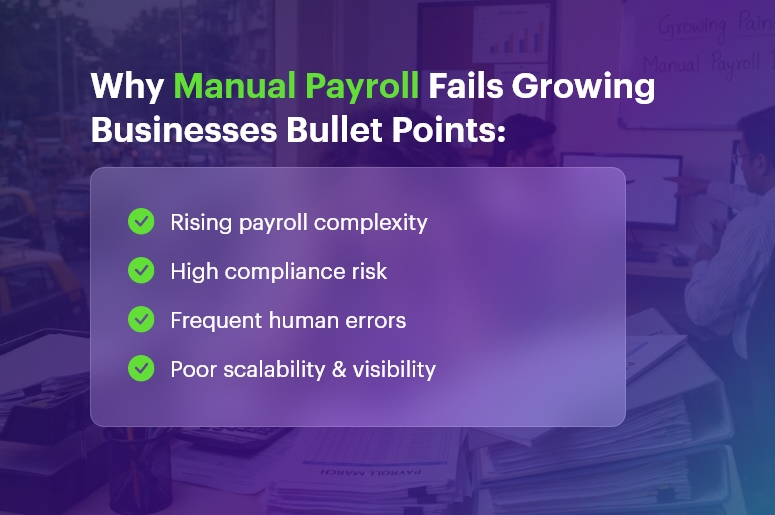
Why Manual Payroll Fails Growing Businesses Bullet Points

Why Manual Payroll Fails Growing Businesses in India

1. Payroll Complexity Increases Rapidly with Growth

As employee count rises, payroll rules multiply. New salary components, multiple pay structures, variable pay, bonuses, and deductions add complexity.

Because manual systems lack built-in logic, errors increase with every change. As a result, payroll becomes fragile and unreliable.

2. Indian Statutory Compliance Is Too Complex to Manage Manually

India’s payroll compliance landscape is demanding. Businesses must manage:

  • Provident Fund (PF)
  • Employee State Insurance (ESI)
  • Professional Tax (PT)
  • Income Tax (TDS)
  • State-wise rules and slabs
  • Monthly, quarterly, and annual filings

Since regulations change frequently, manual payroll struggles to keep up. Consequently, compliance risks grow silently.

3. Human Errors Become Inevitable

Manual payroll depends heavily on human accuracy. Unfortunately, even a small mistake can lead to:

  • Incorrect salary payouts
  • Wrong tax deductions
  • Compliance penalties
  • Employee dissatisfaction

Because spreadsheets lack validation and automation, errors often go unnoticed until employees raise concerns.

4. Payroll Processing Consumes Too Much Time

Manual payroll requires repetitive tasks every month. Teams must:

  • Verify attendance and leave data
  • Update salary changes
  • Recheck calculations
  • Prepare compliance files

As a result, HR and finance teams spend days on payroll instead of focusing on strategic work.

5. Scaling Across Locations Becomes Difficult

Growing businesses often expand across cities or states. However, each state in India has different:

Manual payroll cannot scale smoothly across locations. Therefore, complexity increases faster than control.

India’s #1 Free Software

Free Payroll, PF,
ESI & TDS Software

Professional compliance management for Indian businesses. 100% Free Forever.

6. Lack of Real-Time Visibility and Reporting

Manual payroll offers limited visibility. Since data is scattered across files, managers struggle to:

  • Track payroll costs
  • Analyze salary trends
  • Prepare audit-ready reports

As a result, decision-making becomes slow and reactive.

7. Payroll Errors Damage Employee Trust

Salary accuracy directly impacts employee morale. When payroll errors happen repeatedly:

Eventually, payroll issues affect retention and employer brand.

The Hidden Cost of Manual Payroll

Although manual payroll appears cost-effective, it carries hidden costs such as:

  • Compliance penalties
  • Rework and corrections
  • Time lost on repetitive tasks
    • Employee dissatisfaction
  • Audit risks

Over time, these costs far exceed the investment in automation.

Why Payroll Automation Is the Only Sustainable Solution

Payroll automation replaces spreadsheets with a rule-driven, compliance-ready system. As a result:

  • Calculations become accurate
  • Compliance stays updated automatically
  • Processing time reduces drastically
  • Reporting becomes instant

Most importantly, payroll becomes predictable and stress-free.

How IndPayroll Solves These Challenges

IndPayroll is designed specifically for Indian businesses. It helps growing companies:

  • Automate salary calculations and deductions
  • Stay compliant with PF, ESI, PT, and TDS
  • Handle state-wise payroll rules with ease
  • Generate payslips and statutory reports instantly
  • Scale payroll without increasing workload

As a result, businesses move from payroll firefighting to payroll confidence.

When Should a Business Move Away from Manual Payroll?

You should consider automation if:

  • Employee count exceeds 20–30
  • Payroll processing takes more than a day
  • Compliance updates feel stressful
  • Errors occur frequently
  • HR spends too much time fixing payroll issues

If any of these sound familiar, manual payroll has already started failing.

Best Practices for Transitioning from Manual to Automated Payroll

To ensure a smooth transition:

  • Centralize employee and salary data
  • Standardize salary components
  • Choose India-compliant payroll software
  • Automate statutory calculations and filings
  • Train HR teams on payroll workflows

When done right, the transition feels effortless.

India’s #1 Free Software

Free Payroll, PF, ESI & TDS Software

Final Takeaway

Manual payroll may work for very small teams. However, it fails to grow businesses in India due to complexity, compliance pressure, and scalability limits.

Payroll automation is no longer a luxury. Instead, it is a necessity for accuracy, compliance, and growth.

If your business is scaling, it’s time to leave spreadsheets behind—and move to a smarter, automated payroll system.

Frequently Asked Questions (FAQs)

1. Why does manual payroll become risky as a company grows?

As companies grow, payroll complexity increases. Therefore, manual payroll becomes prone to calculation errors, compliance gaps, and delays that can directly impact employees and finances.

2. Is manual payroll legally compliant in India?

Manual payroll is not illegal. However, because Indian payroll laws change frequently, staying compliant manually becomes difficult. As a result, businesses face a higher risk of penalties and notices.

3. What are the most common errors in manual payroll?

Common errors include incorrect salary calculations, wrong PF or TDS deductions, missed filings, and outdated tax slabs. Consequently, these errors lead to rework and employee dissatisfaction.

4. How does manual payroll affect HR productivity?

Manual payroll consumes significant HR time every month. Therefore, HR teams spend less time on talent management and more time fixing payroll issues.

5. Can manual payroll handle PF, ESI, and TDS efficiently?

While it is possible, it is not efficient. Since each statutory component has different rules and deadlines, manual payroll struggles to manage them accurately and consistently.

6. Why do growing businesses struggle with multi-state payroll manually?

Each Indian state follows different professional tax and labour welfare rules. As a result, managing multi-state payroll manually increases complexity and error risk.

7. How does manual payroll impact employee trust?

Payroll errors directly affect take-home salary. Therefore, repeated mistakes reduce employee trust and increase complaints, which harms overall engagement.

8. Is manual payroll cost-effective for small teams?

Initially, it may seem cost-effective. However, as the team grows, hidden costs like errors, penalties, and time loss make manual payroll more expensive in the long run.

9. When should a business move away from manual payroll?

Businesses should switch when payroll processing becomes time-consuming, errors occur frequently, or compliance feels stressful. At that stage, manual payroll is no longer sustainable.

10. How does IndPayroll help businesses move away from manual payroll?

IndPayroll automates salary calculations, statutory compliance, and reporting. As a result, businesses eliminate manual errors, stay compliant, and scale payroll operations with confidence.

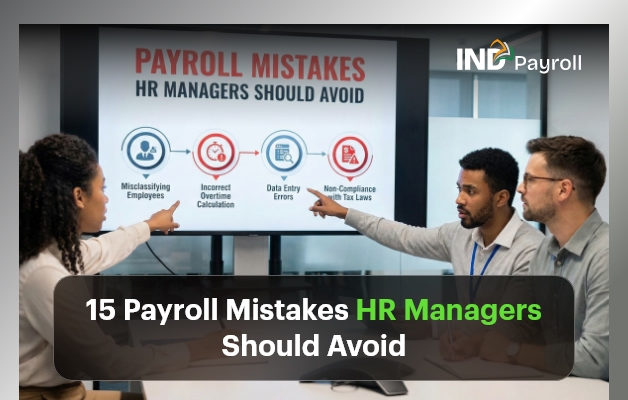
15 Payroll Mistakes HR Managers Should Avoid

Payroll looks simple from the outside. However, in reality, payroll is one of the most complex and high-risk responsibilities HR managers handle. Even small payroll mistakes can snowball into legal penalties, employee dissatisfaction, compliance failures, and damaged trust.

Moreover, payroll errors don’t just affect numbers. They affect people. That’s why avoiding mistakes isn’t optional—it’s critical.

In this guide, you’ll learn the 15 most damaging payroll mistakes HR managers make, why they happen, how they impact organizations, and—most importantly—how to prevent them permanently.

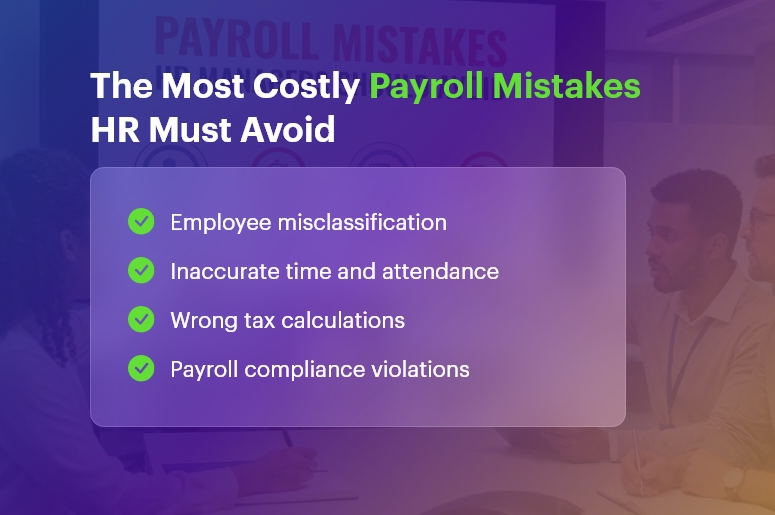
The Most Costly Payroll Mistakes HR Must Avoid

Why Payroll Mistakes Are So Costly

Before we dive in, it’s important to understand why mistakes matter so much.

Payroll directly impacts:

  • Employee morale and trust
  • Legal and tax compliance
  • Company reputation
  • Financial forecasting
  • Audit readiness

Therefore, when HR teams repeat payroll mistakes, they lose credibility internally and invite scrutiny externally. Fortunately, most payroll errors are predictable and preventable.

India’s #1 Free Software

Free Payroll, PF, ESI & TDS Software

1. Employee Misclassification

Employee misclassification remains one of the most common mistakes. HR managers often misclassify workers as:

  • Contractors instead of employees
  • Exempt instead of non-exempt
  • Part-time instead of full-time

As a result, companies underpay wages, skip overtime, or miscalculate benefits.

How to avoid this Payroll Mistake: Regularly review job roles, working hours, and labor laws. Additionally, document classification decisions clearly.

2. Inaccurate Time and Attendance Tracking

Another frequent Payroll Mistake is relying on manual or inconsistent time tracking. When employees log hours incorrectly, payroll calculations immediately suffer.

Consequently, HR teams face disputes, corrections, and reprocessing cycles.

Prevention tip: Use automated time tracking tools that integrate directly with payroll and flag inconsistencies early.

3. Ignoring Payroll Compliance Laws

Payroll laws change frequently. Unfortunately, many HR teams fail to track updates, creating serious mistakes related to:

  • Minimum wage
  • Overtime rules
  • Statutory deductions
  • Regional labor regulations

Therefore, staying informed isn’t optional.

Best practice: Assign compliance ownership and subscribe to regulatory updates.

4. Incorrect Tax Calculations

Tax errors are among the most expensive payroll mistakes. Even a small miscalculation can result in penalties, audits, and employee dissatisfaction.

Common issues include:

  • Incorrect tax slabs
  • Missed deductions
  • Outdated tax rules

Solution: Automate tax calculations and validate them monthly.

5. Poor Payroll Record Management

Payroll documentation isn’t just for reference—it’s legally required. Missing or incomplete records lead to Payroll mistakes during audits or disputes.

This includes:

  • Payslips
  • Tax filings
  • Attendance logs
  • Adjustment records

Fix: Digitize payroll records and enforce retention policies.

6. Overlooking Overtime Compliance

Overtime errors are silent mistakes. Many HR managers either miscalculate overtime or forget eligibility rules.

As a result, employees feel cheated, and legal exposure increases.

Avoidance strategy: Configure payroll systems to auto-calculate overtime based on policy and law.

7. Inconsistent Pay Schedules

Inconsistent payroll cycles confuse employees and erode trust. This Payroll Mistake often happens due to:

  • Manual processing delays
  • Poor coordination
  • Last-minute changes

Best approach: Lock payroll calendars and communicate schedules clearly.

India’s #1 Free Software

Free Payroll, PF,
ESI & TDS Software

Professional compliance management for Indian businesses. 100% Free Forever.

8. Errors in Leave and Absence Calculations

Leave policies directly affect payroll. When HR teams miscalculate paid leave, unpaid leave, or accruals, they create recurring Payroll mistakes.

Solution: Integrate leave management with payroll to ensure accuracy.

9. Incorrect Benefit Deductions

Benefits mismanagement causes confusion and frustration. This Payroll Mistake occurs when:

  • Wrong benefit plans apply
  • Eligibility isn’t updated
  • Deductions don’t match enrollments

Prevention: Sync benefits administration with payroll systems.

10. Mishandling Payroll Adjustments

Bonuses, incentives, reimbursements, and corrections often introduce mistakes. Manual entries increase error probability.

Better way: Standardize adjustment workflows and require approvals.

11. Poor Payroll Reconciliation

Without reconciliation, Payroll mistakes go unnoticed. HR managers must compare:

  • Payroll vs. accounting records
  • Tax withholdings vs. payments
  • Headcount vs. payroll lists

Best practice: Reconcile payroll every cycle, not quarterly.

12. Lack of Payroll Audits

Skipping audits guarantees recurring mistakes. Audits reveal:

  • System misconfigurations
  • Policy mismatches
  • Compliance gaps

Recommendation: Conduct internal payroll audits at least quarterly.

13. Weak Payroll Data Security

Payroll data includes sensitive employee information. Security lapses turn into catastrophic Payroll mistakes through breaches or leaks.

Security essentials:

  • Role-based access
  • Encrypted storage
  • Audit trails

14. Overdependence on Manual Processes

Manual payroll processing multiplies mistakes. Every spreadsheet, email, and manual entry increases risk.

Smart move: Automate payroll wherever possible and eliminate redundant steps.

15. Inadequate Payroll Training

Even the best tools fail without trained users. Poor training causes repeated Payroll mistakes across cycles.

Fix: Train HR and payroll staff regularly and document processes clearly.

How Payroll Mistakes Impact Employees

mistakes don’t stay in HR—they hit employees directly. Effects include:

  • Delayed salaries
  • Incorrect payslips
  • Tax issues
  • Reduced trust

Eventually, employees lose confidence in HR and management.

How Payroll Mistakes Impact Businesses

From a business perspective, Payroll mistakes lead to:

  • Compliance penalties
  • Audit failures
  • Productivity loss
  • Brand damage
  • Legal exposure

Therefore, payroll accuracy directly supports organizational stability.

Best Practices to Eliminate Payroll Mistakes

To minimize mistakes, HR managers should:

  • Automate payroll and time tracking
  • Integrate HR, attendance, and finance
  • Stay updated on compliance
  • Audit payroll regularly
  • Train teams continuously
  • Use secure, scalable payroll systems

Free Payroll, PF, ESI & TDS Software

The most trusted automation tool for modern Indian businesses.

Final Thoughts

Payroll mistakes are expensive, damaging, and avoidable. HR managers who proactively address mistakes protect employees, strengthen compliance, and build trust.

If you want payroll accuracy, don’t fix errors after the fact. Instead, design payroll systems that prevent mistakes from happening in the first place.

Frequently Asked Questions

What are the most common Payroll mistakes?

Employee misclassification, tax errors, and time tracking issues.

How often should payroll be audited?

Monthly reviews and quarterly audits reduce mistakes significantly.

Can payroll software eliminate Payroll Mistakes?

It reduces errors, but proper setup and training remain essential.

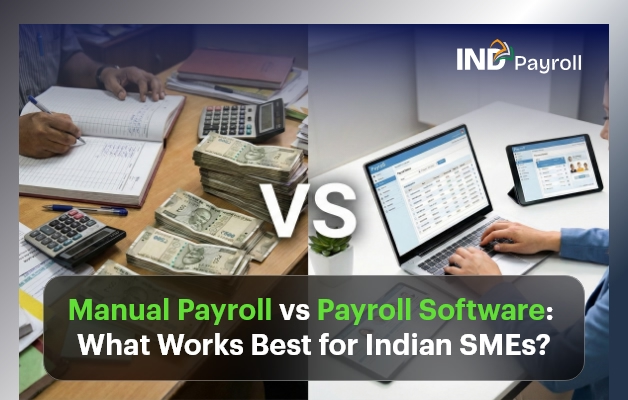
Manual Payroll vs Payroll Software: What Works Best for Indian SMEs?

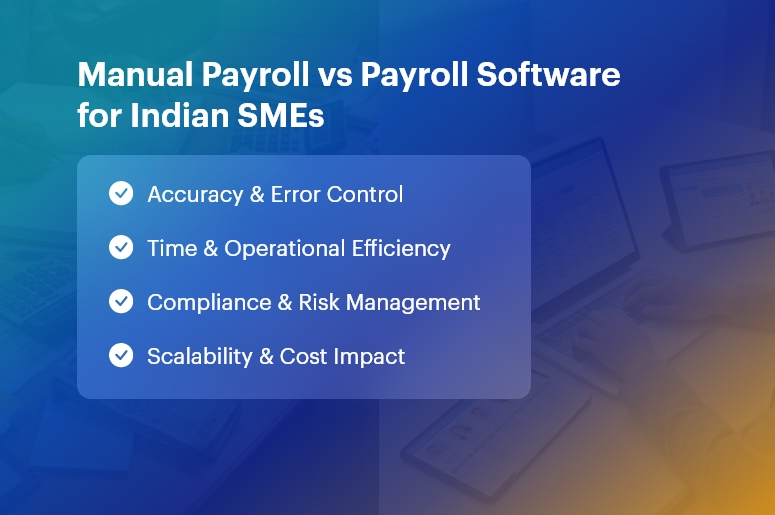
Managing payroll remains a critical but complex task for Indian small and medium enterprises (SMEs). Today, we compare Manual Payroll vs Payroll Software to determine what works best for Indian SMEs. We also explain the key differences, benefits, challenges, costs, and best practices.

In India, SMEs must handle salary calculations, statutory compliance, tax deductions, and employee records efficiently. Traditionally, many businesses relied on manual payroll processes. However, with rising workforce sizes and regulatory complexity, payroll software has emerged as a powerful alternative.

 Manual-Payroll-vs-Payroll-Software-for-Indian-SMEs

What is Manual Payroll?

Manual payroll refers to processing employee salaries, deductions, and statutory contributions by hand or using spreadsheets.

Many SMEs still choose manual payroll because it seems cheaper or more familiar. Nevertheless, it carries risks and becomes less sustainable as the business grows.

How Manual Payroll Works?

  • HR or accounts personnel calculate gross salary
  • Deduct taxes, PF, ESI, and professional tax manually
  • Prepare pay slips in spreadsheets
  • Record payments in books
  • Remit statutory contributions manually
India’s #1 Free Software

Free Payroll, PF,
ESI & TDS Software

Professional compliance management for Indian businesses. 100% Free Forever.

What is Payroll Software?

Payroll software automates payroll processing through specialised digital tools. These systems calculate salaries, generate slips, manage compliance, and store reports automatically.

Cloud-based software further enables online access and multi-user collaboration.

Payroll software typically includes:

  • Automated salary calculations
  • Tax computation and filing support
  • Digital payslips and records
  • Compliance updates for Indian laws
  • Integration with attendance systems

Key Differences: Manual Payroll vs Payroll Software

1. Accuracy

Manual payroll often causes human errors in calculations and compliance. In contrast, payroll software uses automated formulas that reduce errors significantly.

2. Time Efficiency

Manual payroll demands extensive time for calculations and reconciliation. Conversely, payroll software completes processing within minutes, even for large teams.

3. Compliance Management

India’s statutory requirements (PF, ESI, TDS, and professional tax) change frequently. Manual payroll struggles to keep up, while software updates automatically with regulatory changes.

4. Cost Considerations

Manual payroll appears inexpensive at first but generates hidden costs in:

  • Wages spent on processing
  • Error corrections
  • Penalties due to non-compliance

Payroll software requires a subscription fee but reduces long-term costs by improving accuracy and saving time.

5. Scalability

Startups and SMEs grow quickly; manual payroll cannot scale easily. Payroll software handles growth efficiently, whether you add 5 or 500 employees.

Benefits of Payroll Software for Indian SMEs

1. Improved Accuracy

Payroll software eliminates manual calculations and minimises errors. It also maintains precise records.

2. Faster Payroll Cycles

Automated processes save hours every month, leading to faster salary disbursements.

3. Better Compliance

Software tracks regulatory updates and automatically applies new rates for PF, ESI, and taxes.

4. Secure Data Storage

Cloud payroll platforms secure sensitive payroll data and reduce risks from lost spreadsheets.

5. Real-Time Reporting

Finance teams get instant access to payroll reports, aiding planning and audits.

Free Payroll, PF, ESI & TDS Software

The most trusted automation tool for modern Indian businesses.

Challenges of Manual Payroll for SMEs

1. Human Error

Manual entry increases the likelihood of mistakes in salary calculations and compliance.

2. Time-Consuming

Processing payroll manually drains valuable HR and finance resources.

3. Compliance Risks

Manual systems often fail to capture regulatory changes, causing legal penalties.

4. Lack of Integration

Manual payroll rarely integrates with attendance, leave, or accounting systems.

When Manual Payroll Might Still Work

While payroll software is superior for most, very small businesses with fewer than 10 employees and simple salary structures may find manual processing workable initially.

However, as businesses grow, transitioning to payroll software becomes essential.

Key Features to Look for in Payroll Software

When selecting payroll software, Indian SMEs should evaluate:

  • Compliance with Indian laws
  • Automatic tax and statutory calculations
  • Integration with attendance and HR systems
  • Cloud access and mobile support
  • Secure data storage
  • Customizable payslip formats
  • Customer support and training

Cost Comparison: Manual vs Payroll Software

In most cases, payroll software provides a higher return on investment than manual payroll over time.

Transitioning from Manual to Payroll Software

To transition smoothly:

  • Evaluate current payroll needs
  • Select software that fits your budget
  • Migrate historical data carefully
  • Train HR and finance teams
  • Review and monitor during the first few cycles
India’s #1 Free Software

Free Payroll, PF, ESI & TDS Software

Conclusion

In the debate of Manual Payroll vs Payroll Software, payroll software consistently proves more efficient, accurate, and cost-effective for Indian SMEs. While manual payroll may work for very small teams, it cannot match the scalability, compliance support, and automation that payroll software delivers.

Indian SMEs that adopt payroll automation reduce errors, save time, and stay compliant in a complex regulatory environment. Therefore, payroll software is the best long-term solution for growing businesses.

Frequently Asked Questions (FAQs)

1. What is the main difference between manual payroll and payroll software?

The primary difference between manual payroll vs payroll software lies in automation and accuracy. Manual payroll depends on spreadsheets and human calculations, whereas payroll software automates salary processing, tax deductions, compliance, and reporting, thereby reducing errors and saving time.

2. Is manual payroll legal for Indian SMEs?

Yes, manual payroll is legal in India. However, SMEs must still comply with statutory regulations such as PF, ESI, TDS, and professional tax. Because regulations change frequently, manual payroll increases the risk of non-compliance and penalties.

3. Why is payroll software better for compliance in India?

Payroll software automatically updates statutory rules related to Indian payroll laws. As a result, it ensures accurate PF, ESI, and tax calculations and helps SMEs remain compliant without constantly tracking regulatory changes manually.

4. How does payroll software reduce payroll errors?

Payroll software minimises errors by automating salary calculations, deductions, and statutory contributions. Since the system follows predefined rules, it eliminates common human mistakes that occur in manual payroll processing.

5. Is payroll software expensive for small businesses?

Payroll software is generally affordable for Indian SMEs. Although it involves a subscription cost, it reduces long-term expenses by saving time, preventing compliance penalties, and improving payroll efficiency compared to manual payroll.

6. When should an SME switch from manual payroll to payroll software?

An SME should switch to payroll software when employee strength increases, compliance becomes complex, or payroll errors start affecting operations. In most cases, businesses benefit from payroll automation as soon as they begin scaling.

7. Can payroll software handle Indian tax structures and deductions?

Yes, modern payroll software supports Indian salary structures, tax slabs, exemptions, PF, ESI, professional tax, and TDS. Therefore, it simplifies payroll processing in India and ensures statutory accuracy.

8. Does payroll software integrate with attendance and HR systems?

Most payroll software solutions integrate seamlessly with attendance, leave management, and HR systems. Consequently, salary calculations become more accurate, and HR teams gain better operational visibility.

9. Is payroll data secure in cloud-based payroll software?

Reputable payroll software providers use encryption, access controls, and regular backups. As a result, cloud payroll systems often provide higher data security than spreadsheets used in manual payroll.

10. What works best for growing Indian SMEs: manual payroll or payroll software?

For growing Indian SMEs, payroll software works best. It supports scalability, ensures compliance, reduces errors, and saves time. In contrast, manual payroll becomes inefficient and risky as business complexity increases.

Why Manual Payroll Processing Is Costing You More Than You Think?

On the surface, manual payroll processing might seem manageable — especially for small teams or early-stage companies. But behind the scenes, it’s a productivity drain, a compliance risk, and a hidden cost center.

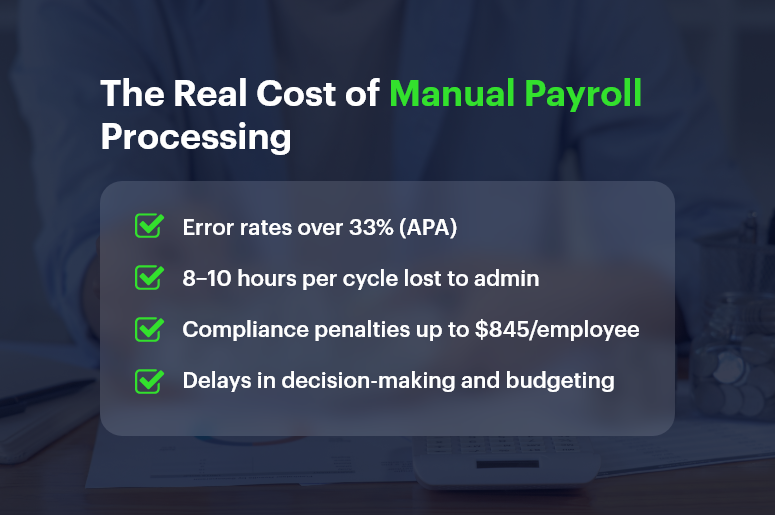
In fact, the American Payroll Association found that payroll errors affect over 33% of businesses, often costing hundreds to thousands annually per employee. And yet, many companies stick with spreadsheets and legacy systems simply because “that’s how it’s always been done.”

In this blog, we’ll explore why manual payroll processing is costing you more than you think, uncover the real-world risks, and show how platforms like CRMLeaf’s CRM + ERP help modernize payroll with automation, accuracy, and insight.

The Real Cost of Manual Payroll Processing

The Real Cost of Manual Payroll: Why This Matters to Growing Businesses

Manual processes aren’t just outdated — they’re dangerous in a fast-paced, compliance-heavy, and data-driven business world. And the impact isn’t limited to just HR.

1. Manual Means Mistakes — And Mistakes Cost Money

  • Data entry errors are common: Manually inputting hours, deductions, and tax codes opens the door to mistakes. One wrong cell and your employees get underpaid, or your business overpays taxes.
  • Fixing errors eats into productive time: HR and finance teams often spend hours fixing mistakes instead of focusing on strategic initiatives.

2. Hidden Compliance Risks Are Always Lurking

  • Tax laws change constantly: Staying updated manually across multiple jurisdictions increases the risk of fines and audits.
  • Late filings or misclassified employees can result in government penalties, legal trouble, and loss of trust.

Free Payroll, PF, ESI & TDS Software

The most trusted automation tool for modern Indian businesses.

3. Employee Experience Takes a Hit

  • Late payments or incorrect paychecks hurt morale: It’s hard to keep employees engaged if they’re constantly questioning their pay.
  • Manual processes reduce transparency: Employees may not know where to go for breakdowns, deductions, or past payslips.

4. Business Scalability Slows Down

  • Manual payroll doesn’t scale: The more employees you onboard, the harder it becomes to track benefits, bonuses, and time off accurately.
  • Disconnected systems stall decision-making: Without real-time integration between payroll, finance, and HR, you lose visibility.

From retail and manufacturing to tech startups and agencies, businesses in every industry face these bottlenecks — until they automate.

The True Costs of Manual Payroll Processing: Let’s Break It Down

You might think manual processing saves you software costs. But here’s what it’s costing:

1. Time Cost

  • Manual payroll can take 8–10 hours per cycle, depending on employee count, overtime tracking, tax calculations, and approvals.
  • Multiply that across 12–52 pay periods, and you’re talking about dozens of workdays lost annually to payroll administration.

2. Financial Risk

  • A simple mistake — like failing to withhold the correct tax — can cost businesses up to $845 per year per employee in penalties, according to the IRS.
  • Labor audits due to noncompliance often result in thousands in legal fees.

3. Opportunity Cost

  • Manual payroll drains time that could be spent on performance analysis, workforce planning, or improving employee engagement.
  • Delayed payroll insights mean you can’t react quickly to budget overruns or labor costs exceeding projections.

Best Practices: How to Eliminate the Hidden Costs of Manual Payroll

It’s time to stop treating payroll like a back-office burden and start managing it as a strategic function. Here’s how to make the shift:

1. Automate Data Collection with Integrated Time Tracking

  • Sync employee hours, leave records, overtime, and holidays with your payroll system using CRMLeaf’s unified CRM + ERP.
  • You’ll eliminate manual errors and gain real-time visibility across departments.

2. Implement Tax Rules & Compliance Workflows

  • Automate tax calculations and state-specific compliance checks within your payroll module.
  • CRMLeaf keeps tax rules up to date, so you’re always audit-ready without manual intervention.

3. Generate Reports Instantly

  • From payroll summaries to compliance reports, automation lets you run reports with one click instead of piecing together Excel sheets.
  • This makes it easier to justify expenses, analyze labor trends, and share insights with leadership.

4. Give Employees Self-Service Access

  • Empower employees with portals where they can access payslips, tax forms, and payment history — reducing HR queries by up to 40%.
  • CRMLeaf includes secure, role-based access so sensitive data stays protected.

5. Sync Payroll with Project Costs

  • When payroll data integrates with projects and budgets, you can track real-time labor costs per client or task.
  • This is crucial for consulting firms, marketing agencies, and any business with billable hours.

Customer Story: How One Business Slashed Payroll Costs with CRMLeaf

For example, TaskPro, a logistics company with 150+ employees, was managing payroll manually using spreadsheets and a legacy HR tool.

Once they switched to CRMLeaf’s payroll automation, the impact was immediate:

  • Payroll processing time dropped by 60%
  • Error rate reduced by 80%
  • Annual compliance fines went from $6,000 to zero

TaskPro also integrated payroll with its budgeting module — improving project profitability by understanding labor cost allocations in real-time.

India’s #1 Free Software

Free Payroll, PF, ESI & TDS Software

Key Takeaways: Automation Isn’t Optional Anymore

Here’s the reality — manual payroll processing is draining your time, increasing risk, and limiting your growth.

To recap:

  • Manual methods introduce more errors, which cost both money and employee trust.
  • You’re losing valuable time and missing out on insights that modern automation delivers instantly.
  • Payroll should be part of your business intelligence strategy, not just a monthly task.

With CRMLeaf’s CRM + ERP platform, payroll is integrated, automated, and optimized — so your teams can focus on strategy, not spreadsheets.

Category: EPFO & ESI

No posts in this category.

Subcategory: EPFO

Subcategory: ESI

Category: Payroll Help

No posts in this category.

Subcategory: Employee Self-Service & Engagement

Subcategory: Introduction to Payroll

Subcategory: Payroll Analytics & Reporting

Subcategory: Payroll Automation & Technology

Subcategory: Payroll for Business Growth

Subcategory: Payroll Processing & Management

Subcategory: Taxation & Compliance

Category: User Manual

No posts in this category.

Subcategory: Company Setup

Subcategory: Employee Management

Subcategory: Getting Started

Subcategory: Glossary

Subcategory: Import & Export

Subcategory: Introduction

Subcategory: Payroll Configuration

Subcategory: Payslips & Disbursement

Subcategory: Reports & Analytics

Subcategory: Running Payroll

Subcategory: Statutory Compliance & Reports

Subcategory: Troubleshooting

Subcategory: User Management & Security