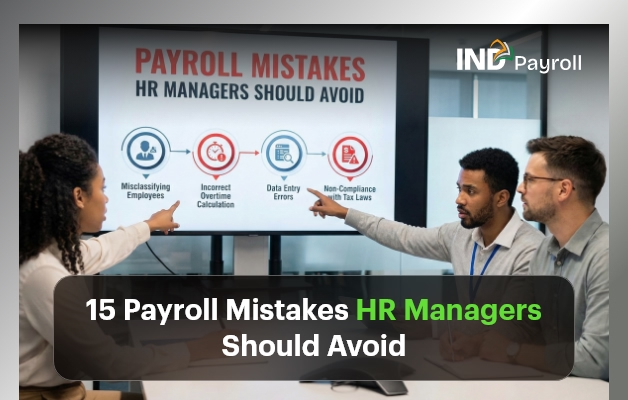
15 Payroll Mistakes HR Managers Should Avoid

Payroll looks simple from the outside. However, in reality, payroll is one of the most complex and high-risk responsibilities HR managers handle. Even small payroll mistakes can snowball into legal penalties, employee dissatisfaction, compliance failures, and damaged trust.

Moreover, payroll errors don’t just affect numbers. They affect people. That’s why avoiding mistakes isn’t optional—it’s critical.

In this guide, you’ll learn the 15 most damaging payroll mistakes HR managers make, why they happen, how they impact organizations, and—most importantly—how to prevent them permanently.

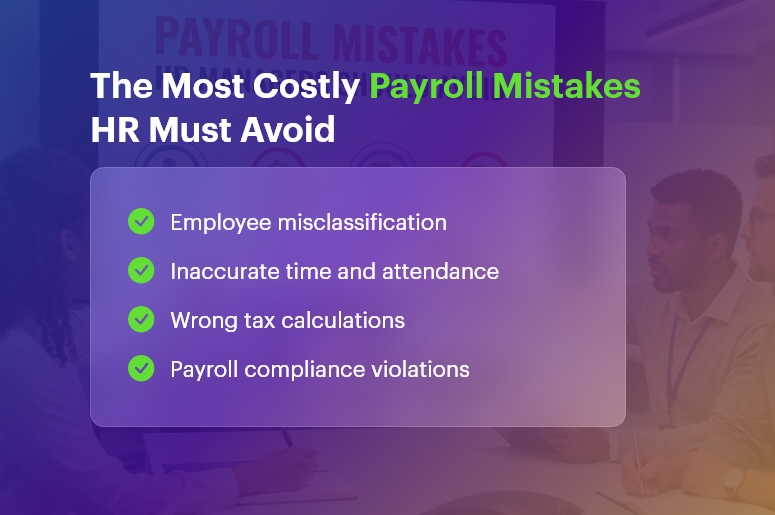
The Most Costly Payroll Mistakes HR Must Avoid

Why Payroll Mistakes Are So Costly

Before we dive in, it’s important to understand why mistakes matter so much.

Payroll directly impacts:

  • Employee morale and trust
  • Legal and tax compliance
  • Company reputation
  • Financial forecasting
  • Audit readiness

Therefore, when HR teams repeat payroll mistakes, they lose credibility internally and invite scrutiny externally. Fortunately, most payroll errors are predictable and preventable.

1. Employee Misclassification

Employee misclassification remains one of the most common mistakes. HR managers often misclassify workers as:

  • Contractors instead of employees
  • Exempt instead of non-exempt
  • Part-time instead of full-time

As a result, companies underpay wages, skip overtime, or miscalculate benefits.

How to avoid this Payroll Mistake: Regularly review job roles, working hours, and labor laws. Additionally, document classification decisions clearly.

2. Inaccurate Time and Attendance Tracking

Another frequent Payroll Mistake is relying on manual or inconsistent time tracking. When employees log hours incorrectly, payroll calculations immediately suffer.

Consequently, HR teams face disputes, corrections, and reprocessing cycles.

Prevention tip: Use automated time tracking tools that integrate directly with payroll and flag inconsistencies early.

3. Ignoring Payroll Compliance Laws

Payroll laws change frequently. Unfortunately, many HR teams fail to track updates, creating serious mistakes related to:

  • Minimum wage
  • Overtime rules
  • Statutory deductions
  • Regional labor regulations

Therefore, staying informed isn’t optional.

Best practice: Assign compliance ownership and subscribe to regulatory updates.

4. Incorrect Tax Calculations

Tax errors are among the most expensive payroll mistakes. Even a small miscalculation can result in penalties, audits, and employee dissatisfaction.

Common issues include:

  • Incorrect tax slabs
  • Missed deductions
  • Outdated tax rules

Solution: Automate tax calculations and validate them monthly.

5. Poor Payroll Record Management

Payroll documentation isn’t just for reference—it’s legally required. Missing or incomplete records lead to Payroll mistakes during audits or disputes.

This includes:

  • Payslips
  • Tax filings
  • Attendance logs
  • Adjustment records

Fix: Digitize payroll records and enforce retention policies.

6. Overlooking Overtime Compliance

Overtime errors are silent mistakes. Many HR managers either miscalculate overtime or forget eligibility rules.

As a result, employees feel cheated, and legal exposure increases.

Avoidance strategy: Configure payroll systems to auto-calculate overtime based on policy and law.

7. Inconsistent Pay Schedules

Inconsistent payroll cycles confuse employees and erode trust. This Payroll Mistake often happens due to:

  • Manual processing delays
  • Poor coordination
  • Last-minute changes

Best approach: Lock payroll calendars and communicate schedules clearly.

8. Errors in Leave and Absence Calculations

Leave policies directly affect payroll. When HR teams miscalculate paid leave, unpaid leave, or accruals, they create recurring Payroll mistakes.

Solution: Integrate leave management with payroll to ensure accuracy.

9. Incorrect Benefit Deductions

Benefits mismanagement causes confusion and frustration. This Payroll Mistake occurs when:

  • Wrong benefit plans apply
  • Eligibility isn’t updated
  • Deductions don’t match enrollments

Prevention: Sync benefits administration with payroll systems.

10. Mishandling Payroll Adjustments

Bonuses, incentives, reimbursements, and corrections often introduce mistakes. Manual entries increase error probability.

Better way: Standardize adjustment workflows and require approvals.

11. Poor Payroll Reconciliation

Without reconciliation, Payroll mistakes go unnoticed. HR managers must compare:

  • Payroll vs. accounting records
  • Tax withholdings vs. payments
  • Headcount vs. payroll lists

Best practice: Reconcile payroll every cycle, not quarterly.

12. Lack of Payroll Audits

Skipping audits guarantees recurring mistakes. Audits reveal:

  • System misconfigurations
  • Policy mismatches
  • Compliance gaps

Recommendation: Conduct internal payroll audits at least quarterly.

13. Weak Payroll Data Security

Payroll data includes sensitive employee information. Security lapses turn into catastrophic Payroll mistakes through breaches or leaks.

Security essentials:

  • Role-based access
  • Encrypted storage
  • Audit trails

14. Overdependence on Manual Processes

Manual payroll processing multiplies mistakes. Every spreadsheet, email, and manual entry increases risk.

Smart move: Automate payroll wherever possible and eliminate redundant steps.

15. Inadequate Payroll Training

Even the best tools fail without trained users. Poor training causes repeated Payroll mistakes across cycles.

Fix: Train HR and payroll staff regularly and document processes clearly.

Free Payroll, PF, ESI & TDS Software

The most trusted automation tool for modern Indian businesses.

How Payroll Mistakes Impact Employees

mistakes don’t stay in HR—they hit employees directly. Effects include:

  • Delayed salaries
  • Incorrect payslips
  • Tax issues
  • Reduced trust

Eventually, employees lose confidence in HR and management.

How Payroll Mistakes Impact Businesses

From a business perspective, Payroll mistakes lead to:

  • Compliance penalties
  • Audit failures
  • Productivity loss
  • Brand damage
  • Legal exposure

Therefore, payroll accuracy directly supports organizational stability.

Best Practices to Eliminate Payroll Mistakes

To minimize mistakes, HR managers should:

  • Automate payroll and time tracking
  • Integrate HR, attendance, and finance
  • Stay updated on compliance
  • Audit payroll regularly
  • Train teams continuously
  • Use secure, scalable payroll systems

Frequently Asked Questions

What are the most common Payroll mistakes?

Employee misclassification, tax errors, and time tracking issues.

How often should payroll be audited?

Monthly reviews and quarterly audits reduce mistakes significantly.

Can payroll software eliminate Payroll Mistakes?

It reduces errors, but proper setup and training remain essential.

Final Thoughts

Payroll mistakes are expensive, damaging, and avoidable. HR managers who proactively address mistakes protect employees, strengthen compliance, and build trust.

If you want payroll accuracy, don’t fix errors after the fact. Instead, design payroll systems that prevent mistakes from happening in the first place.

India’s #1 Free Software

Free Payroll, PF, ESI & TDS Software

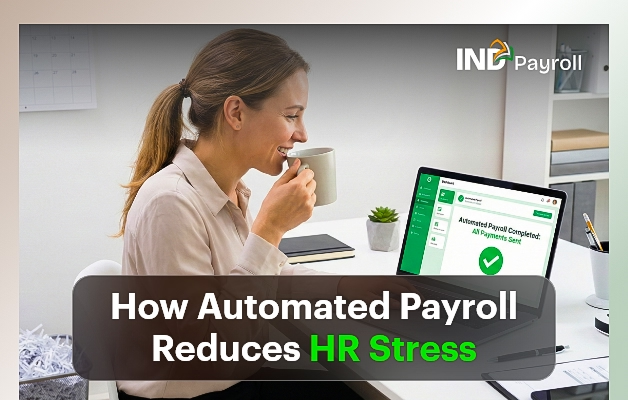
How Automated Payroll Reduces HR Stress

Every HR professional knows payroll is one of the most stressful, detail-heavy functions in the entire organization. At the same time, HR teams must balance compliance, accuracy, timeliness, and employee satisfaction with limited time and resources. Fortunately, automated payroll reduces HR stress by eliminating repetitive tasks, reducing errors, speeding up processes, and freeing HR professionals to focus on strategic work.

In this comprehensive, practical guide, you will learn how automation reduces HR stress, why it matters, how to implement it, and how to maximize its impact across your company.

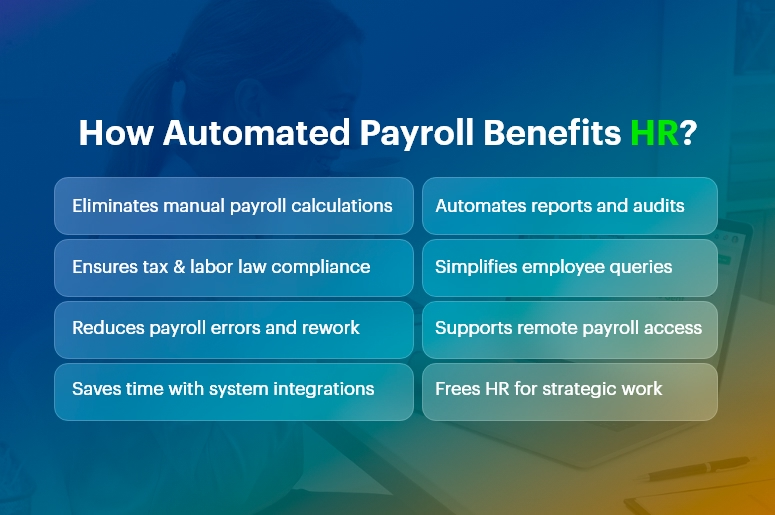
How Automated Payroll Benefits HR Stress

What Is Automated Payroll?

It is a technology-driven process that calculates wages, taxes, deductions, and benefits automatically using software.

Instead of manually calculating hours, deductions, and tax rates, an automated payroll system pulls data from time tracking tools, HR databases, and compliance libraries to produce accurate payruns with minimal human intervention.

By design, automation reduces HR stress, increases accuracy, and accelerates payroll cycles.

Why Payroll Causes Stress in HR

Payroll creates stress because it demands precision under tight deadlines. HR teams must:

  • Calculate pay accurately: This requires tracking hours, overtime, bonuses, leave, and commissions.
  • Manage taxes and compliance: Tax rates change frequently, and noncompliance carries penalties.
  • Handle benefits and deductions: Health insurance, retirement contributions, garnishments, and other deductions vary by employee.
  • Report and document: Payroll reports feed into accounting, audits, and internal planning.
  • Respond to employee questions: Employees expect clarity, speed, and transparency.

No wonder traditional payroll processes overwhelm HR teams. This is where automated payroll reduces HR stress dramatically.

India’s #1 Free Software

Free Payroll, PF,
ESI & TDS Software

Professional compliance management for Indian businesses. 100% Free Forever.

Top Ways Automated Payroll Reduces HR Stress

1. Eliminates Manual Calculations

Manual payroll calculations take hours and invite errors. In contrast, automated systems compute wages automatically based on configured rules.

By removing manual math from the equation, automation reduces HR stress and increases accuracy.

2. Ensures Compliance With Laws and Regulations

Labor laws and tax regulations change frequently. Automated payroll software updates tax tables and compliance rules automatically, ensuring your payroll is always up to date.

This means HR spends less time tracking changes and worrying about compliance penalties.

3. Reduces Errors and Risk

Human error is inevitable under pressure. Missing a decimal, misapplying a tax rate, or omitting a benefit can create costly mistakes.

Because automation reduces HR stress by catching errors upfront and enforcing consistency, HR teams can trust the numbers and avoid costly corrections.

4. Saves Time With Integrated Systems

Integration matters. When your payroll software connects with time tracking, benefits administration, and HR databases, data flows automatically. This eliminates duplicate data entry and ensures consistency.

Consequently, automation reduces HR stress by cutting administrative overhead.

5. Improves Reporting and Insights

Automated payroll systems generate reports instantly. Whether you need departmental cost breakdowns, tax filings, or historical pay data, automated reporting gives HR the insights it needs without manual assembly.

Because it reduces HR stress around data preparation, HR can focus more on analysis and decision-making.

6. Enhances Employee Experience

Employees dislike errors and delays in pay. When payroll runs smoothly and accurately, employee satisfaction rises.

It reduces HR stress by minimizing customer service issues and enabling HR to handle questions quickly and confidently.

How Automated Payroll Reduces HR Stress in Daily Operations

To understand real-world impact, let’s examine day-to-day HR operations:

  • Streamlined Payroll Runs

With automation, data flows from time-tracking systems into payroll seamlessly. HR simply reviews and approves pay runs rather than generating them from scratch.

Thus, automation reduces HR stress by shortening payroll preparation time and cutting repetitive work.

  • Faster Adjustments

Need to update an employee’s tax status or benefit enrollment? Automated systems propagate changes across all payroll modules.

This eliminates manual intervention and ensures accuracy. Because automated payroll reduces HR stress during adjustments, HR can respond swiftly to employee life events.

  • Simplified Audits

Auditors demand documentation, trails, and accuracy. Automation systems maintain logs, reports, and documentation automatically.

This transparency helps HR complete audits with less effort. In short, automation reduces HR stress when compliance checks arrive.

  • Remote and On-Demand Access

Modern payroll tools allow HR and employees to access payroll information from anywhere. This reduces dependency on paper records and ensures that HR can answer questions in real time.

Consequently, automation reduces HR stress by supporting remote and distributed teams.

India’s #1 Free Software

Free Payroll, PF, ESI & TDS Software

Key Features That Make Automated Payroll Effective

Understanding which features deliver stress relief helps you make informed choices.

  • Real-Time Calculations

Instant updates to payroll figures reduce last-minute surprises.

  • Tax Filing Automation

Automatic filing and payments save time and prevent penalties.

  • Integration With HR Systems

Connected systems ensure data accuracy and eliminate siloed information.

  • Self-Service Employee Portals

Employees can view payslips, tax forms, and benefits independently, reducing HR inquiries.

  • Alerts and Notifications

Reminders for deadlines and exceptions help HR stay proactive.

Each of these features contributes to how automation reduces HR stress, making payroll faster, smarter, and more reliable.

Choosing the Right Automated Payroll Solution

Selecting the right system matters. To ensure your payroll solution truly reduces HR stress, evaluate the following:

  • Scalability

Choose software that grows with your business and handles multiple pay schedules, classifications, and international requirements.

  • Integration Capabilities

Verify that the payroll tool integrates with your HRIS, time tracking, benefits platform, and accounting systems.

  • Compliance Support

Ensure the solution updates tax tables, legal changes, and reporting requirements automatically.

  • Support and Training

Reliable vendor support and user training help your HR team adopt the tool smoothly.

By focusing on these criteria, you increase the likelihood that automated payroll reduces HR stress—not just in theory but in practice.

Common Misconceptions About Payroll Automation

Many HR teams hesitate to adopt payroll automation due to misconceptions:

“Automation Means No Human Control”

False. Automated payroll reduces HR stress by handling calculations, but HR still reviews, approves, and oversees payroll.

“It’s Only for Large Organizations”

Not true. Small and medium businesses benefit even more because automation eliminates manual work that small teams cannot afford.

“It’s Too Expensive”

While upfront costs exist, automated payroll reduces HR stress and delivers ROI through time saved, error reduction, and improved compliance.

Clarifying these misconceptions helps HR teams embrace automation with confidence.

Real-World Impact: Case Scenarios

Consider these examples:

Case 1: Mid-Size Tech Firm

Before automation, HR spent three days per pay run reconciling time cards. After implementing payroll automation, the firm cut that to under one day and eliminated overtime miscalculations. In this case, automated payroll reduces HR stress by removing manual reconciliation.

Case 2: Retail Chain With Variable Hours

With hourly workers and seasonal fluctuations, payroll errors were common. Automated rules captured overtime, shift differentials, and compliance automatically. Here, automated payroll reduces HR stress by standardizing complex wage calculations.

These scenarios show how automated payroll reduces HR stress across different business models.

Best Practices for a Smooth Payroll Automation Transition

To get the most value:

  1. Map Your Current Process – Document existing workflows to understand where automation helps most.
  2. Train Your Team – Ensure all users understand how to operate and troubleshoot the system.
  3. Test Before DeploymentRun parallel payroll tests to validate accuracy.
  4. Set Clear Policies – Define roles, review cycles, and approval workflows.
  5. Monitor and Improve Continuously – Review reports and process performance regularly.

Following these steps ensures automated payroll reduces HR stress not just initially, but over the long term.

Frequently Asked Questions (FAQs)

Q: How soon will automated payroll reduce HR stress after implementation?

A: Many organizations see measurable reductions in administrative workload within the first payroll cycle because repetitive manual tasks disappear.

Q: Does automated payroll remove HR jobs?

A: No. It shifts HR teams from transactional work to strategic, value-added activities like employee engagement and policy development.

Q: Can automated payroll handle compliance across different regions?

A: Yes, modern solutions update tax tables and compliance rules for multiple regions, ensuring accurate and compliant payroll processing.

Conclusion

Automated payroll reduces HR stress by removing manual work, increasing accuracy, ensuring compliance, and delivering faster, more reliable payroll processes.

When implemented thoughtfully — and paired with training, integration, and continuous improvement — automation transforms payroll from a stressful chore into a strategic advantage.

Whether you lead a small business or a large enterprise, understanding how automated payroll reduces HR stress equips your organization to operate more efficiently, improve employee satisfaction, and focus HR efforts where they matter most.

Free Payroll, PF, ESI & TDS Software

The most trusted automation tool for modern Indian businesses.

How Startups in India Can Manage Payroll Without Spending a Rupee?

Every startup in India reaches a point where payroll feels unavoidable — and expensive. Salaries must go out on time. Compliance must be maintained. Records must be clean. Yet, at the early stage, spending on payroll software or consultants often feels unjustifiable. The reality is simpler than most founders believe. With the right approach, Indian startups can manage payroll without spending a rupee — without risking compliance, accuracy, or team trust.

This guide walks you through exactly how to do that, step by step, while keeping things practical and sustainable.

How Indian Startups Manage Payroll Without Spending a Rupee

Why Payroll Feels Expensive (Even When It Doesn’t Have to Be)

Payroll becomes expensive not because of statutory requirements, but because of fragmentation. Startups juggle spreadsheets, compliance portals, consultants, and reminders — each adding friction and hidden costs. Over time, founders end up paying for “convenience” rather than necessity.

However, once you centralize payroll logic and remove manual dependencies, it becomes entirely possible to manage payroll without spending a rupee, even as your team grows.

What It Really Means to Manage Payroll Without Spending a Rupee

Managing payroll for free does not mean cutting corners or ignoring compliance. Instead, it means removing unnecessary intermediaries while keeping statutory accuracy intact.

At a high level, when startups manage payroll without spending a rupee, they rely on:

  • Pre-built payroll logic instead of manual calculations
  • Built-in compliance handling rather than external consultants
  • One system instead of multiple disconnected tools

This shift alone eliminates most payroll-related expenses.

Understanding Payroll in the Indian Startup Context

Before implementing any system, founders must understand what payroll actually includes. Payroll is not just salary payment — it is a structured financial and compliance process.

At its core, Indian payroll consists of:

  • Salary structure (basic, allowances, deductions)
  • Statutory compliance (PF, ESI, PT, TDS)
  • Documentation (payslips, registers, reports)

Once these components are clearly defined, it becomes much easier to manage payroll without spending a rupee.

Why Manual Payroll Works — But Only Temporarily

Many startups begin with spreadsheets. Initially, this approach feels cost-effective and flexible. Founders manually calculate salaries, track attendance, and upload compliance data on government portals.

However, as months pass, cracks appear:

  • Formula errors creep in
  • Compliance dates get missed
  • Founders become bottlenecks
  • Scaling becomes painful

At this stage, startups realize that “manual” is free in money, but expensive in time. To truly manage payroll without spending a rupee, automation becomes essential.

India’s #1 Free Software

Free Payroll, PF,
ESI & TDS Software

Professional compliance management for Indian businesses. 100% Free Forever.

The Shift from Manual to Smart-Free Payroll

The smartest startups do not jump from spreadsheets to paid tools. Instead, they move to free payroll platforms designed specifically for Indian compliance.

These platforms combine automation, compliance logic, and reporting — without charging subscription fees. As a result, startups retain control while eliminating repetitive work.

This is the turning point where startups successfully manage payroll without spending a rupee, month after month.

What a Truly Free Payroll System Must Offer

Not all “free” tools are actually free. Some restrict features, others limit employee count, and many introduce paid upgrades later. To genuinely manage payroll without spending a rupee, a system must include the following at no cost:

  • Automated salary calculations based on Indian pay structures
  • Built-in PF, ESI, and tax deduction logic
  • Instant payslip generation
  • Compliance-ready reports for audits and filings
  • No employee limits or hidden charges

Without these, founders eventually end up paying — either in money or effort.

How Payroll Compliance Becomes Easier — Not Harder

One common fear is that free payroll systems compromise compliance. In practice, the opposite is true.

When payroll logic is automated:

  • Statutory deductions are calculated correctly every month
  • Compliance reports are generated instantly
  • Filing deadlines are easier to track

This allows startups to manage payroll without spending a rupee while staying audit-ready and penalty-free.

Paying Employees Without Paying Payroll Vendors

Salary disbursement does not require paid payroll services. Indian startups can easily pay employees using existing banking infrastructure.

Most teams rely on:

  • Bank transfers (NEFT/IMPS)
  • Bulk upload salary files
  • Zero-cost business banking features

When combined with automated payroll calculation, this completes the cycle of how to manage payroll without spending a rupee.

India’s #1 Free Software

Free Payroll, PF, ESI & TDS Software

Where INDPayroll Fits Naturally

Some platforms are built with monetization as the priority. Others are built with startups in mind.

INDPayroll belongs to the second category.

It allows Indian startups to:

  • Run complete payroll cycles
  • Handle PF, ESI, and tax deductions
  • Generate payslips and reports
  • Stay compliant

All without charging a single rupee.

This makes INDPayroll not a “free trial,” but a permanent free payroll solution — ideal for startups that want simplicity without compromise.

When Free Payroll Makes Strategic Sense

Free payroll is especially effective when:

  • You are bootstrapped or early-stage
  • Your team is small to mid-sized
  • You want predictable, zero-cost operations
  • You prefer clarity over complexity

In these scenarios, paying for payroll software offers little incremental value.

Final Thoughts

Indian startups no longer need to choose between accuracy and affordability. Today, it is entirely possible to manage payroll without spending a rupee — while remaining compliant, organized, and scalable.

By replacing fragmented manual processes with a unified, free payroll system, founders reclaim time, reduce risk, and preserve capital.
Payroll should not be a financial burden.

It should be invisible, reliable, and cost-free.

And now, it finally is.

Free Payroll, PF, ESI & TDS Software

The most trusted automation tool for modern Indian businesses.

How to Run Payroll in India Without Any Cost: A Complete 2026 Guide

Payroll should be simple. Yet for many Indian businesses, it remains one of the most stressful, error-prone, and expensive monthly operations.

In fact, a large percentage of payroll errors in India originate from manual calculations, outdated spreadsheets, or disconnected systems — leading to penalties, employee dissatisfaction, and compliance risks.

As we move into 2026, businesses face increasing regulatory complexity, rising operational costs, and growing employee expectations.
At the same time, small and mid-sized businesses are under pressure to operate leaner, faster, and smarter.

This raises a critical question: Is it really possible to run payroll in India without any cost — and still stay compliant?

The answer is yes.

In this comprehensive guide, you will learn exactly how to run payroll in India without any cost, using modern automation, free payroll platforms, and best practices trusted by growing businesses.

More importantly, you will understand how solutions like INDPayroll help businesses eliminate payroll expenses while improving accuracy, compliance, and operational efficiency.

How to Run Payroll in India Without Any Cost

Why Running Payroll Without Cost Matters More Than Ever

In today’s business environment, payroll is no longer just an HR task. It directly impacts cash flow, compliance, employee trust, and leadership credibility.

Rising Payroll Challenges Across Industries

Manufacturing companies often struggle with shift-based attendance, overtime calculations, and statutory compliance. Retail and distribution businesses face high employee turnover, variable pay structures, and frequent onboarding. Meanwhile, service-based companies and startups deal with multi-location teams, contractors, and tight budgets.

Across industries, businesses face common payroll challenges:

  • Manual payroll processing increases errors and rework

When payroll depends on spreadsheets and manual formulas, even a small change in attendance, tax rules, or salary structure can create cascading errors. These mistakes consume hours of correction time and increase compliance risk.

  • High payroll software costs strain growing businesses

Many payroll tools charge per employee or per month, making them expensive as teams scale. For SMBs and startups, these recurring costs quickly add up without delivering proportional value.

  • Disconnected systems reduce visibility and control

Payroll systems that do not integrate with attendance, HR, finance, or compliance workflows create data silos. As a result, teams spend more time reconciling data than making informed decisions.

Why Spreadsheets Are No Longer Enough

Spreadsheets may appear “free” but they carry hidden costs — manual effort, compliance risk, delayed processing, and employee dissatisfaction. In 2025, growing businesses need automated, connected, and compliant payroll systems that scale without increasing cost.

This is precisely why more businesses are choosing to run payroll in India without any cost using modern platforms like INDPayroll, instead of outdated tools.

India’s #1 Free Software

Free Payroll, PF,
ESI & TDS Software

Professional compliance management for Indian businesses. 100% Free Forever.

Best Practices, Frameworks & Actionable Tips to Run Payroll in India Without Any Cost

Running payroll for free is not about cutting corners. It is about working smarter, not harder. Below is a proven framework followed by successful Indian businesses.

Step 1: Standardize Your Payroll Structure

A clear payroll structure is the foundation of cost-free payroll.

  • Define salary components clearly and consistently: Break salaries into basic pay, allowances, deductions, and statutory contributions. A standardized structure reduces manual adjustments and simplifies automation across teams.
  • Align salary components with statutory rules: PF, ESI, and TDS calculations depend on correct component mapping. When aligned properly, automation tools like INDPayroll calculate deductions accurately without manual intervention.

Step 2: Automate Attendance and Leave Tracking

Payroll errors often originate from inaccurate attendance data.

  • Centralize attendance and leave data: Use a system that automatically feeds attendance, overtime, and leave data into payroll. This eliminates duplicate data entry and reduces payroll delays.
  • Avoid manual attendance reconciliation: Manual attendance tracking creates inconsistencies that affect salary accuracy. Automation ensures payroll always reflects real working hours.

INDPayroll integrates attendance and payroll seamlessly, ensuring accurate salary processing at zero cost.

Step 3: Use a Truly Free Payroll Platform

Not all “free” payroll tools are truly free.

  • Choose a platform with no hidden fees: Many tools advertise free trials but later charge for essentials like payslips or compliance reports. INDPayroll offers 100% free payroll processing without usage caps.
  • Ensure statutory compliance is built-in: A free payroll system must support PF, ESI, TDS, and payslip generation automatically. This eliminates dependency on external consultants.

Step 4: Follow Payroll Do’s and Don’ts

Do’s

  • Automate calculations wherever possible to eliminate errors and save time.
  • Review payroll summaries before finalization to catch anomalies early.
  • Maintain digital records for audits and statutory filings.

Don’ts

  • Do not rely on manual spreadsheets as your primary payroll system.
  • Do not delay payroll processing, as it impacts employee trust.
  • Do not ignore compliance updates, which can lead to penalties.

Step 5: Leverage INDPayroll as an End-to-End Solution

INDPayroll goes beyond payroll. It connects HRMS, Payroll, Finance, Projects, Manufacturing, Inventory, and CRM into a unified platform. This ensures payroll data flows seamlessly across departments, enabling smarter decisions and operational efficiency — without increasing cost.

Customer Success

For example, Sharma Precision Components, a mid-sized manufacturing business, struggled with payroll errors, overtime disputes, and high payroll software costs. They implemented automated payroll and attendance management using INDPayroll to address these challenges.

Within 60 days, they achieved:

  • 70% reduction in payroll processing time
  • 100% accuracy in PF and ESI calculations
  • Zero payroll software expenses
  • Faster salary closures and improved employee satisfaction

By switching to INDPayroll, Sharma Precision transformed payroll from a monthly headache into a streamlined, cost-free operation that supported business growth.

India’s #1 Free Software

Free Payroll, PF, ESI & TDS Software

Key Takeaways & Closing

Running payroll does not have to be expensive, complex, or stressful. With the right approach, businesses can run payroll in India without any cost while maintaining accuracy, compliance, and employee trust.

By standardizing payroll structures, automating attendance, and using a free, integrated platform like INDPayroll, businesses eliminate hidden costs and future-proof their operations. As regulations evolve and teams grow, automation becomes not just an advantage — but a necessity.

The future of payroll is connected, compliant, and cost-free.

FAQs

1. Is it really possible to run payroll in India without any cost?

Yes, businesses can run payroll in India without any cost by using free payroll platforms like INDPayroll that automate salary, compliance, and payslips without subscription fees.

2. Are free payroll systems compliant with Indian laws?

A reliable free payroll system includes built-in compliance for PF, ESI, TDS, and payslips. INDPayroll ensures statutory compliance while remaining cost-free.

3. Can small businesses trust free payroll software?

Yes, many SMBs successfully use free payroll tools. The key is choosing a platform with automation, security, and compliance, such as INDPayroll.

4. Does free payroll software support growing teams?

Modern free payroll platforms are designed to scale. INDPayroll supports growing teams without increasing payroll costs.

5. What are the risks of using spreadsheets for payroll?

Spreadsheets increase error risk, consume time, and lack compliance automation. Businesses aiming to run payroll in India without any cost should avoid spreadsheets.

6. How long does it take to implement INDPayroll?

Most businesses can set up and run payroll using INDPayroll within a few hours, making it a fast and cost-free transition.

7. Can INDPayroll integrate with other business systems?

Yes, INDPayroll integrates payroll with HRMS, finance, projects, manufacturing, inventory, and CRM for end-to-end operational visibility.

Free Payroll, PF, ESI & TDS Software

The most trusted automation tool for modern Indian businesses.

CrmLeaf Launches INDPayroll, India’s Best Free Payroll Solution

Let’s be honest.

If there’s one monthly ritual every business secretly dreads, it’s payroll.

It’s repetitive.

It’s confusing.

And if you get even one formula wrong? Congratulations — you’ve just unlocked penalties, employee frustration, and a delightful evening of rechecking spreadsheets.

And here’s the shocking part: nearly 80% of businesses in India are STILL running payroll on spreadsheets In 2025.

When AI can write movies, apps launch themselves, and your phone can practically anticipate your next meal.

So why are companies still juggling PF calculations in Excel like it’s 2004?

Because until now, there just wasn’t a simple, reliable, and free payroll solution built for Indian businesses.

Enter INDPayroll by CrmLeaf — the payroll solution that says:

“You know what? Enough of this madness.”

It’s 100% free.

It automates every statutory rule you keep Googling.

And it’s built to eliminate the errors that quietly erode your time, money, and sanity.

In this guide, we’ll break down why INDPayroll exists, how it fixes real payroll pain, and how your team can finally stop wrestling with spreadsheets and start running payroll like pros.

From Spreadsheet Chaos to Payroll Confidence

Why Payroll Has Become a Business Nightmare

Here’s the truth nobody says out loud:

Payroll hasn’t just become complicated — it’s become a compliance landmine.

PF, ESI, PT, TDS, income tax slabs, wages, multi-shift calculations…

It’s like trying to solve a Rubik’s Cube that changes colors every month.

Small and mid-sized companies deal with this the hardest.

They operate with:

  • Old spreadsheets passed down like family heirlooms
  • Manual formulas that only “that one HR person” understands
  • Tools that don’t talk to each other
  • Endless approval cycles

And the result?

A monthly checklist of things that can (and will) go wrong.

The usual suspects:

1. Calculation errors that snowball into chaos

One wrong entry → wrong deductions → wrong payout → wrong tax → angry employees → compliance issues. A classic domino effect.

2. Statutory filings done late (or worse… missed entirely)

PF or ESI delays = immediate penalties + a fun conversation with management.

3. HR teams drowning in manual work

Payroll becomes a 3-day marathon of reconciling attendance, updating sheets, re-validating numbers, and praying nothing breaks.

4. Employee dissatisfaction

Even a one-day delay in salary hits morale faster than any appraisal conversation.

And for certain industries?

Payroll complexity goes into “expert-level difficulty.”

  • Manufacturing: multi-shifts, overtime, daily variations
  • Retail: constant hiring and exits
  • Service/IT: variable pay, reimbursements, project-based payouts

This isn’t just messy.

It’s unscalable.

And that’s exactly where INDPayroll flips the script.

INDPayroll: The Free Payroll Solution Built for Real-World Chaos

Let’s talk about magic.

INDPayroll isn’t “another payroll tool.”

It’s a high-accuracy, compliance-ready, automation-first system that finally puts an end to:

  • Spreadsheet disasters
  • Manual statutory calculations
  • Attendance mismatches
  • Approval bottlenecks
  • Payroll-week panic

Think of it as the upgrade your payroll process has been begging for.

  • Real-time compliance? Check.
  • PF/ESI automation? Check.
  • Attendance syncing? Check.
  • Stress-free monthly payroll? Double check.

INDPayroll, payroll solution, makes moving away from spreadsheets feel like stepping out of a traffic jam into a chauffeur-driven ride.

India’s #1 Free Software

Free Payroll, PF, ESI & TDS Software

Best Practices to Stop Payroll Problems Before They Start

Even the smartest software needs the right foundation.

Here are the practices high-performing payroll teams swear by:

1. Standardize Your Salary Structure

Confusion disappears when your pay components follow the same rules every month. Basic, HRA, allowances, PF, ESI — INDPayroll lets you configure it once and forget it.

2. Digitize Attendance (seriously, stop doing this by hand)

Most payroll errors start with mismatched attendance. INDPayroll syncs attendance automatically, which means no more last-minute fixes.

3. Automate Compliance Before Compliance Automates Penalties

Regulations evolve constantly. With INDPayroll, PF, ESI, PT, and TDS formulas update automatically — so you don’t.

Payroll Do’s and Don’ts That Save Hours

DO: Maintain a centralized employee repository

No more hunting through folders. INDPayroll stores everything: salary, compliance data, attendance, onboarding, exits.

DO: Run pre-payroll validation checks

One missing approval can ruin your month. INDPayroll flags issues instantly.

DON’T: Try multi-location payroll on spreadsheets

Spreadsheets don’t have audit trails, validations, or accuracy checks. INDPayroll does.

DON’T: Delay statutory filings

Late PF or ESI submissions = penalties. INDPayroll prepares compliance-ready reports in minutes.

How to Implement Payroll Solution the Smart Way

Here’s a simple, proven framework that CrmLeaf recommends:

1: Identify your payroll issues

Where are errors happening? What takes the longest? Diagnosis first.

2: Map your salary structures

INDPayroll, payroll solution, lets you configure everything at once.

3: Connect attendance & timesheets

No more manual imports or half-updated sheets.

4: Set up statutory logic

PF, ESI, PT, LWF, income tax — automated.

5: Define your approval workflow

HR → Finance → Management — fully controlled.

6: Run one parallel cycle

Validate accuracy. Compare outputs. Adjust.

7: Go live with confidence

And enjoy the fastest payroll cycle you’ve ever run.

The 3 Most Common Payroll Mistakes

  1. Last-minute pay revisions: INDPayroll tracks revisions and auto-applies changes.
  2. Managing contractors and full-timers separately: A guaranteed way to create inconsistencies. INDPayroll centralizes everything.
  3. No audit trail for changes: This leads to disputes and confusion. INDPayroll keeps version histories automatically.

Why INDPayroll Stands Out in a Crowded Market

Most payroll solution tools offer:

  • Basic features
  • Paid upgrades
  • Hidden limitations

INDPayroll offers:

  • Attendance + HRMS integrations
  • Full payroll automation
  • Finance reporting
  • PF/ESI/PT/TDS compliance
  • Overtime + shift pay logic
  • Project-based payroll for services
  • Zero subscription cost

It’s rare to get an end-to-end payroll solution at enterprise quality without the enterprise pricing. But that’s exactly the gap CrmLeaf decided to fill.

A Real-World Example: When Automation Saves the Day

A mid-sized industrial components manufacturer came to CrmLeaf with a familiar problem:

  • Complex shifts
  • Overtime variations
  • Manual PF/ESI calculations
  • 3 days of monthly payroll work
  • Frequent delays
  • Occasional penalties

After switching to INDPayroll:

  • Payroll processing time dropped by 70%
  • Attendance syncing became automatic
  • Overtime calculations happened instantly
  • PF/ESI accuracy reached 100%
  • Every cycle became error-free

This is the kind of transformation automation promises — and INDPayroll actually delivers.

India’s #1 Free Software

Free Payroll, PF,
ESI & TDS Software

Professional compliance management for Indian businesses. 100% Free Forever.

Key Takeaways

If there’s one thing modern businesses can’t afford, it’s payroll chaos.

spreadsheets were great!

In 1999.

But today?

Businesses need speed, compliance accuracy, shift handling, real-time attendance, and error-proof payouts.

INDPayroll gives them exactly that — without the subscription fees.

Whether you’re running a simple payroll or juggling multi-shift operations, INDPayroll ensures:

  • Calculation is accurate
  • Every compliance rule is applied
  • Team saves hours
  • Every employee gets paid on time

It’s payroll the way it should be.

FAQs

1. Is INDPayroll really free?

Yes. No trials. No limits. No “premium upgrades.”

Just full payroll automation for everyone.

2. Does it handle PF/ESI/Tax automatically?

Absolutely. And it stays updated with every regulation change.

3. Can it integrate with attendance systems?

Yes — biometric, cloud, HRMS, everything.

4. Is it good for manufacturing payroll?

That’s one of its strongest use cases. Multi-shifts, overtime, compliance — all automated.

5. How fast is implementation?

Most companies go live in days, not weeks.

6. Is my data safe?

INDPayroll uses enterprise-grade security and encryption.

Free Payroll, PF, ESI & TDS Software

The most trusted automation tool for modern Indian businesses.

How Accurate Payroll Boosts Employee Satisfaction & Retention?

Payroll is more than a backend finance function. For employees, it is the most tangible expression of trust, fairness, and organizational reliability. When payroll is accurate, timely, and transparent, employees feel valued. When errors occur — even minor ones — they create frustration, distrust, and attrition risks.

In today’s competitive talent environment, accurate payroll directly impacts employee satisfaction and long-term retention. This makes it a strategic pillar for HR and business leaders who want to build a loyal, motivated, and high-performing workforce.

This guide explores why payroll accuracy matters, how it influences employee experience, and what organizations can do to strengthen payroll precision.

The need for payroll accuracy

Why Payroll Accuracy Matters More Than Ever

Organizations today deal with complex workforce structures — remote teams, gig workers, freelancers, contractors, variable pay cycles, flexible shifts, and compliance-heavy regulations.

Against this backdrop:

  • A single miscalculated payslip can trigger employee dissatisfaction.
  • Delayed pay cycles erode trust in leadership.
  • Incorrect statutory deductions can expose companies to compliance risks.
  • Lack of payroll transparency fuels HR grievances.

Accurate payroll ensures reliability, which is foundational to employee confidence and employer reputation.

1. Accurate Payroll Strengthens Employee Trust

Accurate payroll is one of the strongest trust-building mechanisms within any organization.

Employees may forgive operational delays, minor communication issues, or workflow bottlenecks—but they rarely forgive payroll mistakes. Salary is deeply personal, and when it arrives on time and without errors, employees feel genuinely respected by the organization.

Consistently accurate payroll reflects the company’s seriousness toward its commitments.

When employees notice that their employer proactively ensures correct payments, they develop a perception of reliability and ethical leadership. This perception matters immensely for long-term retention.

Moreover, trust built through accurate payroll reduces internal escalations and friction across departments. HR and finance teams spend less time resolving disputes and more time building meaningful employee programs.

As trust grows, employees become more open to feedback, exhibit higher loyalty, and contribute more positively to the workplace culture.

2. Payroll Accuracy Reduces Employee Stress and Enhances Well-Being

Financial security is a foundational element of employee well-being. Even a minor discrepancy — such as a missing allowance, incorrect overtime calculation, or wrong tax deduction — can cause emotional stress.

Employees may panic, overthink, or become anxious about recurring mistakes, especially if they have financial commitments like EMIs, family expenses, or savings goals.

Accurate payroll eliminates these stress triggers. It gives employees peace of mind, knowing they can rely on their salary for their monthly responsibilities.

This sense of stability directly impacts mental well-being and overall life satisfaction.

Additionally, when payroll is error-free, employees do not need to chase HR for corrections, resubmissions, or clarifications.

This reduces frustration and allows them to maintain a balanced work-life experience. Over time, a consistently stable payroll environment enhances workforce morale and strengthens organizational loyalty.

3. Accurate Payroll Improves Productivity and Engagement

Productivity is often influenced by factors beyond skills or job roles. When employees are distracted by payroll issues — such as rectifying mistakes, seeking clarifications, or worrying about delayed payments — they lose valuable time and mental energy.

These disruptions compound over weeks and months, resulting in lower performance and disengagement.

Accurate payroll ensures employees can channel their complete focus toward deliverables and organizational goals. Without financial uncertainty, they feel motivated and more aligned with the company’s mission.

This leads to heightened engagement, reduced absenteeism, and improved team collaboration.

For HR and finance teams, accurate payroll significantly reduces operational cycles.

They are freed from repetitive error resolution tasks and can instead focus on strategic initiatives such as workforce planning, employee development, performance management, and culture-building activities. This creates a win-win situation for both employees and the organization.

India’s #1 Free Software

Free Payroll, PF, ESI & TDS Software

4. Payroll Accuracy Enhances Transparency and Reduces Conflicts

Transparency is a major driver of employee satisfaction. When employees clearly understand how their salary is calculated — earnings, deductions, taxes, reimbursements, overtime — they feel empowered and informed.

Inaccurate payroll, however, results in internal complaints, confusion, and disputes.

Accurate payroll supported by clear breakdowns and employee self-service access eliminates room for ambiguity. Employees can verify every component of their payslip, ensuring alignment between policy and payout.

This transparency removes guesswork and reduces friction between employees and HR teams.

Furthermore, accurate payroll prevents systemic issues from escalating across teams. Instead of dealing with recurring complaints or mistrust, HR leaders can maintain harmonious communication channels.

Conflict resolution becomes smoother, and teams feel confident approaching HR for support, not for disputes. When employees feel they are treated fairly, workplace relationships significantly improve.

5. Accurate Payroll Boosts Employer Brand & Retention Rates

Employee experience is now a critical component of employer branding. Companies known for payroll accuracy earn a positive reputation internally and externally.

Employees share their experiences with peers, on social media, and on employer review platforms.

A reputation for accurate payroll signals operational excellence, fairness, and employee-centric culture.

Candidates are more willing to join, and existing employees are less likely to leave because they feel financially secure and respected. This reduces voluntary turnover and hiring costs.

Additionally, payroll accuracy influences the employee’s perception of broader organizational systems.

If payroll is error-free, employees assume other processes — HR operations, performance management, and compliance — are also robust. This holistic positive experience plays a central role in employee retention.

6. Payroll Accuracy Supports Statutory Compliance and Reduces Legal Risk

Statutory compliance is a high-stakes area. Incorrect PF, ESI, TDS, gratuity, or bonus calculations can create liabilities for both employees and the organization.

Employees rely on payroll teams to ensure their contributions, tax deductions, and statutory benefits are accurately maintained.

Accurate payroll guarantees compliance with evolving labor laws and statutory regulations. It protects employees from tax penalties, incorrect filings, or financial discrepancies that may affect their long-term benefits.

For employers, accurate compliance management prevents legal consequences, audits, and monetary penalties.

Employees highly value an employer who safeguards their financial and legal interests. When payroll calculations and compliance filings are consistently correct, employees feel secure — and that security is a significant retention driver.

7. Accurate Payroll Helps Build a Culture of Fairness

A perception of fairness is central to employee morale. Payroll is the most visible indicator of fairness within an organization because it directly impacts employees’ lives and reflects how the company values their work.

When payroll is accurate, employees feel fairly compensated for their time, skills, and contributions. Transparent policies ensure that overtime, incentives, shift differentials, and bonuses are correctly calculated and paid.

Fairness strengthens mutual respect and reduces the likelihood of employees feeling left out, underappreciated, or discriminated against.

A workplace that consistently demonstrates fairness through accurate payroll naturally experiences higher engagement and lower attrition. Employees are more motivated to stay in a culture where their compensation is clear, just, and timely.

8. Accurate Payroll Facilitates Better Management Decisions

Payroll data is one of the richest sources of workforce insights. With precise payroll records, HR and management teams can make informed decisions about workforce planning, budgeting, cost optimization, performance-linked incentives, and resource allocation.

Accurate payroll also supports forecasting and compensation analysis. Leadership teams can evaluate pay structures, identify inconsistencies, and optimize salary benchmarks. This ensures that the organization remains competitive and equitable.

These data-driven decisions ultimately benefit employees as well. With better insights, companies can design more effective reward programs, improve appraisal cycles, and maintain fair compensation structures — contributing directly to employee satisfaction.

Free Payroll, PF, ESI & TDS Software

The most trusted automation tool for modern Indian businesses.

Key Causes of Payroll Inaccuracy (And How to Fix Them)

Common payroll errors

  • Manual data entry mistakes
  • Outdated spreadsheets
  • Incorrect time and attendance data
  • Policy misinterpretation
  • Poor integration between HR, attendance, and finance systems
  • Miscalculations of taxes, benefits, and statutory deductions

How to eliminate payroll errors

  • Use modern, automated payroll software
  • Integrate attendance, leave, and shift systems
  • Maintain updated statutory rules
  • Automate calculations and approvals
  • Adopt employee self-service for transparency
  • Conduct payroll audits regularly

Automation is the biggest enabler of error-free payroll.

How Technology Enables Accurate Payroll

Modern AI-powered payroll systems provide:

  • Real-time data validation
  • Automated statutory updates
  • Intelligent error detection
  • End-to-end calculation accuracy
  • Seamless integration with HRMS, attendance, shift rosters, and finance systems
  • Self-service payslips and tax statements

Organizations that invest in payroll automation see dramatic improvements in both satisfaction and retention.

India’s #1 Free Software

Free Payroll, PF, ESI & TDS Software

Conclusion

Accurate payroll is no longer a back-office function; it is a core component of the employee experience. When employees are paid correctly and on time, trust increases. When trust increases, engagement and retention naturally rise.

Organizations that adopt automated, compliant, and transparent payroll systems create happier teams and stronger employer brands.

Payroll accuracy is not just a financial priority; it is a people strategy — and a powerful one.

FAQs

1. Why is accurate payroll important for employee satisfaction?

Accurate payroll is essential because salary is the most fundamental expectation employees have from their employer. When payroll is correct, timely, and transparent, employees feel valued and respected. It strengthens trust in the workplace and eliminates stress caused by salary discrepancies.

Key reasons include:

  • Ensures financial stability for employees
  • Reduces stress and confusion
  • Reinforces trust in HR and leadership
  • Prevents conflicts and grievances related to pay

2. How does payroll accuracy influence employee retention?

Payroll accuracy is directly tied to retention because employees are less likely to leave an organization they perceive as fair, dependable, and respectful of their time and effort. When payroll is error-free, employees feel secure and are more inclined to stay long-term.

Retention benefits include:

  • Higher loyalty and commitment
  • Reduced attrition due to payroll frustration
  • Positive employer brand perception
  • Increased likelihood of employee referrals

3. What are the common reasons payroll mistakes happen?

Payroll errors usually stem from manual processes, miscommunication, or outdated systems. These mistakes often accumulate during monthly payroll runs and negatively impact both employees and HR teams.

Common causes include:

  • Manual data entry
  • Incorrect attendance and leave inputs
  • Mismatched shift or overtime logs
  • Outdated statutory rules
  • Spreadsheet-based calculations
  • Lack of integration between HRMS, attendance, and finance systems

4. How can payroll errors negatively impact employee morale?

Payroll errors create immediate frustration because they strike at an employee’s financial and emotional well-being. A single incorrect payslip can lead to dissatisfaction and disengagement.

Impact on morale includes:

  • Loss of trust in the employer
  • Increased stress and anxiety
  • Perception of being undervalued
  • Reduced enthusiasm and productivity
  • Complaints and strained HR–employee relationships

5. Can accurate payroll improve organizational productivity?

Yes. Accurate payroll enhances productivity across the organization — not just for employees but also for HR and finance departments. When payroll runs smoothly, at scale, without disputes, everyone works more efficiently.

Benefits to productivity:

  • Employees focus on work instead of salary issues
  • HR teams avoid repetitive corrections and disputes
  • Finance teams get accurate financial data
  • Overall workflow becomes smoother and faster

6. How does accurate payroll support statutory compliance?

Accurate payroll ensures that all statutory deductions and filings — such as PF, ESI, TDS, LWF, gratuity, and bonuses — are calculated and submitted correctly. This protects both the company and employees from legal risks.

Compliance benefits include:

  • Avoids penalties and violations
  • Ensures correct employee contributions
  • Builds trust by safeguarding employee benefits
  • Makes audits and reporting easier

7. How does technology help improve payroll accuracy?

Modern payroll software automates calculations, updates statutory rules, validates data, and integrates with attendance, leave, and shift systems to ensure accuracy. By removing human error, technology delivers consistent and reliable payroll results.

Technology enables:

  • Automated error detection
  • Integrated data across HRMS and finance systems
  • Real-time statutory updates
  • Accurate overtime, bonus, and incentive calculations
  • Transparent digital payslips and tax statements

8. What role does payroll transparency play in employee satisfaction?

Transparency builds clarity and eliminates confusion. When employees understand how their salary is computed—including earnings, deductions, taxes, and benefits—they feel more informed and empowered.

Benefits of payroll transparency:

  • Reduces disputes and misunderstandings
  • Improves trust in HR operations
  • Demonstrates fairness in compensation
  • Helps employees plan better financially

9. What steps can companies take to ensure payroll accuracy?

Companies must adopt a combination of automation, strong policies, and continuous audits to deliver accurate payroll consistently.

Key steps include:

  • Implementing automated payroll software
  • Integrating attendance, leave, and shift management systems
  • Conducting periodic payroll audits
  • Providing employees with self-service access to payslips and tax data
  • Keeping statutory rules updated
  • Training HR teams on payroll processes and compliance

10. How does accurate payroll contribute to a strong employer brand?

Employees judge organizations not just on culture or perks, but on reliability. Payroll accuracy sends a powerful message that the company respects its workforce. This influences how employees speak about the company internally and externally.

  • Strong reputation as a fair and reliable employer
  • Higher employee advocacy and referrals
  • Lower public complaints that damage brand value
  • Better ability to attract high-quality talent
India’s #1 Free Software

Free Payroll, PF,
ESI & TDS Software

Professional compliance management for Indian businesses. 100% Free Forever.

Category: EPFO & ESI

No posts in this category.

Subcategory: EPFO

Subcategory: ESI

Category: Payroll Help

No posts in this category.

Subcategory: Employee Self-Service & Engagement

Subcategory: Introduction to Payroll

Subcategory: Payroll Analytics & Reporting

Subcategory: Payroll Automation & Technology

Subcategory: Payroll for Business Growth

Subcategory: Payroll Processing & Management

Subcategory: Taxation & Compliance

Category: User Manual

No posts in this category.

Subcategory: Company Setup

Subcategory: Employee Management

Subcategory: Getting Started

Subcategory: Glossary

Subcategory: Import & Export

Subcategory: Introduction

Subcategory: Payroll Configuration

Subcategory: Payslips & Disbursement

Subcategory: Reports & Analytics

Subcategory: Running Payroll

Subcategory: Statutory Compliance & Reports

Subcategory: Troubleshooting

Subcategory: User Management & Security